

Client Business Description
Our client belongs to the banking industry, which requires a lot of paperwork, multiple-level auditing, contracts / documents approvals management, etc. They needed to be more efficient in managing documents for contract approval and auditing. They collaborated with Beyond intranet to streamline their Contract Approval Workflows that require lots of accuracy, data safety, documents editing, document workflow etc.
Our client belongs to the Banking/legal industry, and they undergo a significant contract approval process that demands a high level of precision and accuracy. Our client faced several issues in their contract approval process, such as a lack of transparency, errors, and a lot of manual work, etc. This led to problems like missing notifications, no clear SLA (Service Level Agreement), and more. These issues made the approval process time-consuming, messy, and unorganized. Here are some of the highlighted challenges:
- Approval cycles were lengthy and time-consuming.
- Processes were manual and prone to errors.
- Lack of transparency and communication gaps within internal groups.
- Compliance and security concerns.
- Collaboration and accessibility were limited.
- The auditing process was difficult.
- Rework was required for error correction.
- Notifications for work assignments were missing.
- Versions were unmanaged.
- No clear SLA was in place.
- Activity logs were not available, etc.

- With the help of the SharePoint document library, user will upload a form/document and store it in the library.
- The contract would be allocated to the initial reviewer level upon upload.
-
The contract that has been uploaded will be reviewed by the designated reviewer, who
possesses the following capabilities:
- Utilizing Adobe Pro Cloud to edit contracts within the workflow.
- The option to roll back a version of the contract.
- Designated the contract for the subsequent review and approval stage
- Internal Communication Capability.
- The approver will check the package and, if necessary, mark it for revision, approval, or assignment to the next level of approval
- Every stage generates activity records that are utilized during the audit process.
- In addition to reminder notifications, notifications will be sent to users or groups based on assignments and actions.
- The contract would be placed in a document library with restricted access after receiving final approval, making it ready for an audit.
Technology Used

SharePoint

SPFx

Power Automate
Adobe Acrobat Pro
Results
The implemented solution significantly enhances the efficiency of our client’s contract approval process by automating it, thereby reducing approval timelines, and facilitating quicker decision- making. Overall, the workflow streamlines the approval process, fostering a more efficient, accountable, and compliant organizational environment. The client successfully overcame their obstacles and experienced seamless contract approval management, along with a robust database that benefits their organization and their clients.
- The workflow automates the approval process, reducing the approval time which accelerates faster decision-making and improves operational efficiency by eliminating manual errors.
- The workflow offers live status updates on approvals, enabling stakeholders to monitor progress and identify responsible stakeholders.
- Detailed audit trails are automatically generated, providing a comprehensive history of the approval process.
- It seamlessly integrates with SharePoint and other Microsoft 365 applications, making it a cohesive part of the organization's digital workplace.
- Integrated with SharePoint and Microsoft 365 security features, the workflow ensures that sensitive documents and data are protected during the approval process.
- Automated email notifications and reminders inform stakeholders about pending approvals, reducing delays and bottlenecks.
- Reduces the risk of ad-hoc or inconsistent practices by a consistent approval process.





















True SharePoint Experts!
We have worked with Beyond key on the development of our company intranet which is hosted in [...]
- Leon Allard

Excellent Tool and Customer Support
This tool is excellent, it is simple to use and configure and meets our business need.[...]
- Andy French

Amazing APP & support. Don't change.
We are using this as a people finder for our college. We did look at a few options[...]
- Darren Evans

Outstanding Support
App worked out of the box, I had a few questions on configuration so I email[...]
- Matt Williams
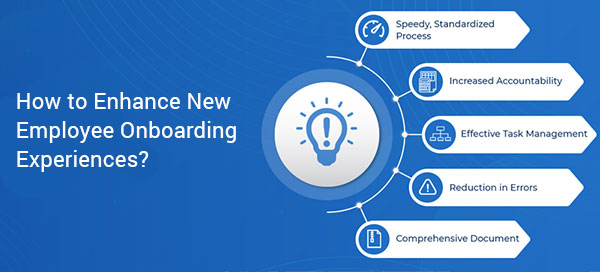
How to Enhance New Employee Onboarding Experiences?
Getting your new employee up to speed can be a difficult task for even the most established companies. It’s a careful balancing act...
The Ideal Employee Onboarding Checklist for Increased Efficiency...
Emails get lost in the inbox, physical documents get misplaced and that’s when management starts to notice the communication…

9 Best practices for flawless Employee Offboarding
No company likes employees leaving the organization when they become assets to the whole system. Inevitably…
Use the News web part on a SharePoint page
Web parts are the main characteristic of your page in the site. One such dynamic web part is the news web part…

How to get Custom Theme for your Modern SharePoint site
A couple of months ago, Microsoft introduced new branding and theming capabilities for the Modern SharePoint sites in Office 365…
