
About Client
It is a privately held, American retail company that specializes in selling high-quality tools and equipment at affordable prices. Founded in 1977, the company has grown from a small mail-order tool business to a nationally recognized brand with over 1,400 retail stores across the United States and a robust online presence.
They serves a broad range of customers-from DIY enthusiasts and homeowners to professional contractors and businesses-by offering more than 7,000 tools and accessories through its stores and e- commerce platform. Known for its commitment to value and quality, they have built a strong reputation for customer satisfaction, operational excellence, and continuous innovation.
As a rapidly growing organization with a nationwide footprint and a large, diverse workforce, it relies on scalable digital platforms to support internal collaboration, knowledge sharing, and efficient operations.
Objectives
The objective of the newly designed SharePoint Online landing page is to serve as a centralized, engaging, and user-friendly digital workplace hub that enhances internal communication, promotes employee engagement, and streamlines access to essential company resources and tools.
Through a thoughtfully curated set of web parts and components, the landing page aims to:

Assess and Improve content discoverability through a well-defined information architecture and intuitive layout.

Streamline collaboration and productivity by consolidating key resources such as the document repository, quick links, and calendar into a single, accessible interface.

Enhance employee engagement and transparency by showcasing dynamic content including news, announcements, work anniversaries, and company events.

Promote internal culture and recognition via social media integrations (YouTube, Instagram, LinkedIn), and employee benefit highlights.

Automate the current Employee Orientation Process.
Challenges
-
Scattered Information Sourc
Employees had to navigate multiple systems or locations to access company documents, calendars, HR resources, and announcements, leading to inefficiency and missed communications. -
Low Employee Engagement
There was limited visibility into company events, associate milestones, job openings, and internal recognition, which reduced morale and connection to company culture. -
Unstructured Content Layout
The previous interface lacked a user-friendly structure and intuitive navigation, making it difficult for users to find relevant content quickly. -
Poor Communication Flow
Important updates, news, or announcements were not reaching all employees effectively, particularly those not sitting at a desk or regularly checking emails. -
Limited Personalization & Interaction
Employees had few opportunities for real-time interaction, or visibility into their own schedules (e.g., calendar integration) through the intranet. -
Lack of Integration with External Platforms
The organization lacked embedded social and video content (e.g., YouTube, Instagram, LinkedIn), missing out on opportunities to unify internal and external messaging and brand culture. -
Manual Administrative Overhead
Without a centralized admin panel, content updates, governance, and user support were time-consuming and inconsistent across departments.
Solution
To address the challenges faced by our Client in internal communication, user engagement, and content accessibility, Beyond Technologies LLC implemented a modern, centralized SharePoint Online landing page. The solution was designed with a scalable, modular architecture to meet the diverse needs of a large and growing organization.
Unified Information Architecture
Developed a structured and intuitive layout to categorize and present content clearly. Created logical groupings of information to improve navigation and reduce content silos.
Custom Branding Aligned with our Client’s Guidelines
The SharePoint intranet was fully customized to reflect client's corporate branding, incorporating the official color palette, logo, typography, and visual design standards. All web parts and layouts were styled consistently to ensure brand cohesion, enhance user familiarity, and deliver a professional and engaging digital workplace experience aligned with their internal and external identity guidelines.
User-Centric Layout and Navigation
Designed a clean, modern interface tailored for ease of use. Ensured mobile responsiveness and cross-device compatibility for on-the-go access.
Dynamic Content Components
Implemented key web parts such as:
- News/Announcements for real-time company updates.
- Banner/Highlights for promoting campaigns or critical information.
- Quick Links to frequently used tools and systems.
Enhanced Collaboration and Productivity
Integrated Document Repository for centralized access to policies, templates, and shared files. Added My Calendar to sync with user schedules and meetings. Included Company Events to foster awareness and participation.
Culture & Employee Engagement Features
Work Anniversary and Kudos Component to recognize employee contributions and milestones. Associate Benefits and Current Job Openings to inform and support employee development.
Social & Multimedia Integration
Integrated external platforms like YouTube, Instagram, and LinkedIn to connect employees with the company’s public-facing content and strengthen brand alignment.
Administrative Control and Governance
Introduced a robust Admin Panel for intranet administrators to manage content, control visibility, and maintain governance standards efficiently.
News Analytics Dashboard Integration
An advanced analytics component was integrated into the News web part to provide actionable insights into content engagement. The dashboard displays total and unique views for each news item date-wise, allowing content managers to monitor performance over time. Users can view the Top 5 most-accessed news articles with filtering options by team, date range, or custom time period. Additionally, the dashboard presents day-wise access trends (Monday to Sunday), highlighting average news engagement across the week to optimize publishing strategies.
User Behavior Analytics with Microsoft Clarity
To gain deeper insights into user interaction and optimize the intranet experience, Microsoft Clarity was integrated into the SharePoint intranet. This tool provides rich user behavior analytics including heatmaps, scroll tracking, and session recordings, allowing administrators to understand how users navigate the site, which areas receive the most attention, and where potential engagement gaps exist. These insights support continuous UI/UX improvements and data-driven decisions for content placement and layout design.
Interactive U.S. Map Web Part for Legislation Tracking
A custom interactive U.S. map web part was developed and integrated into the SharePoint intranet to visually track the status of legislative processes across different states. Each state is color-coded to represent its current status (e.g., In Progress, Approved, Pending, Rejected), offering users a quick, intuitive understanding of national progress at a glance. Additional state-specific details appear on mouse hover, providing instant access to key information without leaving the page. This component enhances transparency, accelerates updates, and empowers teams with real-time visibility into complex legislative workflows.
Results & Impact
The SharePoint intranet modernization delivered by Beyond Technologies LLC had a significant and measurable impact on internal communication, user engagement, and operational efficiency. By aligning the intranet platform with business goals, branding standards, and employee needs, the following outcomes were achieved:
- Enhanced Internal Communication
- Improved User Engagement
- Streamlined Access to Resources
- Data-Driven Decision Making
- Stronger Governance and Security
- Brand Consistency and Professionalism















True SharePoint Experts!
We have worked with Beyond key on the development of our company intranet which is hosted in [...]
- Leon Allard

Excellent Tool and Customer Support
This tool is excellent, it is simple to use and configure and meets our business need.[...]
- Andy French

Amazing APP & support. Don't change.
We are using this as a people finder for our college. We did look at a few options[...]
- Darren Evans

Outstanding Support
App worked out of the box, I had a few questions on configuration so I email[...]
- Matt Williams
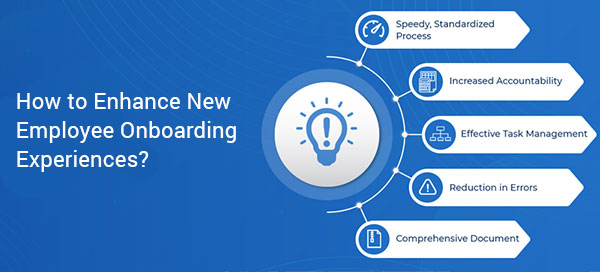
How to Enhance New Employee Onboarding Experiences?
Getting your new employee up to speed can be a difficult task for even the most established companies. It’s a careful balancing act...
The Ideal Employee Onboarding Checklist for Increased Efficiency...
Emails get lost in the inbox, physical documents get misplaced and that’s when management starts to notice the communication…
9 Best practices for flawless Employee Offboarding
No company likes employees leaving the organization when they become assets to the whole system. Inevitably…
Use the News web part on a SharePoint page
Web parts are the main characteristic of your page in the site. One such dynamic web part is the news web part…
How to get Custom Theme for your Modern SharePoint site
A couple of months ago, Microsoft introduced new branding and theming capabilities for the Modern SharePoint sites in Office 365…
