

Client Business Description
Our client is a leading manufacturer of high-value sports medicine products that advance orthopedic patient care. From pioneering cold therapy products to innovative bracing to caring customer service they are an award-winning global provider of Orthopedic products and services. They are well known for functional knee braces that are sleek, lightweight designed with exceptional comfort and fit. They are Delivering seamless support to facilities navigating the complexities of modern healthcare across the globe for the past 2 decades.
Manufacturing industries must deal with a lot of data chaos. Our client was also facing similar issues that required extensive, repetitive manual data entry and data transfer within the billing system, introducing a high risk of errors. Due to delays in the manual process, payment postings were missed by the end of the month, causing late payment settlements.
- Manual data entry and data transfer increase the risk of errors.
- Lack of a data tracking system (for Success, Failure, and Exceptions).
- Lack of reporting capabilities, data accessibility, and experiencing data loss.
- No notifications for errors or exceptions during the process, or when the process is finished.
- Lack of modern APIs due to legacy systems resulting in no easy integration possible.
Solution
To address these challenges, Beyond Intranet offers a robust Automate Desktop Solution. This solution bridges the gap between older and newer systems, streamlining operations through UI-based automation using desktop flows. It harnesses the power of Robotic Process Automation (RPA) within Power Automate. Our client was using a legacy system that did not easily allow for third-party API integration. Therefore, we provided the Power Automate solution, which encompasses all the capabilities of RPA.


Power Automate Cloud:
It ensures data is secured in the cloud, safeguarding against potential data loss while also offering seamless data retrieval capabilities.
Attended RPA:
It automates repetitive, rule-based tasks, allowing organizations to complete them faster and with fewer errors.
RPA Bot:
It works 24/7 without the need for breaks or benefits, which can result in significant cost savings.
RPA Integrates With Legacy Systems:
RPA can interact with legacy systems through their user interfaces, effectively bridging the gap without the need for major system upgrades or overhauls.
Seamless Communication Between Multiple Legacy Systems:
RPA can orchestrate complex processes involving multiple legacy systems, making it possible to create end-to- end automated workflows.
Technology Used

Microsoft UI Automation (UIA)

Screen Scraping

Recording and Playback

Flow Design

Integration with Microsoft Ecosystem

Integration Connectors

Variables and Data Manipulation

Conditions and Control Flow

Error Handling

Scheduled and Triggered Automation

Remote Execution

Security and Access Control
Results
Integrating the Power Automate Solution with RPA functionalities led to significant improvements in the client's data and billing management system. Thanks to the solution's powerful features and intuitive interface, the client successfully overcomes their obstacles and experiences seamless payment processing, and a robust database that benefits both their organization and the customers they serve.
- Automation of Repetitive Tasks helped with rule-based tasks, freeing up human workers for more complex and creative work. This leads to increased productivity in less investment.
- Bot automation significantly reduces errors that may occur due to manual data entry or repetitive tasks. Enhances data integrity.
- RPA bots can work around the clock, providing 24/7 service, which can be especially valuable for tasks that need to be performed continuously.
- Bot extracted data from various sources and input it into legacy systems, streamlining data integration processes.
- Helped to maintain an audit trail of all activities, which is valuable for tracking and auditing purposes.
- RPA bots can be quickly reconfigured to adapt to changing business needs, making them a flexible solution for various industries.















True SharePoint Experts!
We have worked with Beyond key on the development of our company intranet which is hosted in [...]
- Leon Allard

Excellent Tool and Customer Support
This tool is excellent, it is simple to use and configure and meets our business need.[...]
- Andy French

Amazing APP & support. Don't change.
We are using this as a people finder for our college. We did look at a few options[...]
- Darren Evans

Outstanding Support
App worked out of the box, I had a few questions on configuration so I email[...]
- Matt Williams
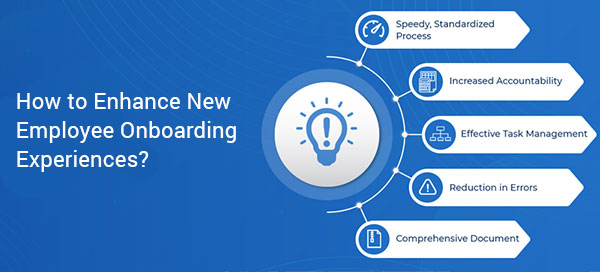
How to Enhance New Employee Onboarding Experiences?
Getting your new employee up to speed can be a difficult task for even the most established companies. It’s a careful balancing act...
The Ideal Employee Onboarding Checklist for Increased Efficiency...
Emails get lost in the inbox, physical documents get misplaced and that’s when management starts to notice the communication…

9 Best practices for flawless Employee Offboarding
No company likes employees leaving the organization when they become assets to the whole system. Inevitably…
Use the News web part on a SharePoint page
Web parts are the main characteristic of your page in the site. One such dynamic web part is the news web part…
How to get Custom Theme for your Modern SharePoint site
A couple of months ago, Microsoft introduced new branding and theming capabilities for the Modern SharePoint sites in Office 365…
