A practical, vendor-neutral guide for CIOs, IT directors, and digital workplace leaders evaluating SharePoint consulting partners in Australia — including a comparison...
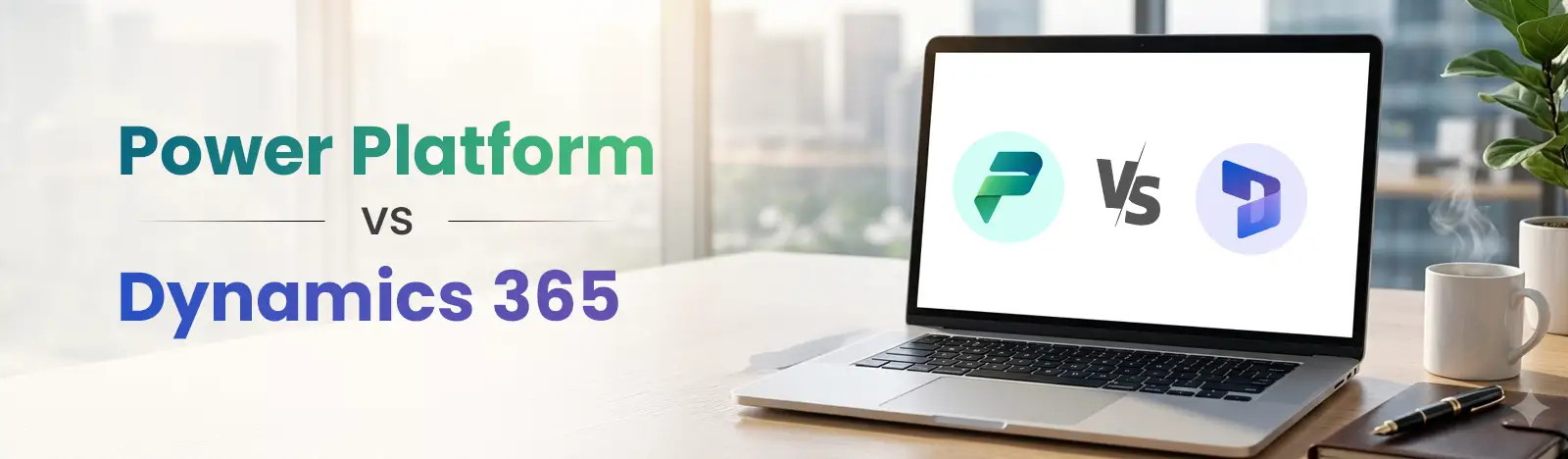
Microsoft sells two families of business applications that overlap enough to confuse most buyers. Power Platform is a set of tools for building what you need. Dynamics 365 is a set of applications that already do what most organizations need. Because Dynamics 365 is partly built on Power Platform, the two are often described as alternatives when they are closer to layers of the same stack.
The confusion is understandable. Both run on Microsoft’s cloud, both use Dataverse in some form, both carry Copilot, and both are sold by the same partners. A business owner looking at a maintenance-tracking problem and a CIO replacing a 15-year-old ERP will both be told “Microsoft has something for that,” and in both cases the answer is correct. It just isn’t the same answer.
This guide explains what each platform is, how they differ across thirteen dimensions, how they work together, when each is the right starting point, what mistakes organizations make, and how to decide based on your size, budget, and the problem in front of you. It is written to be neutral: Beyond Key implements both, and the right recommendation depends on the problem, not the product.
Summary: Microsoft Power Platform is a low-code suite of five tools (Power Apps, Power Automate, Power BI, Power Pages, and Copilot Studio) sharing a common data service called Dataverse. It is designed so that business users and professional developers can build custom applications, automate workflows, analyze data, publish external sites, and create AI agents without traditional software development.
Power Platform is best understood as a construction kit. It does not come with a sales process, a chart of accounts, or a service desk. It comes with the components to build those things, or, more commonly, to build the specific processes that packaged software never quite covers.
Power Apps Build custom business applications. Canvas apps give designers pixel-level control over the interface and connect to almost any data source. Model-driven apps are generated from a data model in Dataverse and are the technology Dynamics 365’s customer engagement apps are built with. Powerapps is one product inside Power Platform, not the platform itself see howPower Apps and Power Platform differs
Power Automate helps in Automating workflows across Microsoft 365, Dynamics 365, and more than a thousand third-party services through connectors. Cloud flows handle approvals, notifications, and system-to-system automation; desktop flows handle robotic process automation for legacy applications with no API.
Power BI Connect to data wherever it lives, model it, and publish interactive reports and dashboards. Now part of Microsoft Fabric for organizations that need a broader analytics platform.
Power Pages Build secure, external-facing websites and portals for customers, partners, or citizens, with authentication and Dataverse-backed forms.
Copilot StudioBuild conversational agents that answer questions from approved knowledge, call actions, and hand off to people. Agents can be published to Teams, websites, or Microsoft 365 Copilot.
Dataverse. The data service underneath Power Apps model-driven apps, Copilot Studio, Power Pages, and Dynamics 365 customer engagement. It provides tables, relationships, business rules, role-based security down to field level, auditing, and an API. Dataverse is what makes a Power Platform solution feel like an enterprise application rather than a spreadsheet with a form on it.
Typical use cases
A maintenance request app with photo capture and contractor notifications. An expense exception workflow that routes based on amount and department. A leadership dashboard that combines finance, sales, and operations data from three systems. An HR agent that answers policy questions and starts onboarding tasks. A supplier portal where vendors update their own details. None of these is a product you can buy; all of them are things you can build.
Summary: Microsoft Dynamics 365 is a suite of packaged enterprise applications covering CRM (sales, customer service, field service, marketing) and ERP (finance, supply chain, commerce, and Business Central for small and mid-sized organizations). Each application ships with industry-standard processes, built-in compliance, embedded Copilot, and integration with Microsoft 365 and the Power Platform.
Where Power Platform gives you tools, Dynamics 365 gives you finished rooms. The processes are already designed, the data models already exist, and the applications already talk to each other.
Customer engagement applications (CRM)
Sales. Lead and opportunity management, pipeline forecasting, sequences, and Copilot assistance for research, email, and meeting preparation.
Customer Service. Case management, knowledge base, omnichannel routing across voice, chat, and messaging, and agent assistance.
Field Service. Work orders, scheduling and dispatch optimization, mobile technician app, IoT-triggered service, and asset management.
Customer Insights. Journeys for marketing orchestration and Data for a unified customer profile.
Finance and operations applications (ERP)
Business Central. A complete ERP for small and mid-sized organizations: general ledger, sales and purchasing, inventory, projects, manufacturing, and service, with a large partner app ecosystem.
Finance. Enterprise financial management with multi-entity, multi-currency, consolidation, and country-specific localizations for tax and regulatory reporting in more than 40 countries and regions. [CONFIRM count against Microsoft Learn]
Supply Chain Management. Manufacturing, warehouse, procurement, planning, and logistics at enterprise scale.
Commerce. Unified retail across store, online, and call center.
Where the data lives
This is the point most comparison articles get wrong. The customer engagement apps (Sales, Customer Service, Field Service, Customer Insights Journeys) run on Dataverse. Business Central and Finance and Supply Chain Management do not; each runs on its own database. They connect to Dataverse through virtual tables and, for Finance and Supply Chain, a synchronization feature called dual-write, so that Power Apps, Power Automate, and the customer engagement apps can read and write their data. The practical effect is similar, but the architecture is different, and it affects integration design and licensing.
Who Dynamics 365 is for
Organizations replacing or consolidating a core system, needing standard processes with compliance built in, or needing sales, service, finance, and operations to share one view of the customer and the business.
Summary: The table below compares Power Platform and Dynamics 365 across fourteen dimensions. The short version: Power Platform is a toolkit you build with, licensed per user or per app, live in days to weeks; Dynamics 365 is a set of finished applications, licensed per user per app, implemented in weeks to months, with deeper functionality for standard processes.
Dimension
Power Platform
Dynamics 365
Purpose
Build custom apps, automations, reports, portals, and agents
Run standard business processes with packaged CRM and ERP applications
Target users
Business analysts, citizen developers, IT, professional developers
Sales, service, finance, operations, and supply chain teams
Primary function
Toolkit and platform
Business applications
Customization
Everything is built; unlimited within the platform’s capabilities
Configure and extend a defined product; core processes are fixed
Licensing
Per user, per app, per flow, capacity, and consumption
Per user per application, with team member and attach licenses
Deployment
Cloud; desktop flows run on local machines
Cloud; Business Central and Finance and Supply Chain have on-premises or hybrid options for specific cases
Low-code capability
Core design principle
Available for extension through the included Power Platform rights
AI capabilities
Copilot Studio agents, AI Builder models, Copilot in each tool for building
Role-specific Copilot embedded in each application
Automation
Power Automate cloud and desktop flows
Business process flows and workflows, plus Power Automate
Reporting
Power BI, with any data source
Built-in reports and dashboards, plus Power BI integration
Scalability
Scales by environment, capacity, and architecture; needs governance
Enterprise scale by design, especially Finance and Supply Chain
Best for
Specific processes, gaps around existing systems, speed
Core systems, standard processes, compliance, cross-department visibility
Learning curve
Low for makers; moderate to high for governance and complex solutions
Low for users; high for implementation and configuration
Implementation time
Days to weeks for a focused solution
Weeks for Business Central or Sales in a small organization; months for enterprise finance and supply chain
Summary: The differences between Power Platform and Dynamics 365 come down to one principle applied thirteen ways: Power Platform provides capability, Dynamics 365 provides process. Every dimension below, from architecture to maintenance, follows from whether you are building a solution or adopting one.
Power Platform exists to let organizations build what packaged software does not provide. Dynamics 365 exists to provide what most organizations need without building it. A company that needs a sales pipeline buys Dynamics 365 Sales. A company that needs a sales pipeline with a bespoke commission model and a workflow nobody else uses may still buy Dynamics 365 Sales and extend it with Power Platform, or, if the process is unusual enough, build it on Power Platform alone.
Power Platform is a set of services around Dataverse and the connector framework. Dynamics 365 customer engagement is a set of model-driven apps on Dataverse with Microsoft’s business logic included. Business Central and Finance and Supply Chain are separate applications with their own databases that integrate with Dataverse. Understanding which application you are dealing with determines how you integrate it and what the license includes.
With Power Platform, customization is the product: you decide the data model, interface, and logic. With Dynamics 365, you configure within a product boundary. You can add fields, forms, flows, plugins, and entire companion apps, but you cannot change how the general ledger posts or how a case is escalated without working inside Microsoft’s framework. That boundary is a feature for organizations that want standard processes and a constraint for those that don’t.
Dynamics 365 ships with processes: lead to opportunity to quote to order, case intake to resolution, purchase requisition to invoice. These encode industry practice and compliance. Power Platform ships with none, so every process is yours to design, which is faster for unusual processes and slower for standard ones.
Power Platform is licensed by what you build and how many people use it: per user, per app, per flow, pay-as-you-go, and capacity for Power BI and Copilot Studio. Dynamics 365 is licensed per user per application, with lower-cost team member licenses for light users and attach pricing for a second application. Dynamics 365 licenses include rights to use Power Apps and Power Automate within the context of the licensed application. Microsoft 365 licenses include limited Power Platform rights for standard connectors.
Power Platform solutions can store data in Dataverse, SharePoint, SQL, or any connected source, and the choice affects cost, security, and scale. Dynamics 365 customer engagement stores data in Dataverse. Business Central and Finance and Supply Chain store data in their own databases and expose it to Dataverse through integration.
Both rely on Microsoft Entra ID for identity and inherit Microsoft 365 compliance tooling. Dataverse provides role-based security with business units, record-level and field-level control, and auditing, used by both Power Apps on Dataverse and Dynamics 365 customer engagement. Power Platform adds environment-level controls and data loss prevention policies for connectors, which matter because makers can connect to external services. Dynamics 365 ERP applications have their own security models aligned to finance and operations roles.
Power Automate is the automation engine for both, but Dynamics 365 also includes business process flows (guided stages on a record), classic workflows, and application-specific automation such as service-level agreements and routing rules. Power Platform solutions use Power Automate for everything, including the desktop flows that automate legacy applications.
Power BI is the shared reporting layer and works with or without Dynamics 365. Dynamics 365 adds embedded dashboards, views, and operational reports inside each application, and Business Central and Finance ship with financial reporting designed for accountants and auditors.
Power Platform’s AI is for building: Copilot Studio for agents, AI Builder for document processing and prediction models, and Copilot inside Power Apps and Power Automate that drafts apps and flows from a description. We cover both in our guides to Copilot in Power Appsand Copilot in Power Automate.
Dynamics 365’s AI is for using: Copilot in Sales drafts emails and summarizes opportunities, Copilot in Customer Service suggests responses and drafts knowledge articles, Copilot in Finance helps with collections and forecasting. Both can be extended with Copilot Studio agents.
Dynamics 365 Finance and Supply Chain are designed for multi-entity, multi-country enterprises and scale accordingly. Business Central scales to mid-market needs. Power Platform scales as far as its architecture and governance allow; a well-designed Dataverse solution supports thousands of users, while a canvas app on a SharePoint list does not.
A focused Power Platform solution goes live in days to weeks. Dynamics 365 Sales or Business Central for a small organization takes weeks; enterprise Finance and Supply Chain takes months, driven by data migration, process design, integration, and change management rather than by the software.
Power Platform solutions are maintained by the organization or its partner: you own the data model, the logic, and the upgrade path. Dynamics 365 applications are maintained by Microsoft through continuous updates, and your customizations must stay compatible with them, which is why extensions are built in supported ways rather than by modifying the core.
Summary: Power Platform and Dynamics 365 are designed to be used together. Dataverse is the shared data layer for customer engagement apps and Power Apps; Power Automate runs cross-system workflows; Power BI reports across both; Copilot Studio agents can act on Dynamics 365 data. Most real deployments use Dynamics 365 for core processes and Power Platform for everything around them.
Think of Dynamics 365 as a house and Power Platform as the construction toolkit. You can use the toolkit to renovate a room, add an extension, or put up a separate building. What you cannot do is live in the toolkit.
Dataverse is the connection point. A Power Apps model-driven app and Dynamics 365 Sales can share the same account and contact tables, which means a custom app built for the operations team sees the same customers the sales team manages.
Power Apps extends Dynamics 365 with interfaces the product does not have: a simplified mobile app for field staff who need three fields rather than thirty, or a canvas app embedded on a Dynamics 365 form.
Power Automate connects Dynamics 365 to everything else: when an opportunity closes, create the project in the PSA tool, notify the delivery lead in Teams, and generate the welcome email.
Power BI reports across Dynamics 365 and non-Microsoft sources together, which embedded dashboards cannot do.
Copilot Studio builds agents that query and update Dynamics 365 data: a service agent that checks order status in Business Central and opens a case in Customer Service if something is wrong.
A typical architecture
A mid-sized distributor runs Business Central for finance and inventory and Dynamics 365 Sales for the pipeline. Dual-write and virtual tables expose Business Central customers and orders to Dataverse. A Power Apps canvas app lets warehouse staff log damaged goods from a tablet. Power Automate routes the resulting credit request to finance for approval and updates both systems. Power BI shows leadership sales, margin, and stock in one report. A Copilot Studio agent in Teams answers “where is order 4471?” for anyone with permission to ask. Every component is Microsoft, every piece of data lives in one of two systems, and nobody re-keys anything.
Summary: Choose Power Platform first when the problem is specific rather than structural: a workflow no packaged product covers, systems that need connecting, reporting across sources, an internal AI agent, or a solution needed in weeks. It is the right choice when your core systems work and the gap is around them.
You have a workflow no off-the-shelf product covers. A property manager needs maintenance requests with photo uploads, custom approval steps, and automatic contractor notifications. No ERP does this well natively. Power Apps and Power Automate do.
You need to connect systems that do not talk to each other. The CRM is one vendor’s, the ERP is another’s, and someone is copying data between them in a spreadsheet. Power Automate synchronizes them without replacing either.
Nobody can see the whole picture. Finance, sales, and operations each have a system and a report. Power BI connects all three and gives leadership one view, with no migration.
You want AI agents without a large development team. Copilot Studio builds agents that answer HR questions, open IT tickets, or surface product information, grounded in approved content.
You need it live in weeks. A focused Power Platform solution compresses build time compared with traditional development, provided the requirement is clear and the data is in reasonable shape.
Illustrative scenario. A logistics company tracks driver compliance documents in spreadsheets. Missing documents create regulatory risk and delay invoicing. A Power App lets drivers submit documents from a phone, Power Automate alerts managers to gaps and expiries, and a Power BI report shows finance which drivers are cleared to invoice. The ERP is untouched. (Illustrative; no client is implied.)
Summary: Choose Dynamics 365 when the problem is structural: a core CRM or ERP that is end of life or cannot scale, a need for one view of the customer across sales and service, compliance requirements that packaged software already meets, or multi-entity operations. Power Platform extends core systems; Dynamics 365 is one.
Your ERP or CRM is end of life or cannot scale. Organizations on Dynamics NAV, GP, or AX, or on an aging CRM with years of accumulated customization, have a supported migration path to Business Central, Finance, or Sales.
You need one view of the customer across sales, service, and marketing. When a customer calls, the agent should see purchase history, open opportunities, and outstanding invoices without switching applications. That is what Dataverse across Dynamics 365 modules provides.
You have compliance requirements that packaged software already meets. Finance ships with tax and regulatory localizations for dozens of countries. Building that on Power Platform would be a project in itself, and an unwise one.
You run complex operations. Multi-site, multi-entity, multi-currency, intercompany transactions, and consolidated reporting are standard in Finance and Supply Chain and painful to build.
Illustrative scenario. A distributor runs Dynamics NAV on premises. Inventory visibility lags a day, sales staff cannot see live stock, and month-end close takes most of two weeks. Moving to Business Central with Power BI reporting gives sales live inventory, shortens close through automated reconciliation, and replaces manual pick lists with system-directed warehousing. (Illustrative; no client is implied.)
Summary: For a narrow process, sometimes. For a core system, no. Power Platform can replace a simple CRM or a departmental tracking system, but rebuilding a general ledger, supply chain, or compliant financial reporting on Power Platform means recreating what Dynamics 365 already contains. Power Platform is designed to extend Dynamics 365, not substitute for it.
The honest answer has two parts.
For lightweight CRM, yes. A small organization that needs contacts, activities, and a pipeline can build that on Dataverse with a model-driven app and avoid Dynamics 365 Sales licensing. Many do, and it works until they need forecasting, sequences, Copilot for sellers, or integration with marketing, at which point they are rebuilding Dynamics 365 Sales one feature at a time.
For ERP, no. Finance, inventory, costing, tax, and audit are not things to build from scratch on a low-code platform. The risk is not that it cannot be done; it is that it will be done incompletely, and the gaps will surface in an audit or a stock count.
The right framing is that Power Platform extends Dynamics 365 and fills gaps around it. Organizations that try to use it as a replacement for a core system usually end up buying the core system later, with a migration from their custom solution added to the cost.
Summary: Across industries, the pattern repeats: Dynamics 365 for the core system, Power Platform for the processes around it. The examples below describe common patterns rather than specific clients.
Manufacturing. Finance and Supply Chain for production, costing, and multi-plant inventory. Power Apps for shop-floor quality checks and downtime logging on tablets; Power BI for OEE dashboards; a Copilot Studio agent for equipment documentation.
Healthcare. Customer Service for patient inquiries and referrals, with compliance controls. Power Apps for credentialing and equipment tracking; Power Automate for consent and intake workflows; Power BI for capacity reporting.
Retail. Commerce or Business Central for stores, online, and stock. Power Apps for store audits and planogram compliance; Power Automate for markdown approvals; Power BI for sell-through by location.
Construction. Business Central or Finance for job costing and project accounting. Power Apps for site inspections, daily logs, and safety observations; Power Pages for subcontractor onboarding; Power Automate for change-order approvals.
Professional services. Sales for pipeline and Project Operations for delivery and billing. Power Apps for resource requests; Power Automate for timesheet reminders and approvals; Power BI for utilization.
Education. Customer Insights Journeys for recruitment communications and Customer Service for student inquiries. Power Apps for facilities requests and event check-in; Power Pages for applicant portals; Power Automate for form routing.
Nonprofit. Business Central for fund accounting, often with Microsoft’s nonprofit pricing, and Sales or a Dataverse app for donor management. Power Apps for volunteer scheduling; Power Automate for grant reporting workflows; Power BI for program outcomes.
Summary: Power Platform is licensed by what you build and who uses it: per user, per app, per flow, pay-as-you-go, and capacity. Dynamics 365 is licensed per user per application, with team member and attach licenses, and includes Power Platform rights for extending the licensed app. Prices change; check Microsoft’s official pages before budgeting.
This article does not quote prices. Microsoft revises them, promotions vary by region, and a figure that was correct when written is a liability six months later. What follows is how the models work.
Power Apps: per user (unlimited apps) or per app, plus pay-as-you-go through Azure for occasional users. Premium connectors and Dataverse use are what separate paid plans from the rights included in Microsoft 365.
Power Automate: per user, per user with attended RPA, or per flow (also called per process) for automations that serve many people. Hosted RPA capacity is separate.
Power BI: Pro per user, Premium per user, or Fabric capacity for enterprise deployments. Free viewing is available against Fabric capacity.
Copilot Studio: message-pack capacity or pay-as-you-go, with messages consumed per interaction and some agent actions metered differently.
Microsoft 365 inclusions: Business and enterprise Microsoft 365 plans include Power Apps and Power Automate rights for standard connectors and non-Dataverse data, which covers many simple solutions.
Dynamics 365 licensing models
Per user per application: each person is licensed for the application they use (Sales, Customer Service, Business Central Essentials or Premium, Finance, Supply Chain Management).
Attach licenses: a second application for the same user is priced lower than the first.
Team member: low-cost licenses for light users who read data and complete basic tasks.
Included Power Platform rights: Dynamics 365 users can use Power Apps and Power Automate within the context of the licensed application, which reduces the incremental cost of extending it.
Device licenses for shared devices in retail and warehouse settings.
What drives total cost
For both platforms, licensing is usually the smaller share. Implementation, data migration, integration, training, and ongoing support dominate, and they scale with process complexity rather than with the product. Microsoft’s official pricing pages for Power Platform and Dynamics 365 are the only reliable source for current list prices.
Comparative Difference Between Power Platform Vs Dynamics 365
Summary: Power Platform wins on speed, flexibility, and cost of entry and loses on governance burden and the risk of rebuilding what packaged software already does. Dynamics 365 wins on depth, compliance, and maintained processes and loses on cost, implementation effort, and the limits of a product boundary.
Power Platform
Dynamics 365
Pros
Fast to build and change. Lower cost of entry. Fits unusual processes exactly. Connects almost anything. Makers can be business users. Included rights in Microsoft 365 for simple cases.
Standard processes with industry practice built in. Compliance and localizations included. One view of the customer across modules. Maintained and updated by Microsoft. Role-specific Copilot. Enterprise scale for finance and supply chain.
Cons
You own the design and the maintenance. Governance is essential; sprawl is easy. Complex solutions need professional developers. Rebuilding a core system on it is a common and expensive mistake. Licensing for premium connectors and Dataverse surprises people.
Higher licensing and implementation cost. Months, not weeks, for ERP. Processes are configurable within a boundary, not freely redesigned. Customizations must survive continuous updates. Over-licensing is common when every user gets a full license.
Summary: The most expensive mistakes are buying Dynamics 365 for a problem a flow would solve, building an ERP on Power Apps, deploying Power Platform without governance, licensing every user at the highest tier, and treating integration as something to work out later.
Buying Dynamics 365 for simple automation. An approval workflow and a tracking list do not need a CRM license. Organizations that buy Dynamics 365 Sales to manage a dozen deals a year pay for a product they use 5 percent of.
Using Power Apps as an ERP. It starts as an order-tracking app. Then it needs invoicing. Then stock. Then tax. Two years later it is an unsupported ERP with one person who understands it. Business Central would have cost less.
Ignoring governance. Power Platform without environments, data loss prevention policies, and a Center of Excellence produces hundreds of apps nobody owns, connectors to services nobody approved, and data nobody can account for. Microsoft’s CoE Starter Kit exists for this reason.
Poor licensing decisions. Giving every Dynamics 365 user a full license when half need a team member license. Building a Power App on a premium connector for 2,000 occasional users without checking per-app or pay-as-you-go pricing. Assuming Microsoft 365 rights cover Dataverse.
Not planning integrations. The Dynamics 365 project goes well until someone asks how orders reach the warehouse system. Integration design belongs in discovery, not in month four.
Skipping change management. Both platforms fail when people keep using the spreadsheet. A technically perfect system with no adoption plan delivers nothing.
Summary: Match the business need to the platform. Core system replacement, cross-department visibility, compliance, and multi-entity operations point to Dynamics 365. Automation, integration, custom apps, reporting, AI agents, and extending an existing deployment point to Power Platform.
If your goal is
Recommended solution
Replace a legacy ERP
Dynamics 365 Business Central or Finance and Supply Chain Management
Replace a legacy CRM
Dynamics 365 Sales or Customer Service
Automate a manual process
Power Platform (Power Automate)
Connect systems that do not integrate
Power Platform (Power Automate, connectors)
One view across sales, service, and finance
Dynamics 365 suite on Dataverse
Build an internal AI agent
Power Platform (Copilot Studio)
Self-service reporting across sources
Power Platform (Power BI)
Multi-entity, multi-currency financial management
Dynamics 365 Finance
A custom app for a specific team
Power Platform (Power Apps)
A customer or partner portal
Power Platform (Power Pages), connected to Dynamics 365 where relevant
Extend an existing Dynamics 365 deployment
Power Platform, using the included rights
Field technicians with scheduling and work orders
Dynamics 365 Field Service
Four questions to ask first
Are we replacing or modernizing a core system? If yes, lead with Dynamics 365.
Does a standard process exist for this, and would we accept it? If yes, Dynamics 365. If the process is genuinely unique, Power Platform.
How soon does it need to be live, and how much change can the organization absorb? Weeks favors Power Platform; a longer runway with executive sponsorship supports Dynamics 365.
Do we already run Dynamics 365? If yes, Power Platform is an extension decision, not a separate platform decision, and the included rights change the economics.
Expert Recommendation by Organization Profile
Summary: Smaller organizations with working core systems should start with Power Platform for specific gaps. Growing organizations outgrowing their systems should move to Business Central or Sales and extend with Power Platform. Enterprises with complex finance and operations need Dynamics 365 Finance and Supply Chain, with Power Platform governed as a strategic capability.
Small organizations (under roughly 50 users) with working systems. Start with Power Platform. Most needs are specific gaps, and Microsoft 365 rights may cover simple apps and flows. Buy Business Central only when accounting software is the constraint.
Growing mid-market organizations outgrowing entry-level accounting or a basic CRM. Lead with Business Central or Dynamics 365 Sales, implemented with a partner, and plan Power Platform extensions from the start. This is where the included Power Platform rights deliver the most value.
Enterprises with multi-entity finance, complex supply chains, or large service operations. Dynamics 365 Finance and Supply Chain, Customer Service, or Field Service as the core, with Power Platform governed through a Center of Excellence as an enterprise capability, not a collection of departmental apps.
Organizations with limited budget and urgent need. Power Platform, scoped tightly, with a plan for what happens if the solution grows. Document the point at which you would move to Dynamics 365.
Organizations with low digital maturity. Resist both for a moment. Fix data quality, assign process owners, and pick one well-bounded problem. A failed first project on either platform sets AI and automation back by years.Organizations planning for growth. Choose Dataverse as the data layer even for Power Platform solutions, so that a later move to Dynamics 365 customer engagement is an extension rather than a migration.
Microsoft Power Platform is a low-code suite of five tools, Power Apps, Power Automate, Power BI, Power Pages, and Copilot Studio, built on a shared data service called Dataverse. It lets organizations build custom applications, automate workflows, analyze data, publish portals, and create AI agents with little or no traditional code.
Microsoft Dynamics 365 is a suite of packaged business applications covering CRM (Sales, Customer Service, Field Service, Customer Insights) and ERP (Business Central, Finance, Supply Chain Management, Commerce). Each application ships with standard processes, compliance features, and embedded Copilot.
Partly. Dynamics 365’s customer engagement applications are model-driven Power Apps running on Dataverse. Business Central and Finance and Supply Chain Management run on their own databases and integrate with Dataverse rather than being built on it.
No. They are separate product families within Microsoft Business Applications. Dynamics 365 uses Power Platform technology and includes Power Platform rights, but it is licensed and sold as its own suite.
For simple contact and pipeline management, a model-driven Power App on Dataverse can serve as a lightweight CRM. It cannot match Dynamics 365 Sales on forecasting, sequences, Copilot for sellers, or marketing integration, so organizations with mature sales processes usually outgrow it.
No. Canvas apps and flows can use SharePoint, SQL, Excel, and hundreds of other sources. Dataverse is required for model-driven apps, Power Pages, Copilot Studio’s full feature set, and Dynamics 365 customer engagement, and it is the right choice when security, auditing, or scale matter.
Power Platform has a lower cost of entry and is cheaper for specific, bounded problems. Dynamics 365 costs more to license and implement but is cheaper than rebuilding its functionality. For a core system, Dynamics 365 is usually the lower total cost; for a departmental process, Power Platform usually is.
Power Platform, for a focused solution: days to weeks. Dynamics 365 implementations run weeks to months because they involve data migration, process design, and change management, not because the software is harder to use.
Yes. Dynamics 365 applications run without any additional Power Platform licensing. In practice almost every deployment uses Power Automate for workflows and Power BI for reporting, and the included rights cover much of that.
Whichever addresses your most pressing structural problem. If a core system is failing, Dynamics 365 first, with Power Platform planned as the extension layer. If core systems work and the pain is a specific process, Power Platform first.
They are designed to. Dataverse is the shared data layer, Power Automate connects workflows across both, Power BI reports on both, and Copilot Studio agents can act on Dynamics 365 data. Most mid-market and enterprise deployments use both.
Ask whether you are replacing a core system (Dynamics 365) or solving a specific problem around one (Power Platform), whether a standard process exists that you would accept, how quickly you need to be live, and whether you already run Dynamics 365. The decision matrix and recommendations above walk through each.
About Author
Sachin Jain
Sachin Jain is a Solution Architect at Beyond Key, based in Dallas, Texas. He specializes in designing and delivering enterprise solutions using Microsoft 365, SharePoint, and the Power Platform. He has led numerous digital transformation initiatives focused on automating business processes, building modern intranet solutions, and integrating enterprise systems with Power Apps, Power Automate, and Power BI.
Passionate about innovation and problem-solving, Sachin focuses on creating scalable, user-friendly solutions that bridge technology and business needs.