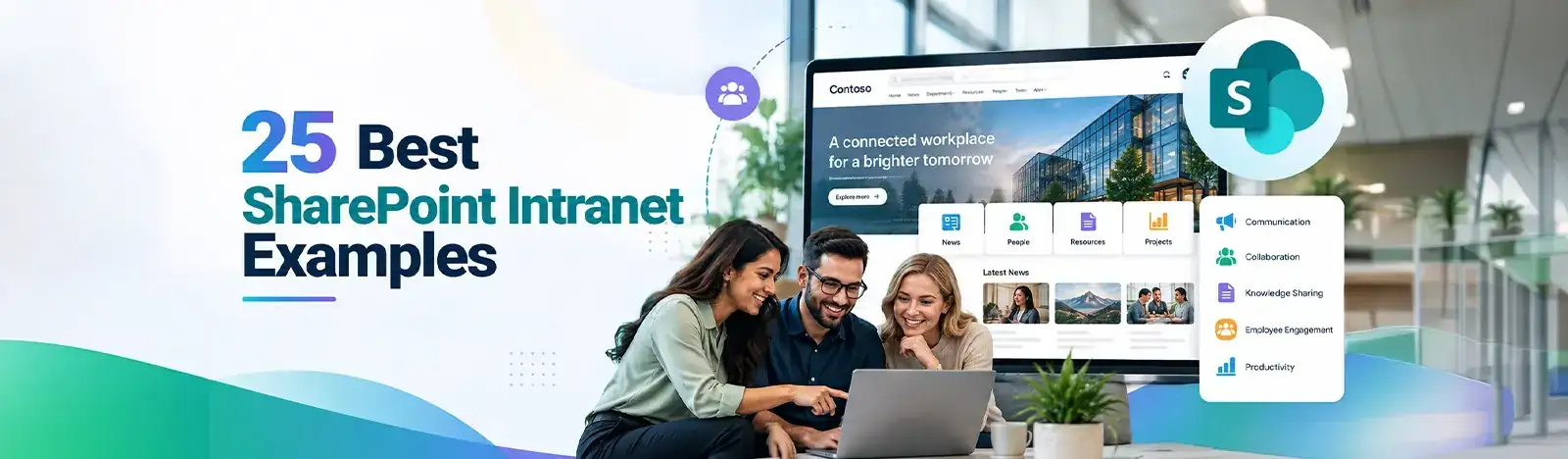
A practical, vendor-neutral guide for CIOs, IT directors, and digital workplace leaders evaluating SharePoint consulting partners in Australia — including a comparison...
The leave balance question arrives on the last Friday of every month.
Somebody in HR opens a spreadsheet and cross-references it against an email thread. Then checks whether the January adjustment was ever applied. An answer emerges roughly forty minutes later. The answer is usually right. The process is entirely manual, it repeats for every employee who asks, and it leaves no record that the next person can use.
Running HR without a system is not simply slower. It creates compliance exposure through inconsistent records and consumes capacity that has nowhere else to go. What follows is the definition of an HRMS. Then the acronym distinction almost every buyer gets tangled in, the strategic case for HR management, and a checklist for choosing a system.
Key takeaways
HRMS stands for human resource management system. It centralizes employee data and automates the HR tasks a team performs daily. The acronyms nest: an HRIS holds the records, an HRMS adds the operations on top, and HCM extends into talent strategy. HR management itself matters strategically. Retention traces back to it, as do compliance and productivity. Before choosing a system, write your must-have module list. Then weigh implementation effort and scalability, and whether it fits the tools your people already use.
What is HRMS (human resource management system)?
What is HRMS software?
It is software that centralizes employee data and automates the HR work a team does every day. Records and time. Leave and reporting. Self-service. All in one system. The purpose is to replace scattered spreadsheets with a single reliable source that everyone reads from.
Day to day, that translates into something specific.
Employee records live in one place instead of four. A leave request routes to an approver without anybody chasing. Hours worked feed a report that does not need rebuilding each month. Employees update their own details without opening a ticket. None of that is conceptually complicated. What makes it valuable is that it happens the same way every time, leaving a record behind.
One clarification worth making early. This is not a filing cabinet with a search box. The distinction is that it holds process as well as data, so a leave request is a workflow with a state rather than a document somebody stored.
You will also see HRMS used loosely as a synonym for HR software generally, and sometimes interchangeably with HRIS. In casual conversation nobody minds. During a purchase the imprecision costs money, which is why the next section exists.
HRMS vs. HRIS vs. HCM: what’s the difference?
How does an HRMS differ from an HRIS?
An HRIS is the system of record for employee data. An HRMS builds on that foundation, adding the operational functions HR runs daily. HCM extends further into talent strategy, covering succession and workforce planning. The three nest rather than compete, and most vendors market across all three.
Three categories, one nested inside the next, and the nesting is what makes the vocabulary slippery.
HRIS
HRMS
HCM
Focus
Employee records and data
Records plus day-to-day HR operations
The full talent lifecycle
Scope
Core data, policy files, compliance records
Adds time, leave, self-service and reporting
Adds succession, strategy and workforce planning
Best suited for
Teams needing one reliable record
Teams running HR operations daily
Enterprises managing talent as strategy
In practice
Often the foundation layer
The most common purchase
Usually a suite, and rarely a first buy
Table 1. Category scope, not a product comparison. The middle column is where most organizations land.
The practical guidance is simpler than the taxonomy suggests. If your problem is that nobody can find a reliable employee record, you need the first. If your problem is that HR spends its week on manual operations, you need the second. The third is a strategy purchase, and organizations that buy it before they need it tend to implement a fraction of what they paid for.
Why human resource management is important
Why does human resource management matter to a business?
Because the outcomes it governs determine performance. Retention and productivity. Compliance. Employee experience. All of it traces back to how well HR is run. When HR management is weak the cost appears elsewhere on the income statement, usually as turnover.
The strategic case rests on four things, and they compound.
Worth noting these are cumulative rather than alternative. An organization strong on hiring and weak on compliance does not net out at average; it carries the risk of the second regardless of the first.
Talent acquisition and retention
Hiring the right people is expensive and replacing them is more so. Recruitment fees, manager time, lost institutional knowledge and a ramp period all follow a departure. Good HR management shortens the first and reduces the frequency of the second.
The demand signal is measurable. The U.S. Bureau of Labor Statistics expects human resources specialists to grow 6 percent from 2024 to 2034. That is faster than the average across all occupations, with roughly 81,800 openings each year. Organizations are not adding HR capacity out of sentiment.
Retention economics also explain why the function keeps growing. Organizations that lose people faster than they can replace them spend the difference on recruitment, and that spend shows up long before anybody calls it an HR problem.
Productivity and compliance
Consistent policy application is a fairness issue before it becomes a legal one. Two managers interpreting the same rule differently creates exactly the pattern an EEOC complaint is built on, and accurate wage and hour records are what makes FLSA compliance defensible. Neither survives a filing system built on individual memory.
Wage and hour accuracy carries the sharpest edge. Records that cannot be reconstructed are the ones that turn a routine inquiry into a costly one, and the reconstruction happens under a deadline set by somebody else.
Employee experience
People form their view of an organization through ordinary interactions. Whether the laptop arrived. Whether the leave request was acknowledged. Whether anybody could answer a simple question without escalating it. HR management owns most of those moments.
Data-driven decision-making
Headcount planning, turnover analysis and cost modeling all require data somebody can trust. The Bureau of Labor Statistics also projects 5 percent growth for HR managers over the same decade, noting demand tied to strategic organizational priorities. Which describes a function moving from administration toward planning, and planning needs numbers.
Which is where technology enters. Strategy without a system underneath it stays aspirational, because the reporting takes longer than the decision window allows.
Getting HR management right takes the right system behind it
See how Beyond Intranet’s HRMS 365 supports it inside Microsoft 365.
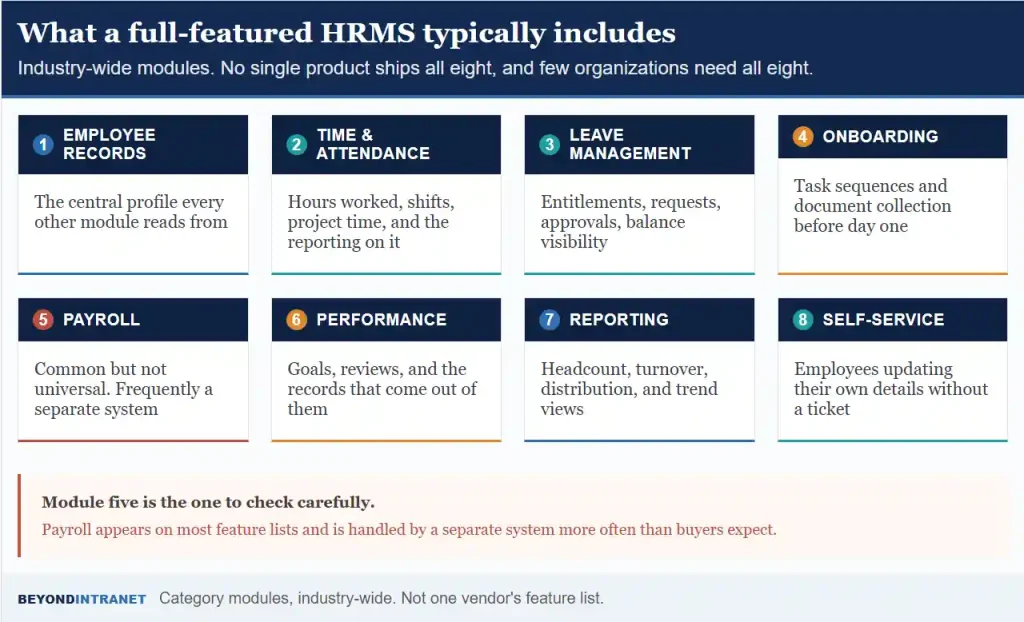
Eight appear across the category. Employee records form the foundation. Time and attendance, leave management and onboarding handle the operational work. Payroll is common without being universal. Performance management completes the set, alongside reporting and employee self-service.
What follows describes the HRMS category industry-wide. No single product ships all eight, and few organizations need all eight.
Industry-wide modules. Not any one vendor’s feature list.
Employee records
The central profile every other module reads from. Get this wrong and everything downstream inherits the error, which is why a centralized employee directory is usually the first component organizations put in place.
Time, attendance and leave
Hours worked, shift patterns, project time and the reporting built on top. Alongside it, leave entitlements and approvals. Time and attendance tracking is where wage and hour records originate, so accuracy here carries compliance weight as well as operational value.
Onboarding
Task sequences and document collection handled before day one instead of on it. In some suites this sits inside the HRMS. In others it runs as a separate system, which is how Beyond Intranet handles it through dedicated employee onboarding software rather than as an HRMS 365 module.
A practical note on sequencing. Organizations implementing records and time first, then adding modules, tend to finish. Ones attempting the full suite at once stall somewhere in configuration and go live with half of it switched off, plus a longer timeline than anybody forecast and a sponsor who has stopped attending the steering meetings.
Payroll
Worth examining carefully, because it appears on most feature lists and is handled by a separate specialist system more often than buyers expect. Ask whether payroll is native, integrated or absent before assuming the first.
Performance, reporting and self-service
Goals and review cycles produce records somebody has to hold. Reporting turns those records into headcount and turnover views, plus distribution. Self-service lets employees update their own details without a ticket, which is the module with the best return on the least effort.
Key benefits of HRMS software for growing businesses
What are the benefits of HRMS software?
Five stand out. Manual administrative work drops sharply. Compliance errors become less likely because records are consistent. Reporting improves because the data sits in one place. Employee experience improves through self-service. And long-term administrative cost falls as headcount grows.
The last one is the argument that matters at scale, and it is the least obvious.
Time returned to the team
The forty minutes spent on the leave balance question becomes a lookup the employee performs themselves. Multiply across every routine query and the recovered capacity is substantial, and it goes to work nobody had time for previously.
Fewer compliance errors
Consistency is what makes records defensible. Software applying the same rule the same way produces a cleaner audit trail than a process depending on who handled the request, and it does so without anybody trying harder.
The compounding matters here. Each error avoided is small. Across a year of leave calculations and wage records, the accumulated difference is what an auditor actually looks at.
Reporting that exists on demand
Headcount by department, turnover trends, leave liability. In a manual environment each of those is a project. In a system they are a view, which changes how often anybody looks at them.
A better employee experience
Self-service is the visible half. The invisible half is that new hires reach productivity faster when the process around them is organized, and a structured onboarding process is where that begins.
Lower administrative cost as you grow
Manual HR effort scales with headcount. Systematized HR effort largely does not. A team of two handling four hundred employees is only possible with the second arrangement, and the gap widens every year the organization grows.
How to choose the right HRMS software
What should a small business look for in HRMS software?
Start with must-have modules and ignore the rest of the feature list. Then weigh implementation effort and support quality. Compare pricing models honestly against your growth curve. Confirm it scales. Check that it integrates with the tools your people already open daily.
Six checks, and the first one removes most of the shortlist.
Check
What to look for
What it rules out
Define your must-haves first
A written list made before any demo
Being led by whichever vendor you meet first
Implementation and support
A named timeline and a named support model
Platforms needing a consultant to configure
Pricing model
Clear per-user or tiered pricing you can model
Quotes that change shape as headcount grows
Scalability
Effort stays flat as headcount rises
Anything requiring manual record creation
Integration
Works inside Microsoft 365 or your existing stack
Another system with another login
A real demo
Your own data, your own scenario
Rehearsed walkthroughs on prepared records
Table 2. Six checks. Writing your must-haves before the first demo is what protects the rest of the process.
Support quality deserves more weight than it receives. Software behaving well until something breaks is common, and the gap between a vendor answering within hours and one answering within days is invisible during evaluation and obvious by month four.
On pricing, model it at your projected headcount rather than your current one. HRMS pricing is usually per employee, so a figure that looks reasonable at eighty people can look different at two hundred and fifty, and that is a conversation better had now.
On scalability, ask what happens when somebody joins. If the answer involves anybody creating a record by hand, the maintenance burden grows with headcount and the system is buying you less than it appears to.
On integration, the question is where the software lives. A system inside the tools people already use gets opened. A separate destination competes with asking a colleague, and loses more often than vendors acknowledge.
HRMS trends to watch in 2026
Three shifts are visible across the category, and none of them is speculative.
AI-assisted HR workflows are moving from demo to deployment, mostly in narrow tasks such as drafting and summarizing, or surfacing a relevant record. The useful applications flag things for somebody to review. Treat anything claiming autonomous decision-making with appropriate skepticism.
The distinction between assistance and automation matters commercially too. Products positioning AI as a reviewer of work sit in a different risk category to products positioning it as a decision-maker, and buyers should read the difference carefully.
Deeper stack integration is the second. Buyers increasingly expect an HRMS to connect with collaboration tools and payroll systems through documented interfaces, so the HR system stops being an island. This expectation has hardened considerably in the last two years.
Employee self-service expectations are the third, and they arrive from outside work. People who manage banking and travel on a phone find a paper leave form conspicuous, and the tolerance for internal processes that lag consumer ones keeps narrowing.
How Beyond Intranet’s HRMS 365 simplifies HR on Microsoft 365
A note on scope before the detail. HRMS 365 covers five areas, and the sections above describing the wider category do not all apply to it.
Employee Directory holds centralized profiles with advanced search and directory-level analytics. Org Chart renders the reporting structure visually. Desk Booking handles workspace and floor-plan reservations for hybrid teams. Timesheet covers time tracking with project views and reporting. Task Management runs role-based access and Kanban boards.
That is the complete list. Payroll and benefits administration are not part of it. Nor are recruitment or performance reviews, and describing them as though they were would misrepresent what you would be buying.
The differentiator is architectural. HRMS 365 runs natively on SharePoint and Microsoft 365 instead of as standalone HR software with an integration layer bolted on. An organization already running Microsoft 365 gets no separate environment to administer. No additional identity system. No new destination employees have to remember.
A trade-off worth stating plainly. Narrower products cover less ground than a full suite, so organizations needing payroll and recruitment in one system will look elsewhere. What the M365-native approach buys is speed to working, not breadth.
Which matters most for the smaller teams the product is built for. A ten-person HR function does not have implementation capacity to spare. A system inheriting the identity and permissions already configured, along with the security posture, starts considerably closer to working.
If your team already runs on Microsoft 365
HRMS 365 fits into the tools your people already use, without a separate environment to set up or maintain.
Loosely, yes. HR software is the umbrella term for anything supporting the function. HRMS describes a specific category within it, covering records plus daily operations. Most people use the terms interchangeably in conversation, and precision only becomes necessary during an evaluation.
Usually once manual administration starts consuming a meaningful share of somebody's week. That threshold arrives earlier than most owners expect, often around fifty employees. Below that, spreadsheets genuinely work. Above it, the reconciliation effort grows faster than headcount does.
Centralizing employee records and automating the operational work around them. Tracking time and leave. Approvals. Reporting and self-service. Those are the common uses. The underlying purpose is consistency, since a process that runs the same way every time produces records you can rely on.
Sometimes. Payroll appears on many HRMS feature lists and is handled by a separate specialist system in plenty of organizations. Confirm whether it is native, integrated or absent before assuming anything. The answer varies widely across the category.
Where to start
Write your must-have module list before booking a single demo. That document is what keeps vendor sequence from shaping what you think matters.
Model the pricing at your projected headcount in two years, not today’s. Per-employee pricing behaves differently at scale and the conversation is easier now.
Ask one question in every demo: what happens when somebody joins? If the answer involves manual record creation, maintenance effort will grow with headcount.
Match the system to the problem
HRMS is a category that suffers from vocabulary. The acronyms overlap, vendors market across all of them, and buyers end up comparing products that solve different problems. Getting the definition straight is most of the work. After that the decision is narrow: which modules do you genuinely need, how much effort will it take to run, and does it live where your people already work.
Ready to see whether an SMB-friendly, SharePoint-native HRMS is the right fit for your team?
We will walk through the five modules against your own setup and where the boundaries sit.