
SharePoint Org Chart Software for Your Organization
Microsoft Approved App User-Friendly UI Easily Customizable
Effortlessly create an org chart in minutes with our SharePoint Organization Chart Software.

Get a clear flowchart-style view of your company’s structure, from top to bottom. Each profile card gives quick access to employee details right from the SharePoint Org Chart App.
Enterprise-Grade Security & Compliance, Built-In






 4.7 on G2
 4.7 on Microsoft Marketplace
 5.0 on Capterra
Our Org Chart Software is trusted by 2,000+ organizations across 40 countries to visualize, manage, and optimize their organizational structure








Multiple View Options for Your SharePoint Org Chart
Unlike generic HR tools, our org chart software is purpose-built to simplify organizational visibility and workforce planning, offering:

Sky View
A clean layout that clearly shows reporting lines

Circle View
Compact and modern; fits more data in less space

Oval View
A more traditional org chart layout

Expand/Collapse Lines
Control how much of the hierarchy you want to see

View Employee Profiles Instantly
Click on any name to see more info
Automatically Create Org Chart with Org Chart Software
Plus, our org chart in SharePoint updates automatically. All you need is your Azure AD and Microsoft 365 data.
No need to update charts manually anymore.
Key Features That Make Our SharePoint Organization Chart Stand Out
See Organization Structure & Profiles
See how your teams connect. The SharePoint org chart shows reporting lines and profile info like name, department, title, and picture—right on the chart.
Employee Directory + Org Chart in One
Get a full employee directory that’s directly linked with the org chart. It’s part of the HR Directory Software, so finding people and understanding structure happens in one place.
A Microsoft-Approved & Secure Org Chart Software
Built on SharePoint, so you get the same security and scalability you already rely on. The SharePoint organization chart grows with your team.
Easy Integration with Other Apps
Connect to Microsoft Teams and other HR systems. That way, your SharePoint org chart stays updated and easy to share without switching between tools.
Explore the Pricing!
Get pricing tailored to your organization’s needs. Please fill in the details below: We want to know a little more so that we can share a quote based on your organization’s custom requirements.
Org Chart Features That Help You Work Better

Custom Views
Choose layouts like compact chart, rotate view, zoom in/out, or filter by employee.

Always Current
The org chart in SharePoint updates on its own using SharePoint and Azure AD data.

Simple Setup
Set who’s at the top, remove inactive users, pick default views, and control access.

Different Views
Pick from oval, circle, sky, or previous view styles. Versatile view options for you.

Collapse/Expand
Show or hide levels of your hierarchy as you need.

Export Options
One-click export to SVG or PDF of your levels of hierarchy.

Personalize It
Adjust layout and colors to match your brand identity and custom needs.
Why Use This SharePoint Org Chart Software?
Organizations have a hierarchy, and understanding it can be quite confusing. Evaluating the best software for org charts requires finding tools that scale effortlessly. Here is exactly how this org chart software adapts to you:
Automate Your Organizational Structure
Sync your real-time organizational hierarchy directly with Entra ID or securely create structures via simple Excel uploads. This Organizational Chart Software ensures you never have to manually build or update your enterprise structure again. It significantly reduces administrative overhead, allowing your operations team to focus on strategic growth initiatives.

Control Your Data Visibility
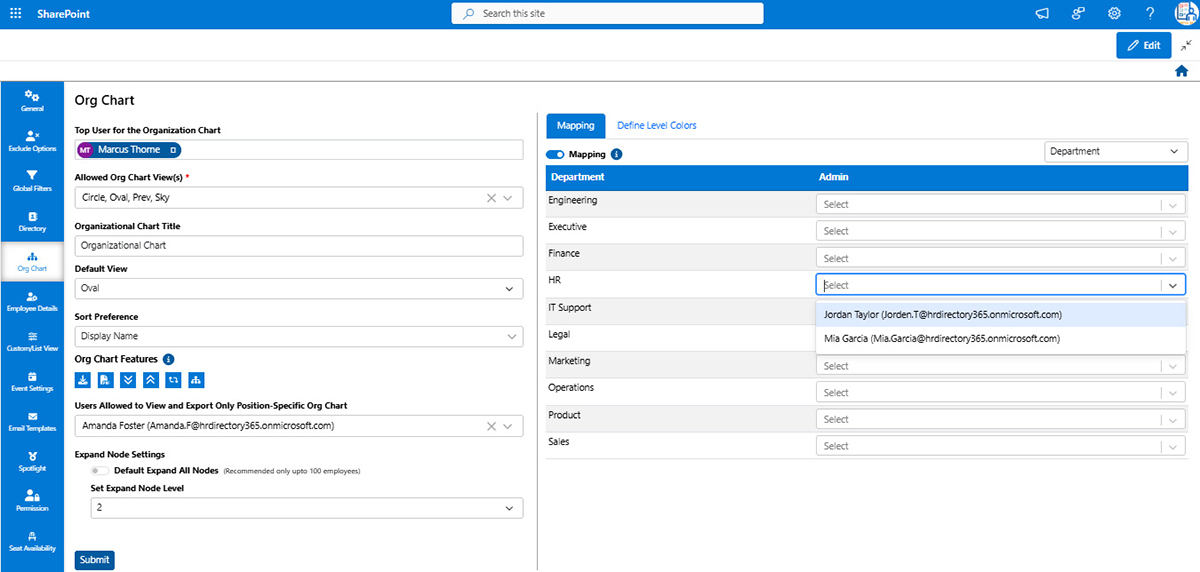
System admins can easily show or hide charts via settings to ensure strict governance. The best org chart software features multiple interactive views with zoom, smooth navigation, and smart search filters by department, location, employee, or specific domain. This precision empowers every user to find exact structural information instantly.
Uncover Deep Employee Profiles
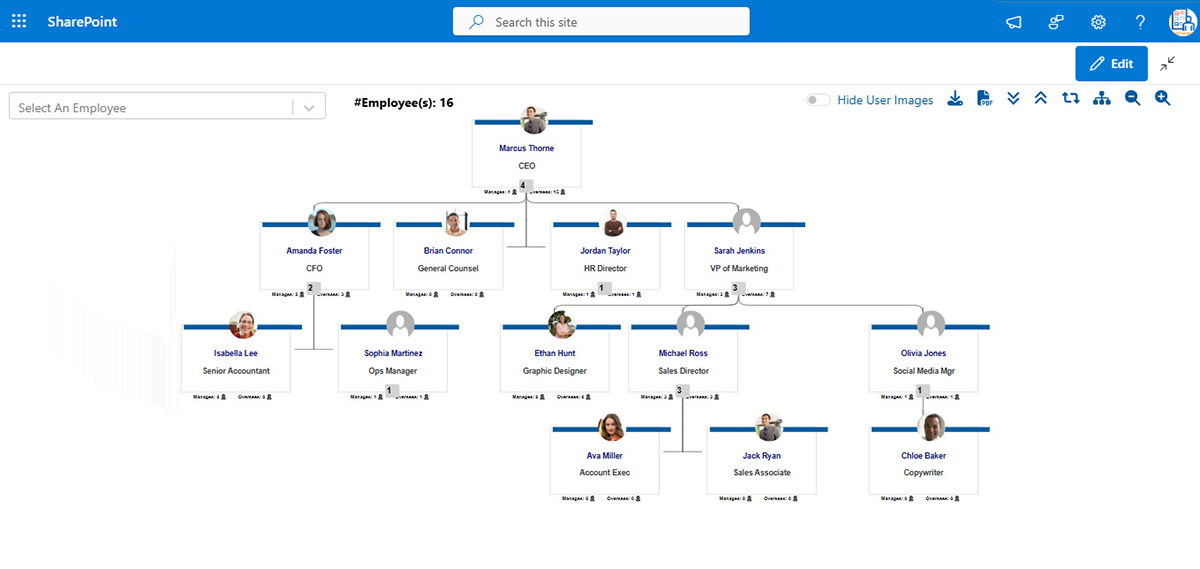
This organizational charting software clearly displays roles, departments, responsibilities, and direct reporting lines for everyone. It also strategically highlights vacant or open positions across teams to drive internal mobility and fill critical gaps faster. Managers gain complete visibility, enabling better alignment and highly accurate workforce planning across all departments.
Deploy Your Standalone Webpart
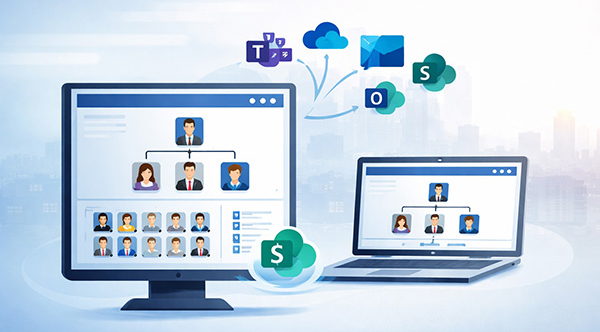
Available as a convenient standalone Org Chart Web Part within the broader staff directory app, this org chart software natively integrates into your existing digital workspace. It prevents unnecessary context switching and keeps your workforce unified. Your organization can seamlessly leverage current Microsoft investments without requiring complex new training.
Export And Share Seamlessly
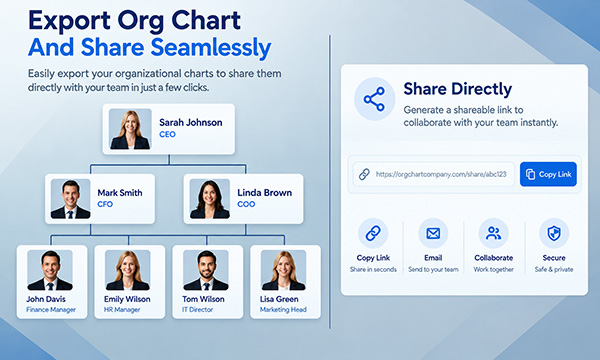
Take your structural data exactly where it needs to go. Export org charts in high-resolution SVG and PDF formats to share, print, or modify for executive presentations with the best software for org charts. This ensures secure offline access and simplifies cross-departmental communication during critical leadership planning sessions.
Customer Testimonials

Brad Rush
IT Infrastructure Manager, Citycare Water
We’ve been using the org chart and employee directory app for several years now.
It provides our teams with an easy way to search, view, and access people information across the organisation. The interface is clean and intuitive, making it simple for staff to quickly find what they need. In the few cases we have needed to contact support, the team has been responsive and knowledgeable, making this a practical, cost effective and valuable tool in our SharePoint environment.

Heather Drennan
VP People, Birge & Held
HR Directory 365 is a key tool for our HR team.
We use the Organizational Chart, Employee Spotlight, and Event Settings for birthdays, anniversaries, and new joiners. I especially love the org chart export feature, it’s great for visibility and communication across the company. Overall it’s very useful and has made our people data more accessible and engaging.
Scott Gravning
IT System Analyst
SharePoint-Based Employee Directory: Efficient, Intuitive, and Excellent Support
We are using HR Directory 365 to provide our staff with an employee directory and org chart to find and access our team member information. We really like that it is SharePoint-based as we use SharePoint extensively. The interface is intuitive, and the Admin tools give us flexible options in how we configure the information that is displayed for each team member. Your support team members have always provided excellent service for us, are quick to respond, and knowledgeable on each topic we have had questions on.

Frank Foreman
SharePoint Administrator AAON, Inc.
HR Directory 365 is an excellent SharePoint app!!!
The Org Chart and Employee Directory web parts are very easy form employees to navigate, filter, organize, arrange, etc. Lots of very useful and easy to use features! The Beyond Intranet Support Team and, specifically, Sonal and Vijay, have provided excellent customer service and technical support. Shubham – was a great help as well! Finally, it has become clear to me that Beyond Intranet’s product management and development team are constantly approving that app, fixing issues and adding great new features on a regular, frequent basis.


FAQs
Popular Blog
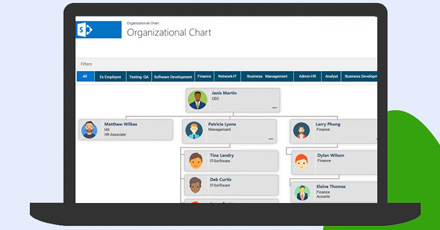 Why is the SharePoint Org Chart Important for Modern Enterprises?
SharePoint org chart —or traditionally called Organogram—is not a new term, but its usage has been better understood lately as organizations have started understanding the importance of having one for their team.
Read More
Why is the SharePoint Org Chart Important for Modern Enterprises?
SharePoint org chart —or traditionally called Organogram—is not a new term, but its usage has been better understood lately as organizations have started understanding the importance of having one for their team.
Read More
 5 Best SharePoint Apps for your business
Did you know that companies with centralized employee information systems experience 50% higher productivity rates? Discover the game-changing potential of Microsoft SharePoint applications.
Read More
5 Best SharePoint Apps for your business
Did you know that companies with centralized employee information systems experience 50% higher productivity rates? Discover the game-changing potential of Microsoft SharePoint applications.
Read More
 What is HR Software and How HR Apps Empower HR Teams
Ever found yourself buried under stacks of paperwork, drowning in a sea of spreadsheets, or desperately trying to keep up with the ever-evolving demands of HR management? If so, take a moment to breathe a sigh of relief because we have an incredible solution that will transform your HR operations and make your life a whole lot easier.
Read More
What is HR Software and How HR Apps Empower HR Teams
Ever found yourself buried under stacks of paperwork, drowning in a sea of spreadsheets, or desperately trying to keep up with the ever-evolving demands of HR management? If so, take a moment to breathe a sigh of relief because we have an incredible solution that will transform your HR operations and make your life a whole lot easier.
Read More
