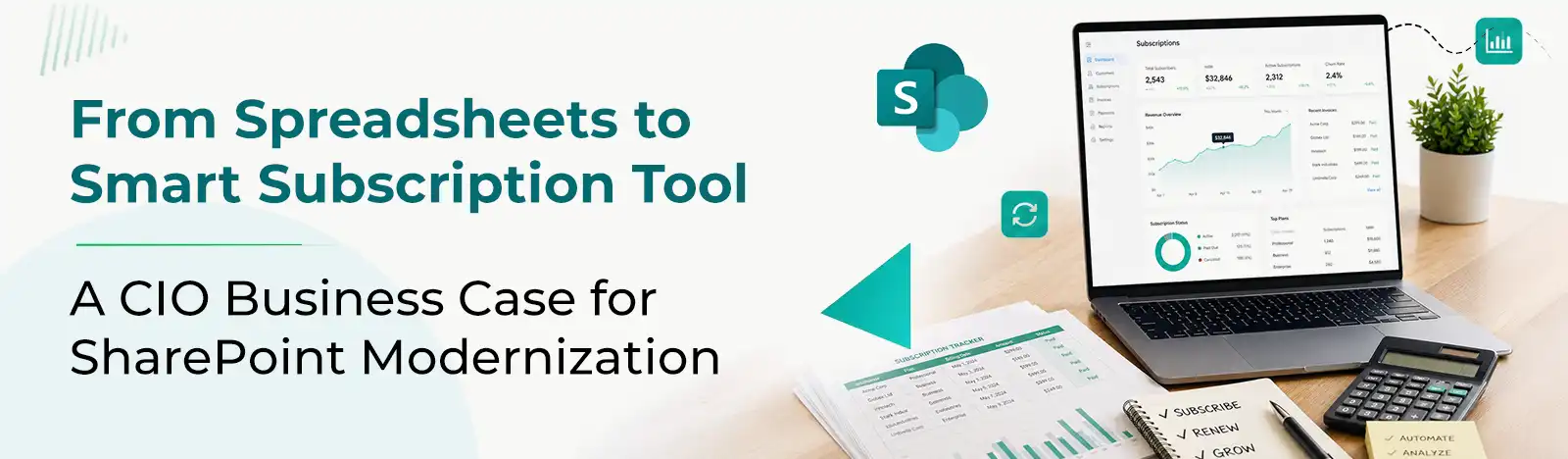
There is a good chance your IT team is managing dozens or maybe hundreds of SaaS subscriptions right now. And there is an equally good chance that somewhere in your organization, all the work is being managed via spreadsheets.
This is not an imaginary scenario. It is how most IT teams work even today. But as your SaaS license grows, that spreadsheet quietly becomes one of your biggest operational risks.
And this is why most teams are searching for an advance subscription management toll where not only can they manage their licenses but also keep track of everything in a centralized workflow.
The Legacy Trap: Your Spreadsheet Is Working Against You
Let’s be honest about what tracking SaaS subscriptions in Excel actually looks like in practice.
Different people maintain different versions. Someone updates the “master list” but forgets to flag that a vendor contract auto-renewed last Tuesday. A license for a tool nobody uses has been quietly billed for 14 months. A former employee’s admin access to three platforms was never revoked because it was not logged anywhere visible.
These are not hypothetical problems. They are the daily reality for IT teams relying on spreadsheets and disconnected lists to manage SaaS subscription management.
The risks add up fast:
- Security flaws: If your apps do not have controlled access, your security would be at a greater risk.
- Budget leakage: Limited visibility into subscription leads you to even pay for those licenses that are not being used.
- Compliance exposure: When every action is not tracked, the organization suffers from compliance exposure.
- Administrative bottleneck: Your IT and Finance team are busy chasing data and fixing problems that are not part of their domain.
The problem is not that your team is not trying hard enough. The problem is that the tool was never designed for this job.
Switch to Solution That You Already Own
Here is what makes this modernized solution so compelling for a CIO: you do not need to switch to any new work environment or learn everything again from scratch.
If your organization is already on Microsoft 365, as most are, you have everything you need to run a centralized, enterprise-grade subscription management tool built directly on SharePoint.
That matters for several reasons:
First: You don’t have to onboard to a new application or conduct a separate security review. Just switch to a subscription management solution that works right inside your Microsoft environment. Which means Microsoft ensures security, compliance, and governance, so you don’t have to worry about data breach.
Second: Many organizations pay for Microsoft 365 licenses and then buy a third-party tool on top for basic operational tasks. A SharePoint-based subscription management solution that fills the gaps and maximizes ROI on infrastructure you are already working on.
Third: Adoption is easier. Your people already know SharePoint. There is no learning curve with an unfamiliar platform, just a smarter way to work inside the environment they use every day.
One Screen for Everything: The Value of Centralized Visibility
When you choose a subscription management software that is built on SharePoint. It provides the IT team with a single, unified view of your entire subscription landscape, that a spreadsheet can never offer.
Think about what that looks like in practice:
- Every vendor contract, with renewal dates, pricing tiers, and contact information in one place
- License counts matched against active users, so you can spot which tool is in use and which is not.
- Deployment status for every tool, from fully rolled out to abandoned
- Ownership clearly mapped, so you always know who is responsible for each subscription
Subscription management is not about convenience. It is about having the data at hand so you can make fast, informed decisions.
From Manual Work to Automated Workflows
One of the most meaningful upgrades a SharePoint-based subscription management platform brings is automation, replacing the kind of low-value manual work that quietly drains your IT team’s time.
Consider what becomes automatic:
Automated Notification: Get automated reminders for subscription renewals, and expirations all via Power Automation, so you don’t have to chase dates and reduce missed renewals.
Centralized request workflows: The subscription management software offers a centralized approval workflow from generating request, to getting it approved by reporting manager, Admin and finally from subscription manager so every person in the organization stays updated and informed about every licensee
None of this is possible with a spreadsheet. And all of it is possible, today using the Microsoft 365 tools your organization already has, configured through a purpose-built solution.
The Business Value: What This Means for Your IT Organization
For a CIO making this case to leadership or to a board, the value is concrete and measurable.
Reduced IT overhead: When renewal tracking, expiration notification, and approval workflow everything is automated and centralized, the IT team saves hours and invests the same on important work.
Stronger data security: Every SaaS tool or subscription is visible. Every access point is documented. So, you have the visibility to enforce policy consistently and respond quickly when something changes.
Better vendor governance: With clear records of contracts, usage, and spend, you negotiate from a position of knowledge rather than guesswork.
A clean modernization story: Replacing spreadsheets with a controlled, automated SharePoint-based system is a real digital transformation outcome that enhances security, lowers costs, and exemplifies IT leadership.
The Right Time to Make the Move
There is no perfect time for switching to a better solution. But sticking to spreadsheets can lead you to pay even for those licenses that are not anymore in use. And in turn, impacting your overall budget.
The good news is that this particular change does not require a long implementation cycle, a new vendor relationship, or a big migration project. It builds infrastructure you already trust, inside a platform your team already uses.
If your IT organization is still tracking SaaS subscriptions in spreadsheets, the question is no longer whether to modernize; it is how quickly you can get there.
Explore the Subscription Management Tool?
Explore