A practical, vendor-neutral guide for CIOs, IT directors, and digital workplace leaders evaluating SharePoint consulting partners in Australia — including a comparison...
Budget requests for an intranet often start as one line item and then collect questions. Does it cover migrating the old policy library? Who fixes the permissions? What if HR and Finance want different layouts?
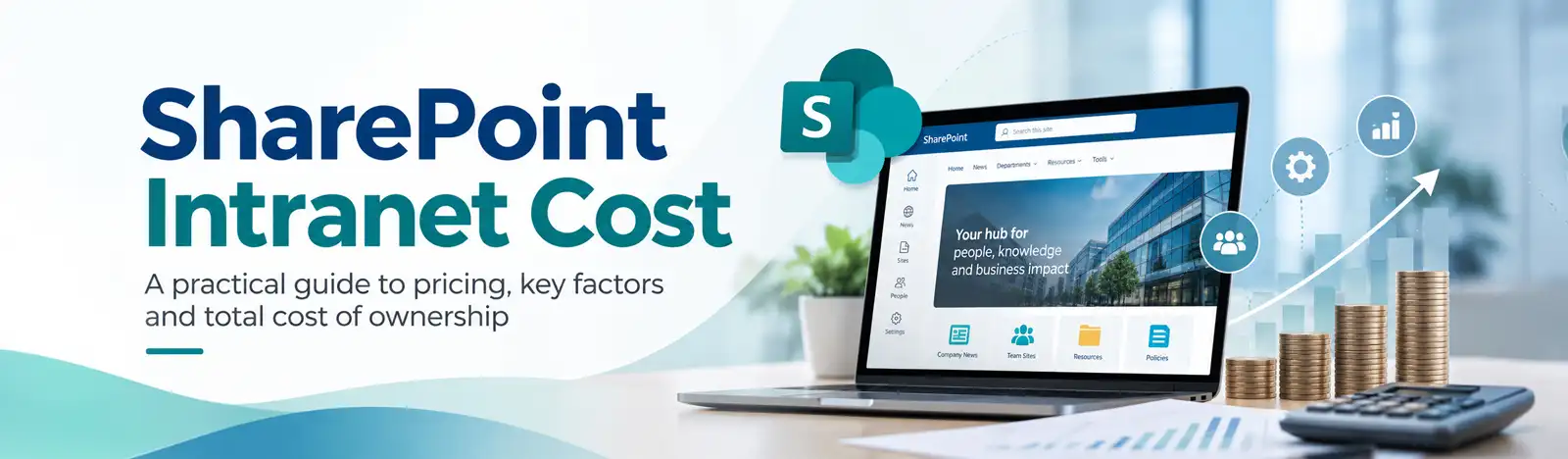
SharePoint intranet cost depends mainly on scope, design, content migration, permissions and governance, integrations, customization, and support. Microsoft licensing is a separate line: it gives users access to SharePoint, not the work of planning, building, migrating, and running the intranet.
This guide separates those costs, explains what pushes effort up, and shows how to define scope so proposals can be compared on equal terms. It focuses on SharePoint Online; SharePoint Server follows different licensing and deployment terms. It also avoids price ranges on purpose, because a figure without assumptions misleads more than it helps.
Quick answer
There is no single reliable price for a SharePoint intranet. A realistic budget depends on discovery, information architecture, design, configuration or custom development, migration, integrations, permissions, training, launch, and ongoing support. Keep Microsoft licensing, third-party subscriptions, implementation services, and internal staff time as separate budget lines.
What Determines the Cost of a SharePoint Intranet?
Cost follows effort, and effort follows scope. The same platform can support a small news hub or a multi-department portal with regional audiences, so the budget depends on what you ask it to do, how clean your starting content is, and how many people must agree on the result.
Consider the two ends of the range. A simple communication site has limited content, standard features, and a small publishing team. Page templates, navigation, and a few permission groups may cover most of the need. A multi-department enterprise intranet is different: more content owners, distinct audiences, integrations with HR or finance systems, governance rules, and possibly regional or language requirements. Each addition brings design decisions, testing, and more people to train.
User count alone is a weak predictor. Picture two thousand employees who mostly read company news; the build effort is modest. Now picture two hundred employees across six departments, each with its own approval flow and document rules; the effort is far higher. Effort tracks audiences, content owners, systems, and exceptions, not headcount.
As an initial scoping aid, a lower-complexity project typically has a small number of audiences, clean and well-owned content, standard SharePoint features, few integrations, and straightforward permissions. A more complex project may involve multiple regions or languages, large-scale content cleanup, strict access rules, several integrations, custom workflows, or extensive change management. These are planning signals, not price tiers; validate them during discovery.
Licensing needs its own line. Microsoft’s SharePoint service description says users need an assigned license that includes SharePoint, and availability depends on the specific Microsoft 365 or standalone plan. Do not assume your current subscription covers every requirement; check the plan terms and Microsoft’s Product Terms with your licensing contact. Implementation services, third-party products, and operations are budgeted separately.
SharePoint Intranet Cost Breakdown
The table lists potential workstreams, not mandatory purchases for every project. Configuration can meet many requirements without custom development. Your scope decides which rows apply and how heavy each one is.
Component
What it includes
Factors that increase effort
Discovery and requirements
Stakeholder interviews, goals, audience needs, content and system inventory
Many stakeholders, conflicting priorities, undocumented processes
Information architecture
Site structure, navigation, metadata, content types, search approach
Large or inconsistent content, many departments, multiple languages
UX and design
Page layouts, branding, templates, mobile and accessibility considerations
Custom branding, many page types, accessibility validation
Configuration and development
Sites, hubs, web parts, workflows; custom components only where needed
Custom web parts, bespoke workflows, added testing and maintenance
Integrations
Connections to HR, CRM, ERP, Teams, or other systems
Number of systems, API quality, authentication, unclear system ownership
Content migration
Assessing, cleaning, mapping, and moving existing content
Complex role rules, external users, regulatory requirements
Testing and quality assurance
Functional, permission, device, performance, and accessibility checks
More integrations, more audiences, strict acceptance criteria
Training and adoption
Guides and sessions for content owners and employees; communications
Many publishers, varied digital skills, frontline or shift workers
Launch
Cutover planning, go-live support, announcements
Phased or regional rollouts, retiring the legacy intranet
Support and maintenance
Fixes, user help, updates, minor enhancements
Service expectations, custom code, number of sites
Most of the first ten rows are one-time implementation work. Support and maintenance recur. Training and content remediation can sit in both: you train publishers before launch and again as people join or features change, and you clean content before migration and keep cleaning it afterward. Plan the recurring portion alongside the build, because it is the part budgets most often leave out.
Microsoft provides migration and assessment tools, including the SharePoint Migration Tool (SPMT), Migration Manager, and SharePoint Migration Assessment Tool (SMAT). Their applicability depends on the source environment and migration scenario. These tools can support content transfer and assessment, but organizations still need to plan content cleanup, metadata mapping, permissions, ownership, and validation. Confirm supported sources and features in Microsoft’s current documentation before selecting a migration approach.
Client examples: how scope shaped the work
Client example: GROW
What we did: Beyond Intranet rebuilt the nonprofit’s intranet home page as a modern SharePoint communication site and used document sets and metadata to improve search.
Costs rise when the project has to resolve problems the intranet did not create: messy content, unclear access, and unclear ownership. These factors move the budget most.
Legacy content volume and quality. Every file you migrate needs a decision: keep, rewrite, archive, or delete. Policies that conflict with each other make that decision slower.
Duplicate, outdated, or unowned content. Without an owner, nobody can approve, update, or retire a page, so cleanup stalls and migration waits.
Complex permissions. Inherited access, one-off exceptions, and external guests must be mapped and tested. This is also where risk sits. IBM’s 2026 Cost of a Data Breach Report puts the global average breach cost at $4.99 million. That is a cross-industry benchmark, not a forecast for your organization, but it explains why access reviews belong in scope instead of being trimmed to save money.
Multiple regions and languages. Translation workflows, regional publishers, and data residency can add design and governance effort. Microsoft’s SharePoint service description identifies a 500-license minimum for the Multi-Geo add-on, but detailed eligibility and licensing requirements depend on the subscription and purchasing arrangement. Confirm current requirements with Microsoft before including Multi-Geo costs in the budget.
Integrations and their dependencies. Each connection relies on another team’s system, credentials, and release schedule.
Custom workflows. Approval chains with exceptions need design, build, testing, and ongoing care.
Accessibility requirements and validation. Treat accessibility as a planning and quality requirement. Accessible templates, guidance for content owners, and testing with real assistive technology are far easier to build in than to retrofit once pages exist.
Unclear decision-making and content ownership. When nobody can approve the navigation or retire the old page, decisions arrive late.
Late decisions, changing requirements, and unresolved dependencies are what turn a scoped project into a stream of change requests. A new integration discovered during testing, or a department asking for its own layout after design sign-off, means rework on pages that were already approved. Naming decision-makers and dependencies at the start is cheaper than finding them mid-project.
Configure, Customize or Use a Packaged Solution?
Each approach can work. The right one depends on your requirements, internal capacity, and how much you want to maintain, and the approaches can be combined.
Criteria
Configure native SharePoint
Targeted customization
Packaged solution
Fit
Standard news, pages, documents, and search needs
Specific needs native features do not cover
Predefined intranet capabilities
Flexibility
Bounded by SharePoint’s features
High in the customized areas
Bounded by the product’s design
Time to launch
Often shorter when needs are standard
Typically longer; build and testing added
Often shorter if needs match the package; configuration still required
Governance
Your own model and tenant settings
Same, plus code and release control
Shared with the vendor’s admin model
Maintenance
Platform updates and content care
Testing code against SharePoint changes
Vendor updates plus your configuration
Extensibility
Power Platform and approved add-ons
Custom web parts, SPFx, APIs
Within vendor extension options
Internal capacity
Site owners, content owners, admin
Same, plus developer or partner access
Product admin and vendor management
Native capabilities can meet many needs, so test requirements against them before assuming anything needs building. Customization can address specific requirements but adds testing and maintenance. Microsoft published April 2, 2026 as the retirement date for domain-isolated SharePoint Framework (SPFx) web parts in existing tenants. Organizations that used these web parts should verify their deployed solutions and migrate to supported alternatives where needed. Review Microsoft’s current retirement guidance before planning changes to existing customizations.
Before you design custom work, test the relevant native building blocks. Depending on the plan and configuration, SharePoint capabilities include communication sites, hub sites, a home site, news, audience targeting, page approval, site designs and site scripts, managed metadata through the term store, sensitivity labels, retention labels, and site governance controls. Hub sites and a home site can help people navigate departmental content; the term store supports consistent tagging; and audience targeting can display relevant news to different groups. Features and availability vary by license, so confirm each requirement against your own plan and Microsoft’s current service description.
Weighing customization? See how custom web parts, SharePoint Framework solutions, Power Platform integrations, and governance fit together.
Launch sits in the middle of the budget, not the end. Several items rarely appear in a first estimate:
Content ownership and publishing time. Someone must write, review, and retire content every week.
Content, access, and governance audits. Permissions drift and pages age, so reviews need a schedule.
Training. New employees and new content owners need onboarding, not just the launch cohort.
Technical and user support. Questions and incidents continue after go-live.
Enhancements. Business requirements change, and the intranet changes with them.
Lifecycle management. Sites and documents need archiving and retirement rules.
Third-party subscriptions and integration maintenance. Add-ons renew, and connected systems upgrade.
Internal ownership usually splits four ways. Communications or HR own content and publishing. IT owns administration, access, and support. Department heads own their sections. A small governance group owns decisions. Budget external charges and internal capacity separately: invoices show the first, while the second appears as time taken from people with other jobs.
How to Estimate a Realistic Budget
Define scope before you request estimates. Otherwise proposals differ because of assumptions, not capability. Copy the checklist below into your planning document.
Systems to connect listed, with system owner and access method
Release schedules and other dependencies noted
Security and permissions
Permission model, external access, and sensitivity needs documented
Compliance and accessibility requirements identified
Migration
Migration sources listed
Responsibility for cleanup, approval, and archiving assigned
Languages and regions
Languages, regions, and local publishers listed
Timeline
Target dates, milestones, and fixed deadlines recorded
Dependencies on licensing or other projects identified
Support, training, and ongoing ownership
Training needs for publishers and employees defined
Post-launch owner for administration, support, and governance named
Budget record
Assumptions and exclusions written down
Internal responsibilities and time estimated
One-time costs separated from recurring costs
Licensing and third-party subscriptions separated from services
Contingency approach tied to the uncertainties you identified, with no fixed percentage
If you would like a specialist to pressure-test your scope, Beyond Intranet’s SharePoint intranet consulting page outlines its advisory and implementation services.
Questions to Ask an Implementation Partner
Put the same questions to every shortlisted partner, in writing, and compare proposals on scope and responsibility rather than the total alone.
Discovery: How do you validate requirements and surface unknowns before pricing? What do you need from our team?
Deliverables: What exactly will you deliver, and what are the acceptance criteria for each item?
Assumptions and exclusions: Which assumptions does the estimate rest on, and what is excluded?
Content: Who audits, cleans, and migrates content? What happens if volume or quality differs from your assumptions?
Governance: Who makes decisions, and how are disagreements resolved? What governance model do you recommend?
Adoption: What training, communications, and adoption support is included, and for whom?
Change control: How are changes requested, estimated, and approved? What counts as additional work?
Support: What support follows launch, for how long, and under what service arrangement?
Ownership: Who owns documentation, configurations, and, where applicable, code? Who holds administration after launch?
A strong answer names responsibilities on both sides. If two proposals differ widely, the gap usually sits in assumptions, so ask each partner to list theirs.
Request a SharePoint intranet discovery consultation. Bring your draft checklist and work through requirements, dependencies, and budget assumptions with the Beyond Intranet team.
About Author
Sachin Jain
Sachin Jain is a Solution Architect at Beyond Key, based in Dallas, Texas. He specializes in designing and delivering enterprise solutions using Microsoft 365, SharePoint, and the Power Platform. He has led numerous digital transformation initiatives focused on automating business processes, building modern intranet solutions, and integrating enterprise systems with Power Apps, Power Automate, and Power BI.
Passionate about innovation and problem-solving, Sachin focuses on creating scalable, user-friendly solutions that bridge technology and business needs.