A practical, vendor-neutral guide for CIOs, IT directors, and digital workplace leaders evaluating SharePoint consulting partners in Australia — including a comparison...
Speaking to fellow employees at work shouldn’t feel like you’re tossing a note into the wind and hoping someone finds it. But that’s what happens when organizations rely on outdated ways to share information. So many teams are still left digging through emails, old folders, or even different software applications just to find a simple policy, piece of news, or digital content. There’s a better way, and we want to talk about it: the modern CMS intranet (intranet content management system). This isn’t just tech for tech’s sake—it’s about enabling a consistent user experience, increasing employee engagement, and making things easier for everyone, every day.
Here’s what it really means, how it fits into your organization, and what you need to think about if you’re considering a modern solution or intranet portal that supports your digital workplace.
What Is a CMS Intranet
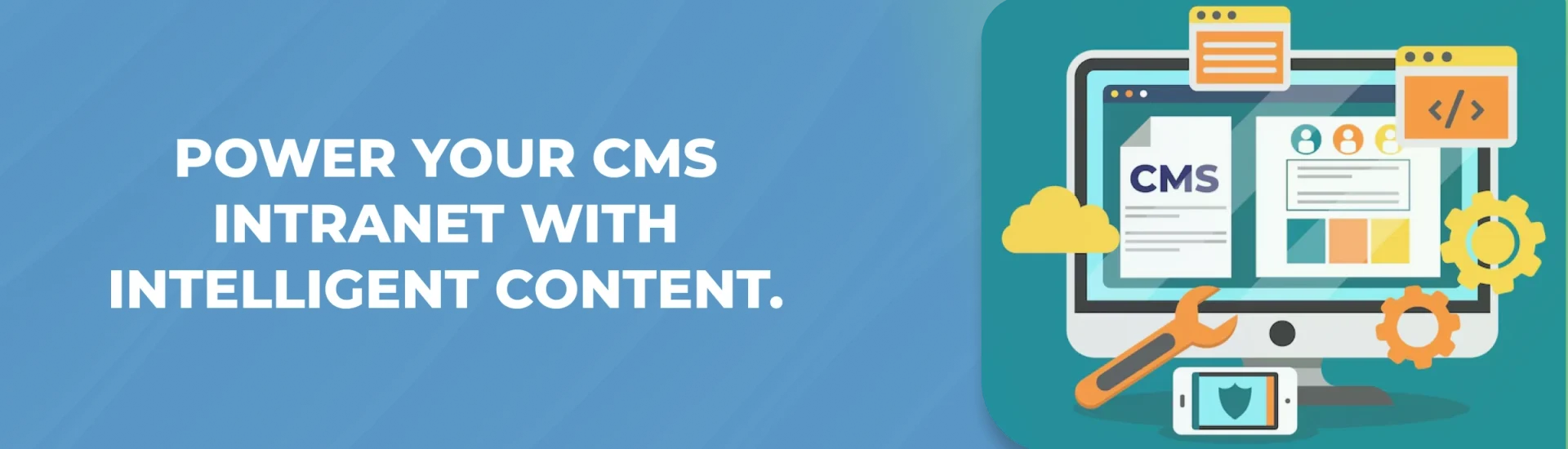
Someone once told me, “Clear is kind.” That’s what a CMS intranet is supposed to bring—clarity. If you’re not already familiar, a CMS intranet is basically your company’s internal site, powered by a content management system (CMS). It’s more than just a corporate intranet or a dumping ground for files, links, or outdated content that nobody checks. With a CMS intranet platform, trusted employees—content editors, content creators, or even non-technical users—can easily update, organize, or share internal communication, digital content, and company news. No more waiting weeks for IT to publish content or make a change. It’s a space that keeps up with you and your team, supporting frictionless content and front-end content creation.
A regular intranet? That’s just storage and links. A modern CMS intranet offers a centralized repository for all kinds of content types—news feeds, policy updates, digital forms, native video content, knowledge base articles, and more. It empowers collaboration among employees, streamlines communication, and serves as your single source of truth.
Feature
CMS Intranet
Primary Purpose
Internal communication and content management
Best For
Medium and large organizations
Content Management
Centralized publishing and governance
Employee Collaboration
✓
Mobile Access
✓
Microsoft 365 Integration
✓
AI Capabilities
Personalized content, enterprise search
Typical Users
HR, IT, Internal Communications, Leadership
CMS Intranet vs Traditional Intranet
While both CMS intranets and traditional intranets help organizations manage internal communication and information, they differ significantly in functionality, usability, and employee experience. Traditional intranets primarily serve as document repositories with limited publishing capabilities, whereas modern CMS intranets provide dynamic content management, collaboration tools, workflow automation, and personalized employee experiences.
The table below highlights the key differences between a CMS intranet and a traditional intranet.
Feature
CMS Intranet
Traditional Intranet
Content Publishing
Easy content creation and publishing by business users
IT-dependent updates and manual publishing
Workflow Automation
Built-in approval workflows and automated content publishing
Limited or manual workflow processes
Personalization
Personalized content based on departments, roles, or locations
Static content for all employees
Enterprise Search
Intelligent search with metadata and filters
Basic search with limited accuracy
Mobile Experience
Fully responsive with mobile accessibility
Often designed primarily for desktop users
AI Capabilities
AI-powered search, recommendations, and content assistance
Minimal or no AI-driven functionality
Microsoft 365 Integration
Seamless integration with SharePoint, Teams, Viva, and Microsoft 365
Limited or no native Microsoft 365 integration
Scalability
Easily scales as the organization grows
May require significant redevelopment to scale
Content Governance
Role-based permissions, version control, and approval workflows
Basic permission management with limited governance
Employee Engagement
News feeds, announcements, social interactions, and personalized dashboards
Primarily information sharing with limited engagement features
Why Organizations Choose SharePoint for a CMS Intranet
Microsoft SharePoint has become one of the most widely adopted platforms for building modern CMS intranets because it combines enterprise content management with collaboration, security, and seamless Microsoft 365 integration. Rather than functioning as a standalone content repository, SharePoint enables organizations to create a connected digital workplace where employees can access information, collaborate on documents, automate workflows, and stay informed through a centralized platform.
For organizations already using Microsoft 365, SharePoint provides a familiar environment that simplifies content management while supporting scalability, governance, and employee engagement.
Native Microsoft 365 Integration
One of SharePoint’s biggest advantages is its seamless integration with Microsoft 365. Employees can access documents, calendars, Outlook, OneDrive, Microsoft Teams, Microsoft Viva, and other Microsoft applications without leaving the intranet. This creates a unified digital workplace where information is easier to find and collaboration becomes more efficient.
Microsoft Teams Connectivity
Modern employees spend much of their day in Microsoft Teams. SharePoint integrates directly with Teams, allowing users to access intranet news, documents, knowledge bases, department resources, and project sites from within their collaboration workspace. This reduces context switching and improves productivity by keeping communication and content connected.
Enterprise Document Management
SharePoint offers powerful document management capabilities that go beyond simple file storage. Organizations can organize content using document libraries, metadata, version history, approval workflows, and advanced search. Employees can quickly locate the information they need while ensuring documents remain secure and up to date.
Built-in Governance and Security
A successful CMS intranet requires strong governance to ensure content remains accurate, secure, and compliant. SharePoint provides role-based permissions, version control, retention policies, audit logs, and compliance features that help organizations manage sensitive information while maintaining content quality and regulatory compliance.
Workflow Automation with Microsoft Power Platform
SharePoint integrates seamlessly with Microsoft Power Platform, enabling organizations to automate repetitive business processes without extensive custom development. Using Power Automate, Power Apps, and Power BI, businesses can create approval workflows, digitize forms, automate notifications, and generate dashboards that improve operational efficiency and employee productivity.
Microsoft Copilot Readiness
As organizations adopt AI across the workplace, SharePoint is well positioned to support Microsoft Copilot experiences. Content stored within SharePoint can be surfaced through Copilot to help employees quickly find information, summarize documents, generate content, and answer questions using organizational knowledge. A well-structured SharePoint CMS intranet helps organizations maximize the value of AI while improving knowledge discovery and employee productivity.
Why SharePoint Remains a Leading CMS Intranet Platform
SharePoint combines enterprise-grade content management, collaboration, workflow automation, and Microsoft 365 integration into a single platform. Its flexibility allows organizations to build everything from departmental portals to enterprise-wide digital workplaces while maintaining strong governance, security, and scalability. For businesses already invested in Microsoft technologies, SharePoint continues to be one of the most comprehensive and future-ready CMS intranet solutions available.
Expert Insight: Organizations that already use Microsoft 365 can often accelerate intranet adoption by building on SharePoint rather than introducing a separate CMS platform. Native integration with Microsoft Teams, OneDrive, Microsoft Viva, Power Platform, and Microsoft Copilot creates a more connected employee experience while reducing implementation complexity and long-term management costs.
Which Option Is Right for Your Organization?
For organizations focused on improving employee communication, collaboration, and knowledge sharing, a CMS intranet is generally the better long-term choice. It empowers business users to manage content without relying on IT, supports AI-powered search and personalization, and integrates seamlessly with workplace platforms such as Microsoft 365.
A traditional intranet may still meet the needs of organizations with simple document-sharing requirements, but it often lacks the flexibility, automation, and modern user experience needed to support today’s hybrid and digital workplaces.
Expert Insight: Organizations already using Microsoft 365 can maximize their investment by choosing a SharePoint-based CMS intranet, which combines enterprise content management with collaboration, workflow automation, and native integration with Microsoft Teams, Microsoft Viva, Power Platform, and Microsoft Copilot.
What are the Benefits of CMS Intranet for Organizations
Centralized Content Management and Easy Publishing
Everything you and your team need is in a single centralized platform. You can find policies, company updates, or onboarding checklists without wading through old emails or scattered files. Publishing content is simple, enabling content with changelogs, approval workflows, content scheduling, and content at scale. With a robust content plan, you ensure content accuracy and relevance for every department.
Boost Internal Communication
Internal communication thrives on two-way communication, social interaction, and instant messaging. With a modern employee intranet, announcements and news actually land where you want them, leveraging omnichannel content delivery—across web, mobile app, and integrated platforms like Office 365, Microsoft Teams, Google Workspace, or Slack. Employees can leave feedback forms, ask questions, and participate in employee polls right away.
Enhanced Collaboration Tools
All those scattered conversations, files, and routine tasks? Now, they’re just together. One login, and you’re caught up on projects, chats, or shared docs, using collaboration tools with advanced features. You’re not bouncing between platforms, losing info, or missing out on activity feeds and project tracking.
Personalization and Targeted Content Delivery
Not every message should go to everyone. HR can send personalized content and onboarding details to new hires, while IT sends security reminders only to those who need them. AI-driven personalized feeds and machine learning can tailor content relevant to individual user preferences, supporting levels of engagement across the company ecosystem.
Better Knowledge Management and Document Control
With a CMS intranet, you’ve got a single source for knowledge management, document management, and efficient content management. Search and tagging, version control, and permissions keep sensitive material secure. Advanced security measures, regular security audits, and compliance features ensure intranet security and protect against cyber attacks.
What are the Key Features of a CMS Intranet
User-Friendly Interface: Essential for non-technical users and content creators alike.
Permissions and Access Control: Highly granular user permissions protect sensitive content.
Integration Capabilities: Connects with Office 365, Google Workspace, Slack, and other popular collaboration tools, ensuring your intranet software fits with existing business apps.
Mobile Responsiveness and Accessibility: Mobile app support keeps employees connected on any device, anywhere.
Document Management: Version history, document storage, and easy search keep company knowledge organized.
Task Management: Assign and track tasks, set project milestones, and monitor task completion rates.
Employee Directory: Easy access to profiles, roles, and locations.
Chat and Communication: Instant messaging, group forums, and social features support effective internal communication.
News Feeds and Activity Feed: Keep everyone informed with company news, corporate news, and updates.
What are the Types of CMS Intranets
Traditional CMS Intranets: On-site, total control, more IT support required.
Headless CMS Intranets: Manage content in one spot, display it anywhere—web, mobile, lobby screens.
Cloud-Based CMS Intranets: Cloud-based platform with automatic updates, accessible anywhere, ideal for remote teams.
Open-Source CMS Intranets: Flexible and customizable, open-source software for organizations with technical expertise.
Evaluating Organizational Needs
Security Requirements: Intranet security, advanced security measures, and compliance are non-negotiable.
Customization Needs: Your intranet portal should reflect your brand, company culture, and workflow nuances.
Compatibility with Existing Tools: Integration with tools like Office Suite and design tools matters for seamless workflows.
Scalability: Will your intranet solutions as you grow, supporting active users and high content volumes?
Support: Choose a vendor with strong support, training, and a peer community (e.g., Gartner Peer Insights).
Cost and ROI: Consider licensing, training, support, and the long-term business impact metrics, not just the sticker price.
Common CMS Intranet Mistakes
Organizations often fail to realize the full value of a CMS intranet because they:
Publish outdated content
Ignore governance
Overcomplicate navigation
Don’t train content owners
Skip analytics
Fail to personalize content
Create duplicate information
Don’t integrate with collaboration tools
Future Trends in CMS Intranets
AI-Powered Solutions: Artificial intelligence and machine learning help with content discovery, personalized feeds, and content scheduling.
Mobile-Friendly Capabilities: A responsive mobile app is essential for a positive employee experience in the modern workplace.
Advanced Analytics: Real-time analytics, insights into intranet usage, and key metrics drive data-driven decision making.
Social Networks and Social Features: Internal social collaboration, peer recognition programs, and employee sentiment tools boost employee satisfaction.
Use Cases & Real-World Applications
Onboarding and Training: Employee onboarding is faster with digital content, onboarding checklists, and training videos.
HR Policy Sharing: Keep your knowledge base, company wiki, and policies up to date and easily accessible.
Department News and Updates: Each team shares relevant news, supporting informed decisions and communication tools.
Employee Recognition: Peer recognition programs and award-winning employee apps increase engagement and well-being.
Knowledge Base and Self-Service: Employees can answer user queries themselves, reducing email usage and support tickets.
Social Collaboration: Forums, idea boards, and social networks facilitate collaboration among employees and a positive workplace culture.
Key Features to Look For
Simple editing and content creation
Good search and content tagging
Dashboards and reports for each role
Alerts, notifications, and news feeds
Approval workflows for publishing (content lifecycle, workflows for content approval)
Version control, document control, and document storage
Insights into intranet usage (usage levels, content popularity)
Integration with business apps and collaboration tools
Multiple language options
Accessibility for everyone
Advanced analytics and reporting
Employee self-service and HR capabilities
Social features and instant messaging
Native video integration and high-quality images
How to Choose the Right CMS Intranet Platform
Scalability: Support content at scale and a growing number of active users.
Security: Look for certifications, encryption, multi-factor authentication, and regular security audits.
Support: Evaluate training, help resources, and peer reviews.
Customization: Must fit your brand, workflows, and employee intranet needs.
Cost and ROI: Weigh software application costs, support, and efficiency of workflows.
Vendor Credibility: Check references, reviews, and case studies (Gartner Peer Insights, etc.).
Schema & Structured Data
A well-implemented intranet CMS software supports schema and structured data, helping AI and search systems understand your content, user engagement, and the lifecycle of content within your internal company ecosystem.
A CMS intranet is an internal content management platform that enables organizations to create, manage, publish, and organize employee-facing content from a centralized digital workspace. It combines content management capabilities with communication, collaboration, document sharing, and enterprise search to improve the employee experience and support a modern digital workplace.
A content management system (CMS) is designed to create, organize, and publish digital content, while an intranet is a private network that employees use to access company information, collaborate, and communicate. A CMS intranet combines both capabilities by providing powerful content management within an internal digital workplace.
A CMS intranet helps organizations centralize information, improve internal communication, simplify content management, and enhance collaboration. It also supports knowledge sharing, document management, workflow automation, employee engagement, and enterprise search, making it easier for employees to access the information they need.
A modern CMS intranet should include content publishing, document management, enterprise search, workflow automation, role-based permissions, mobile accessibility, analytics, integrations with business applications, collaboration tools, and AI-powered personalization to improve employee productivity.
CMS intranets are used across departments such as Human Resources, Information Technology, Finance, Operations, Marketing, Sales, and Corporate Communications. Organizations use them to publish company news, manage policies, support employee onboarding, share knowledge, and collaborate on projects.
Most modern CMS intranets provide enterprise-grade security through role-based permissions, encryption, authentication, audit logs, version control, and compliance features. Organizations can control who can access, edit, and publish content while protecting sensitive business information.
A CMS intranet improves productivity by providing employees with a single location to access documents, policies, business applications, and company updates. Features such as enterprise search, workflow automation, and content personalization reduce the time spent searching for information and help employees work more efficiently.
Modern CMS intranets personalize content based on employee roles, departments, locations, interests, and permissions. Employees receive relevant news, announcements, documents, and resources, helping them quickly find information that supports their daily work.
A traditional CMS intranet combines content management and content presentation in a single platform, while a headless CMS separates content from the presentation layer using APIs. Headless CMS intranets provide greater flexibility for delivering content across websites, mobile applications, employee portals, and other digital channels, making them ideal for organizations with omnichannel content requirements.
Yes. A CMS intranet enables remote and hybrid employees to securely access company news, documents, policies, collaboration tools, and business applications from any location. Mobile accessibility, cloud-based deployment, enterprise search, and integrations with collaboration platforms help distributed teams stay connected and productive.
The best CMS for an intranet depends on your organization's size, technology ecosystem, and business requirements. Organizations using Microsoft 365 often choose SharePoint because of its native integration with Microsoft Teams, OneDrive, Microsoft Viva, Power Platform, and Microsoft Copilot. Other organizations may prefer cloud-based or headless CMS platforms depending on their customization and deployment needs.
Yes. Many modern CMS intranets integrate with Microsoft 365, enabling employees to access SharePoint, Microsoft Teams, OneDrive, Outlook, Microsoft Viva, and Power Platform from a centralized digital workplace. These integrations improve collaboration, streamline content management, and provide a more connected employee experience.
About Author
Taha Siddiqui
Taha Siddiqui writes and plans technical and engaging content for Beyond Intranet as a senior content developer. He holds an engineering degree from Mumbai University and brings 6+ years of professional experience to his work. Over the last three years he has been central to Beyond Intranet’s Microsoft 365 content efforts, focusing on SharePoint, Power Platform and Copilot.