A practical, vendor-neutral guide for CIOs, IT directors, and digital workplace leaders evaluating SharePoint consulting partners in Australia — including a comparison...
Most companies don’t set out to build a poor onboarding experience. It just happens over time.
A SharePoint page here. A checklist there. A few email threads to connect the dots.
At first, it works.
But as hiring grows, teams spread out, and expectations rise, that setup starts to show its limits.
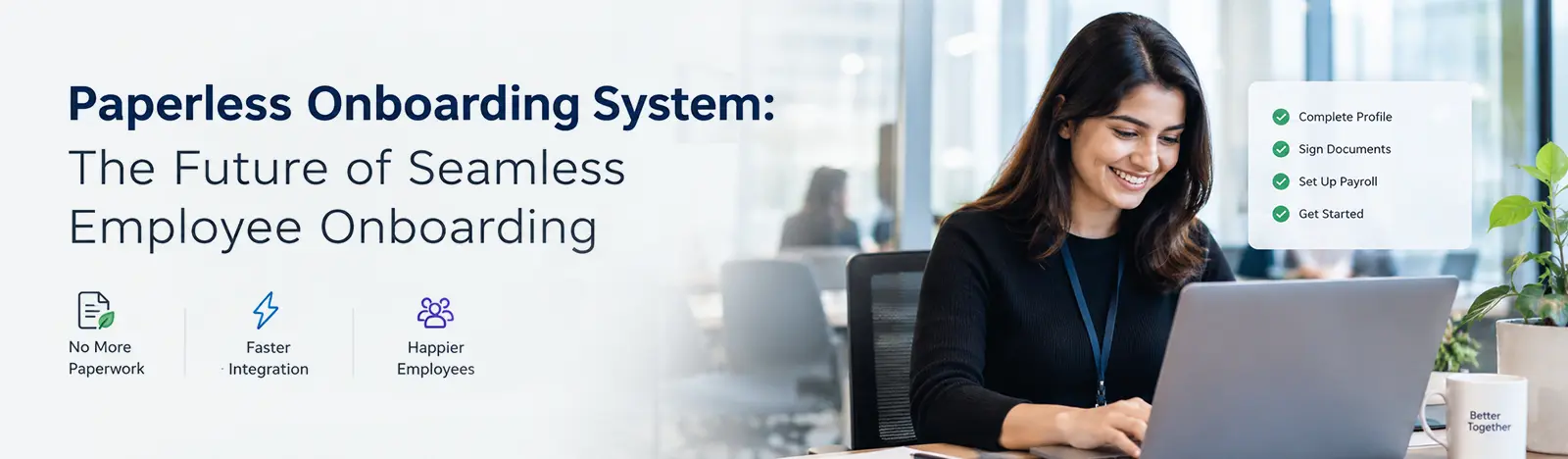
If your onboarding experience also looks more like a patchwork rather than a workflow, this blog is for you. Tasks, documents, follow-ups, and transparency in the operations – a dedicated employee onboarding solution is a modern solution for your new-age onboarding challenges. This helps you eliminate inconsistency, delays, and hard-to-manage tasks.
The Reality of SharePoint-Driven Onboarding
If you’re relying only on SharePoint, your onboarding probably looks familiar:
There’s a central page with policies and welcome content. Documents are stored neatly in libraries. Tasks are assigned manually. HR sends emails to keep things moving.
Nothing is technically broken.
But nothing is really connected either.
Each step depends on someone remembering to act. Each update requires manual effort. And no one has a clear, real-time view of how things are progressing.
For a small team, this might be manageable.
At scale, it becomes messy.
Where the Gaps Start to Show
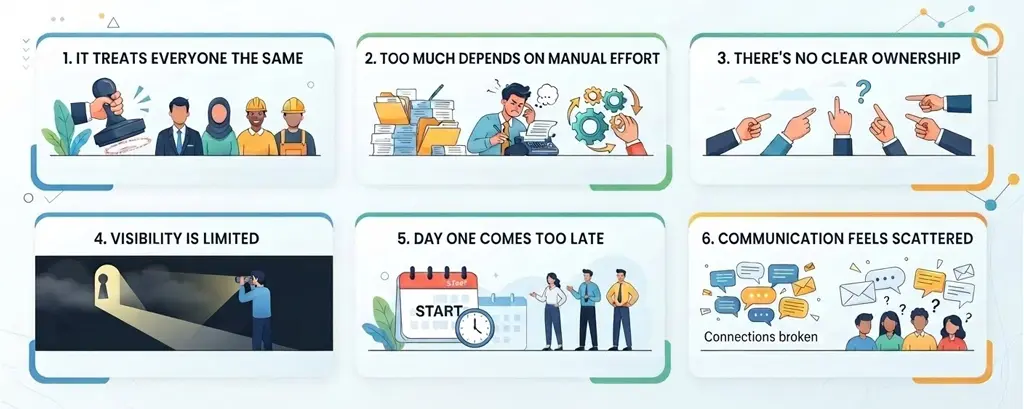
It treats everyone the same
Not every employee joins the company in the same way. A developer, a sales manager, and an HR executive all need very different onboarding journeys.
But SharePoint checklists are usually one-size-fits-all.
That often leads to irrelevant tasks, missed context, and a lack of clarity for new hires trying to figure out what actually matters to them.
Too much depends on manual effort
A lot of onboarding work ends up sitting with HR teams:
Assigning tasks. Sending reminders. Checking status. Following up again.
It’s repetitive and easy to miss things, especially when multiple teams are involved.
And when something slips, it’s usually the new hire who feels it first.
There’s no clear ownership
One of the biggest frustrations is not knowing who is responsible for what.
If a laptop isn’t ready, is it IT’s delay? Was the request even triggered? Did someone forget?
Without defined ownership and timelines, delays don’t just happen—they go unnoticed.
Visibility is limited
Ask a simple question: “Where is this new hire stuck right now?”
In a SharePoint-only setup, the answer is rarely instant.
You check a list. Then another. Maybe send a message. Wait for a reply.
By the time you figure it out, the delay has already affected the experience.
Day One comes too late
Onboarding often begins on the employee’s first day. But by then, a lot of the opportunity is already lost.
Preboarding—the phase before Day One—is where engagement really begins.
Without it, new hires show up unsure, underprepared, and disconnected.
Communication feels scattered
Important updates are spread across emails, chats, and documents.
Some messages are missed. Others are repeated. And new hires aren’t always sure where to look.
It creates confusion at a time when clarity matters most.
Why This Becomes a Business Problem
These gaps are not just operational issues. They have real business impact.
When onboarding is inconsistent:
Productivity takes longer to ramp up
Employees feel less confident in their roles
Early engagement drops
Attrition risk increases
Studies from Gartner and McKinsey highlight the importance of structured onboarding to improve employee retention and performance. Yet if you are depending on SharePoint to offer you the same capabilities as a dedicated onboarding software, it may not work in your best interest, and most likely will backfire. Dedicated onboarding software solutions offer you the features that help you automate the onboarding workflow.
What Changes with a Dedicated Onboarding Solution
The problem is not SharePoint. It is not built to offer onboarding solutions. A dedicated onboarding solution built on Microsoft 365 architecture helps you add that missing layer of structure and automation to your onboarding workflow. Since it is built on Microsoft 365, it becomes easy to adopt for the employees and offers a rather seamless onboarding journey compared to doing it with SharePoint or manually.
Here’s what that looks like in practice:
Onboarding that adapts to the role
There are various job roles and departments in the organization for which you are onboarding new hires. Different employees, or new hires, follow a different path to get onboarded or integrated into the dedicated departments.
So, each job role is unique in terms of tasks, training content, and onboarding timeline. With a dedicated onboarding solution, the workflow offers a more personalized approach by automatically adjusting all the things based on department, job role, and location. This means a better onboarding experience and less confusion. It is more relevant and well-suited for the modern needs of an organization.
Workflows that run on their own
Getting a new hire onboarded is not the work of a single person. Multiple departments and an army of people would be involved. And if not the HR department, for the other departments, it is just an added workload. It is important that tasks are not assigned and chased manually. It causes unnecessary delays in the onboarding process.
With an onboarding solution, the tasks would be triggered automatically, and dependency on the employees would be reduced. It only prompts for action from an employee when needed, or else automates most aspects (especially the repetitive tasks).
Clear ownership and timelines
Workflows are pre-configured in the onboarding solutions. These tasks would have defined owners and a timeline within which it has to be completed. If anything is delayed, it is visible to you, and you can take the required action if needed. This is the kind of transparency you need for swifter onboarding. This reduces back-and-forth and keeps things moving.
Real visibility, not guesswork
Transparency in operations is very important. One aspect was to see if the task was completed in time, and another aspect was to check the progress in real time. Not time to dig through email trails and send follow-ups. The information is available for you to see and take action on.
A stronger start before Day One
One of the most underrated aspects of new hire integration – preboarding. In the modern job market, it is important to engage a candidate well before their joining date. With onboarding solutions you can make preboarding a part of the process. With this new hires can complete formalities, learn about your company’s culture, start exploring resources and get introduced to their new teammates well before joining. This makes them more confident about joining your organization.
Everything in one place
A unified solution is highly sought-after as it offers a more seamless experience. Having multiple tools, working on different architectures that are not designed to be compatible with other software, can hinder your experience. Hence, onboarding solutions offer you everything related to onboarding, preboarding, and offboarding in one place.
Where Beyond Intranet Fits In
This is exactly where solutions like Beyond Intranet’s Employee Onboarding app come in.
It builds on Microsoft 365 and SharePoint, but adds what’s missing:
Structured onboarding journeys
Automation across HR, IT, and managers
Dashboards for visibility and tracking
Preboarding and lifecycle workflows
Explore More About Beyond Intranet Employee Onboarding Software
Having an employee onboarding software can bring a noticeable difference in terms of both operational management and new hire experience. It brings more speed to the process and helps you automate repetitive tasks. It does not require you to chase for an update, as it is highly transparent and, most importantly, brings structure and consistency to the onboarding software.
Final Thought
SharePoint is great at doing what it does, but if you use it to handle onboarding journeys – you might be missing out on many things. If your processes are dependent on manual checklists and scattered coordination, it is high time you start thinking about employee onboarding software. These dedicated software are known to deliver you a structured workflow that fixes the process inside out and can change the new hire experience for the best.