A practical, vendor-neutral guide for CIOs, IT directors, and digital workplace leaders evaluating SharePoint consulting partners in Australia — including a comparison...
TL;DR: To succeed today, you must rethink your tools entirely. Teams using modern platforms are84% more likely to be highly productive. This guide covers the best ways to start Mastering Digital communication in workplace right now.
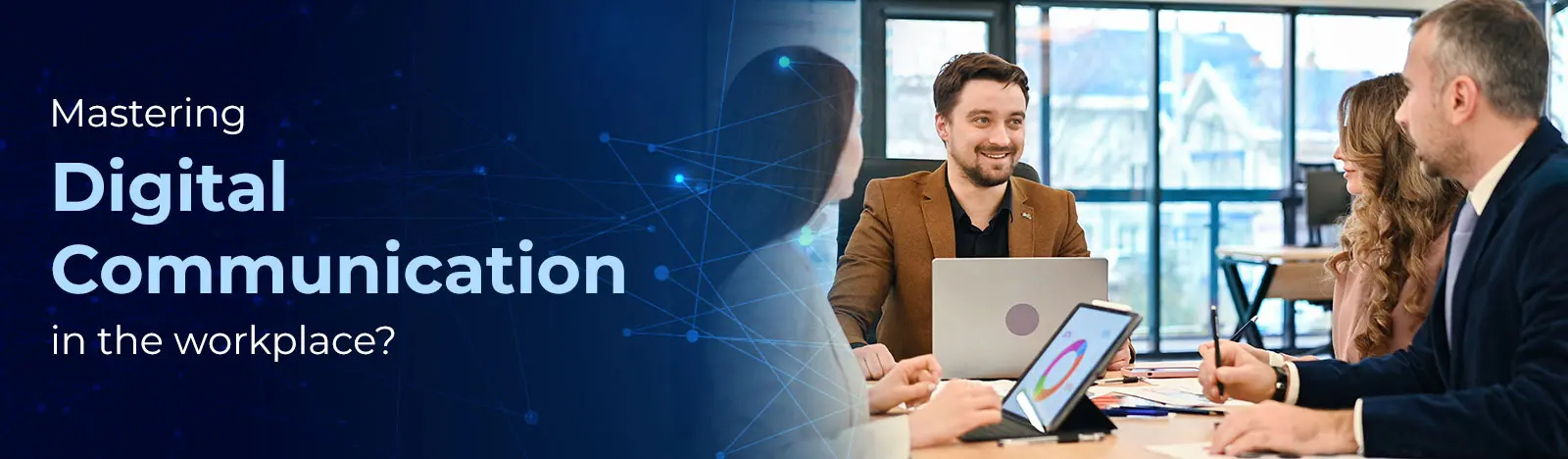
Mastering Digital communication in workplace is no longer optional. With88% of organizations already using AI in their workflows, the shift is clear. To fix how we communicate at work, it takes team effort. Not easy, but we have the right tools to get it done.
What Is Digital Communication in the Workplace?
Digital communication in the workplace is the complete set of tools we use to share information. It includes software apps, cloud platforms, and company rules. It acts as the central hub of any modern business. We rely on it to turn local knowledge into shared company intelligence. It handles real-time teamwork, background workflows, and automatic document storage.
Bringing this technology into our daily work has changed business for good. Current market data shows that using tech for daily tasks is everywhere. Studies reveal that giving your teams a connected digital toolset changes how much they achieve. The data is clear. Employees with the right digital tools are highly productive compared to those stuck with older systems.
Examples of these main digital tools include the following.
Email and secure company messaging apps.
Instant messaging platforms and ongoing team channels.
Video meeting software and virtual town hall tools.
AI-powered search tools and digital workflow assistants.
Mastering Digital communication in workplace means understanding the clear difference between new systems and old methods. Old methods relied on sitting near each other, talking at the same time, and using paper or local files. This created deep knowledge silos where important data was trapped in specific offices or departments.
By contrast, digital communication grows easily, can be tracked, and does not depend on location. Information access is absolutely fair to all with advanced search tools and cloud storage. Ensures saving company knowledge and being ready to access instantly for anyone with permission, no matter where they are or what time it is.
Are disconnected systems creating data silos in your organization?
Why Digital Communication Is More Important Than Ever
Having a strong digital framework is no longer just an extra advantage. It is a strict requirement to keep your business running. Who works for us, the growth of global teams, and the need to act quickly changes is forcing companies to rely on centralized digital systems.
Rise of Remote and Hybrid Work
The end of the traditional central office has forever changed where and how we work. Remote work is clearly here to stay. About 34.3 million Americans, which is 22% of the national workforce, work remotely at least some of the time.
When we look at jobs that can be done remotely, the numbers are even stronger. Fully 75% of employees in these roles work from home at least occasionally. This makes the hybrid model the standard for knowledge work.
This spread of workers ties your business success directly to how well your tools work. We rely on these platforms not just to get tasks done, but to hire and keep good people. Data shows that 46% of employees would likely leave their current job if remote flexibility ended. A top-tier digital setup is the main way organizations offer the flexible work that people demand today.
Global Teams and Time Zone Collaboration
To reach new markets and find special talent, companies are expanding rapidly. And communicating in old ways is becoming a serious problem. Depending on overlapping work hours for global teams spread across North America, Europe, and Asia is incorrect to keep the project moving.
Because of this, there is a strong need for rules on how to communicate without being online at the same time. Top organizations have adapted by building a strong culture of writing things down. Studies show that remote project management forces teams to be strict about documentation and clear writing. Companies that adopt these highly flexible remote structuresreport up to a 21% growth in revenue. They achieve this because work flows continuously across different time zones without stopping.
Speed of Decision Making
With markets evolving fast, companies now need to process large amounts of information and make moves faster than ever. What cuts the wait time between seeing data and taking action is real-time messaging, connected data, and executive dashboards.
Adding AI-driven systems and smart workflows has measurably sped up how fast teams move. Research shows a25% improvement in decision-making speed for companies that use these digital frameworks well. By relying less on slow meeting cycles and sharing data instantly across departments, leaders can make quick changes that would be impossible with older methods.
Impact on Employee Engagement
The quality and openness of your internal digital tools are directly linked to how your employees feel about the company. Right now, the global job market has an engagement crisis. Global employee engagement has dropped to 21%, and in the U.S., it is stuck at 31%.
There are heavy economic costs with this lack of connection. $438 billion every year is the cost to the global economy for disengaged workers. The best way to fix this issue is with clear communication from leaders. About 29% of employees clearly state they do not get honest or steady communication from their leaders. This ruins morale and makes them quit.
In contrast, when delivered through fair digital channels, 86% of corporate leaders agree that high transparency, directly builds trust. Like when leaders are visible on digital town halls and share policies clearly, ensures everyone understands company goals. A strong culture is built with Mastering Digital communication in workplace where everyone feels included.
Looking to increase the ROI of your current collaboration tools?
How to Improve Digital Communication in the Workplace
Effective digital communication doesn’t happen by chance—it requires the right strategy, tools, and governance. Organizations that actively optimize their communication systems see higher productivity, better collaboration, and stronger employee engagement.
Here’s how you can build a high-performing digital communication framework:
1. Establish Clear Communication Guidelines
Define when and how each communication channel should be used. Set expectations for response times, message formats, and escalation paths. This reduces confusion, minimizes noise, and ensures employees communicate with purpose rather than volume.
2. Centralize Communication with a Unified Platform
Fragmented communication leads to missed information and inefficiencies. Implement a centralized solution like an intranet built on SharePoint to bring announcements, documents, and collaboration into one ecosystem. This creates a single source of truth across the organization.
3. Eliminate Tool Overload
Using too many communication tools creates silos and reduces adoption. Audit your existing stack and streamline it to a few core platforms such as Microsoft Teams or Slack. Fewer tools mean clearer communication and better efficiency.
4. Foster a Culture of Transparency and Collaboration
Encourage open communication across teams and departments. Leaders should actively share updates, insights, and decisions to build trust and alignment. Transparent communication reduces dependency on back-and-forth messaging and empowers employees to act faster.
5. Invest in Training and Adoption
Even the best tools fail without proper adoption. Provide regular training sessions, onboarding programs, and usage guidelines to ensure employees understand how to communicate effectively in a digital environment.
6. Continuously Measure and Optimize
Track communication effectiveness using engagement metrics, feedback surveys, and usage data. Identify gaps, refine processes, and evolve your strategy to ensure communication remains aligned with business goals.
If your organization is struggling with fragmented communication or low adoption, implementing a structured intranet solution can significantly improve collaboration and productivity.
Types of Digital Communication in the Workplace
To avoid tiring out your team and to run a digital workplace well, sorting their communication channels is required from leaders. The channels must be based on 3 things: Purpose, how urgent it is, and who needs to see it.
A smart corporate strategy uses centralizedSharePoint Integration tools to organize these methods. Mastering Digital communication in the workplace ensures the right message reaches the right person through the best tool available.
Synchronous Communication
What happens in real-time is Synchronous communication. Immediate attention, focus, and active input from everyone involved is required. It is very effective for solving hard problems, brainstorming, and having sensitive talks like performance reviews.
However, it drains resources and interrupts deep work. Video meetings, live chat, and virtual town halls are it’s main tools.
What often hurts productivity are real-time channels on which companies are relying too much, which. Since 2020, the total number of workplace meetings hastripled. Now, 46% of workers attend three or more meetings every single day. And in badly planned meeting, 65% employees report wasting time.
Asynchronous Communication
Asynchronous communication does not demand an instant response. It allows employees to read, process, and reply to information on their own schedule. This method is the foundation of successful, global hybrid work. It allows for deep focus without interruptions.
The core pieces of this method include project management platforms, shared documents, and intranet posts. Email also belongs here, though it is best kept for outside communications and formal agreements that do not require quick action.
Formal Communication
Formal communication is the official voice and rulebook of the company. It needs to be highly accurate, carefully updated, and officially tracked so the company knows employees have read it.
Key uses for formal digital communication include policy updates, compliance notices, and executive announcements. This includes sending out changes to HR rules, physical security steps, annual security training, and quarterly earnings reports.
Informal Communication
Informal communication is meant to digitally copy the natural, unplanned chats that happen in a physical office. These chats are important for building team bonds, creating trust, and reducing the loneliness remote workers often feel.
Right now, only 39% of employees strongly agree that someone at work cares about them as a person. This shows a deep lack of connection in modern workplaces.
Tools for informal communication include social intranet feeds and recognition platforms. These are dedicated digital spaces for sharing personal updates, cheering for peers, and building communities based on shared interests.
Is manual data entry causing operational bottlenecks?
Even with clear benefits, badly planned digital systems cause major problems. Left alone, these issues lower employee output, hurt company culture, and open the business to large financial and security risks.
Mastering Digital communication in workplace requires facing these exact hurdles directly and solving them with strong rules and better tools.
Information Overload
The massive amount of incoming data across multiple channels wears down the modern workforce. About 38% of employees feel constantly overwhelmed by the sheer volume of messages they receive. They deal with disruptive alerts every 3 to 11 minutes.
The cost of constantly switching tasks is huge. It takes an average of 23 minutes for a worker to get back to deep focus after a digital interruption. This leads to an estimated loss of $1 trillion annually in the U.S. economy due to lower work quality and less output.
Misinterpretation of Tone
Because text messages lack facial expressions and voice tone, people often read them the wrong way. Short, quick messages sent on chat apps can easily seem rude, angry, or overly critical.
Over time, these small misunderstandings quietly break down team trust. They create unnecessary arguments and require managers to step in, which wastes leadership time.
Digital Fatigue
The constant stream of real-time alerts, mixed with back-to-back virtual meetings, leads to heavy digital fatigue and widespread burnout. The modern knowledge worker is weighed down by administrative talk.
The average employee now spends 57% of their total working time just communicating across meetings, email, and chat. This leaves less than half of their day for actual important work. Furthermore, the average worker loses 91 minutes every day on tasks and meetings that have nothing to do with their main job.
Tool Fragmentation
In a rush to move online, many companies bought overlapping software that does not connect. This forces employees to constantly switch between different apps and logins to find what they need.
Organizations stuck with these messy systemsexperience 30% higher digital friction, causing massive drops in productivity and deep frustration. As a result, overall employee satisfaction with work apps has fallen by 22%.
Cybersecurity Risks
Unchecked tools create risks. Using unapproved AI apps is called Shadow AI. The cost of a data breach is now $4.44 million.
When employees bypass messy corporate tools and use consumer software, it is called Shadow AI. Shadow AI played a role in 20% of all company breaches in 2025. It adds an average penalty of $670,000 to the total cost of a breach by exposing sensitive personal data to unmonitored spaces.
Lack of Communication Governance
The main root cause of Shadow AI and messy toolsets is a deep lack of company rules. About 63% of breached organizations lacked formal AI and communication policies. They operated entirely blind.
An alarming 97% of AI-related breaches happened in corporate settings that completely lacked proper access controls. Fixing this major weakness requires strict guidelines to ensure data is sorted, kept safely, and controlled properly.
Ready to move beyond basic, disconnected communication platforms
10 Proven Benefits of Effective Digital Communication in the Workplace
When a business moves from messy tools to a well-governed digital plan, the return on investment is huge. These benefits appear in many different areas, changing the financial and cultural future of the organization.
Mastering Digital communication in workplace unlocks these advantages. Let us review the ten most proven benefits of getting this right.
Improved Productivity. Putting all company knowledge in one place cuts down task switching. Good systems reduce the time employees spend searching for files byup to 35%, driving productivity increases of 20% to 25%.
Faster Decision Making. Combining data and cutting down on meetings speeds up action. Companies that use AI-assisted communication and data tools see a 25% clear increase in how fast they make decisions.
Better Documentation. A focused shift to written, delayed updates naturally creates a highly searchable library of company knowledge. This prevents the loss of important history when key employees leave the company.
Higher Accountability. Digital project management platforms create completely clear tracking. By naming who owns a task and logging updates, these systems stop tasks from dropping due to missed messages.
Reduced Operational Costs. High-performing ecosystems save serious money. They cut duplicate software licenses and travel budgets. Also, companies using AI security save anaverage of $1.9 million in data breach costs by finding threats faster.
Stronger Remote Collaboration. A smooth digital space makes the daily employee experience fair. It guarantees that remote and hybrid workers have the exact same access to data and leadership as in-office workers.
Increased Transparency. Open digital spaces and clear leadership broadcasts break down traditional walls. This builds a high-trust environment where the company goals are clearly understood at all levels.
Enhanced Employee Engagement. Providing tools that work easily without technical headaches shows a real commitment to employee well-being. Companies that connect their technology smoothly report much higher retention rates.
Reduced Meeting Dependency. Setting strict rules for when to use delayed channels directly leads to a massive drop in live meetings. This gives employees back the steady focus time needed for hard work.
Scalable Communication Structure. A properly managed digital setup can grow without limits. It can instantly welcome thousands of new employees or add new global regions without requiring a massive increase in IT spending.
Need to tailor your platform to fit your exact business needs?
Best Practices to Improve Digital Communication in the Workplace
Getting benefits takes a good plan. Tech alone won’t fix a bad culture. Mastering Digital communication in workplace means using these steps:
Centralize Communication Platforms
Audit and remove duplicate apps that do the same thing. Combining teamwork, file storage, and messaging into a single digital hub heavily reduces friction. It simplifies IT support and ensures a clear single source of truth for all data.
Define Communication Protocols
Leadership must set clear, visible rules stating which channels are used for specific information. For example, a rule might say urgent tech problems go to instant messaging, while project updates live in a central document folder. This removes the stress of guessing where to look for data.
Promote an Asynchronous Culture
Bosses should stop expecting fast replies to every message. Build a culture where people can reply later. This helps staff focus and works for global teams.
Develop Digital Etiquette Guidelines
Set rules for how to talk online. Always have a plan for meetings. Use the same names for files. Set hours for teamwork so the rest of the day is for solo work.
Use AI for Communication Efficiency
AI can help your team do more. People with AI skillsearn 56% more. In some fields, AI has made teams 4 times more productive.
Measure Communication KPIs
Internal communication must be tracked with the same tight focus as customer marketing. Organizations must track key numbers like intranet usage, search success rates, and the ratio of delayed to real-time work hours. This data helps leaders prove the value of their investments.
Ready to discover insights about the future of work?
Step-by-Step Digital Communication Strategy Framework
Rebuilding your system takes time. Use this plan to change your internal network without stopping work. Mastering Digital communication in workplace is a journey.
Step 1. Audit Tools. List all approved and unapproved apps. Find where staff are having trouble.
Step 2. Set Goals. Match your plan to business goals. Do you want to work faster or keep data safer?
Step 3. Pick One Platform. Choose one base that connects everything. It should handle chat, video, and files with one login.
Step 4. Set Rules. Build rules for data and access. Decide how AI can be used safely.
Step 5. Train Staff. New tech fails without training.70% of firms will use special coaching tools by 2025.
Step 6. Check and Fix. Use data to see how the system runs. Fix any jams and remove apps no one uses.
Role of Intranet Platforms in Strengthening Communication
A modern intranet is the base for all digital work. It is not just a notice board. Mastering Digital communication in workplace relies on this tool to help your team.
One Source of Facts. It holds all rules and plans in one place. This saves time spent hunting for info.
Safe Teamwork. Rules on who can see what keep data safe while letting staff work together.
Auto Work. Good platforms handle tasks like tech help and new hire steps. This makes work move faster.
Keeping Staff Happy. Blogs from leaders and peer praise build a good culture.
How SharePoint Enhances Workplace Digital Communication
SharePoint is a top base for work chat. It connects to the tools you already use and keeps data safe. Mastering Digital communication in workplace is easier with its features.
Custom Portals. You can build sites that fit each department’s needs. This helps staff use the tool more.
Teams Integration. It runs the files for Microsoft Teams. Every file is saved and ready to search without extra work.
Fast Workflows. It handles approval steps. this cuts wait times for common tasks.
Saving Knowledge. It tags data so you can find it. This stops the company from losing facts.
Writing Together. Many people can edit one file at once. This stops the mess of email attachments.
AI Search. AI helps staff find info using normal talk. This stops the stress of hunting through folders.
Future Trends in Digital Communication
The next step is smart systems that help you work. Mastering Digital communication in workplace means being ready for these trends in 2026.
Digital Helpers. AI will soon book meetings and write messages without you asking.
Meeting Notes. AI will soon write notes and assign tasks during your calls automatically.
Feeling Check. New tools will soon find staff burnout early. This lets HR help before people quit.
Live Translation. Tools will soon translate voice and text in real-time. This helps global teams talk easily.
One Tool for All. Companies will soon stop buying many small apps and move to one big hub.
Digital communication in the workplace refers to the exchange of information using digital tools such as email, chat platforms, video conferencing, and intranet systems. It enables employees to collaborate, share updates, and make decisions in real time, regardless of location.
Digital communication is important because it improves collaboration, speeds up decision-making, and supports remote and hybrid work environments. It also ensures better documentation, transparency, and alignment across teams, helping organizations operate more efficiently.
The best digital communication tools include platforms for messaging, meetings, and collaboration such as Microsoft Teams for chat and meetings Slack for team communication Zoom for virtual meetings SharePoint for document management and intranet The right mix depends on company size and workflow needs.
The biggest challenges include information overload, lack of clarity, tool fragmentation, and reduced personal interaction. Miscommunication can also occur due to tone and context gaps, especially in remote settings where non-verbal cues are missing.
Organizations can improve digital communication by setting clear communication guidelines, using centralized platforms, reducing unnecessary tools, and encouraging transparency. Regular training, structured workflows, and a well-designed intranet also help streamline communication.
An intranet acts as a central hub for internal communication, enabling employees to access company updates, documents, and collaboration tools in one place. Platforms like SharePoint help improve knowledge sharing, reduce email dependency, and enhance employee engagement.
AI enhances digital communication by automating responses, summarizing conversations, and improving content personalization. It also powers chatbots, smart recommendations, and workflow automation, making communication faster, more efficient, and data-driven.
Digital communication uses online tools like emails, chats, and video calls, while traditional communication relies on face-to-face meetings, phone calls, and printed materials. Digital methods are faster, scalable, and remote-friendly, whereas traditional communication offers more personal interaction.
Changes in work need everyone to help. It is not easy to change old systems. But we have the tools to do it. Mastering Digital communication in the workplace builds fast teams. Real innovation will help your business if you take the right steps now.
About Author
Vijay Chouhan
Vijay Chouhan is an HR technology specialist with 13+ years of experience helping organizations optimize employee lifecycle processes using SharePoint and Microsoft 365. He has worked on designing scalable intranet and HR automation solutions that improve efficiency and user adoption. His expertise lies in simplifying complex workflows and building digital workplaces that enhance employee experience and operational agility.