A practical, vendor-neutral guide for CIOs, IT directors, and digital workplace leaders evaluating SharePoint consulting partners in Australia — including a comparison...
A consulting-grade breakdown of every Microsoft Power Platform product, Power Apps, Power Automate, Power BI, Power Pages, and Copilot Studio, with real licensing scenarios, hidden costs, and a step-by-step estimation checklist.
Introduction
If you’ve spent time on Microsoft’s pricing pages trying to figure out what Power Platform will actually cost your organization, you know the problem. The numbers are scattered across five product pages, and none of them tell you what you actually need to buy. We hear a version of the same question from almost every client before a rollout: “We picked a plan and multiplied by headcount, why is the real bill different?”
This isn’t a niche concern anymore. The low-code platform market is growing rapidly, and as more finance, HR, and operations teams build their own apps, licensing stops being an IT line item and becomes a real budget conversation.
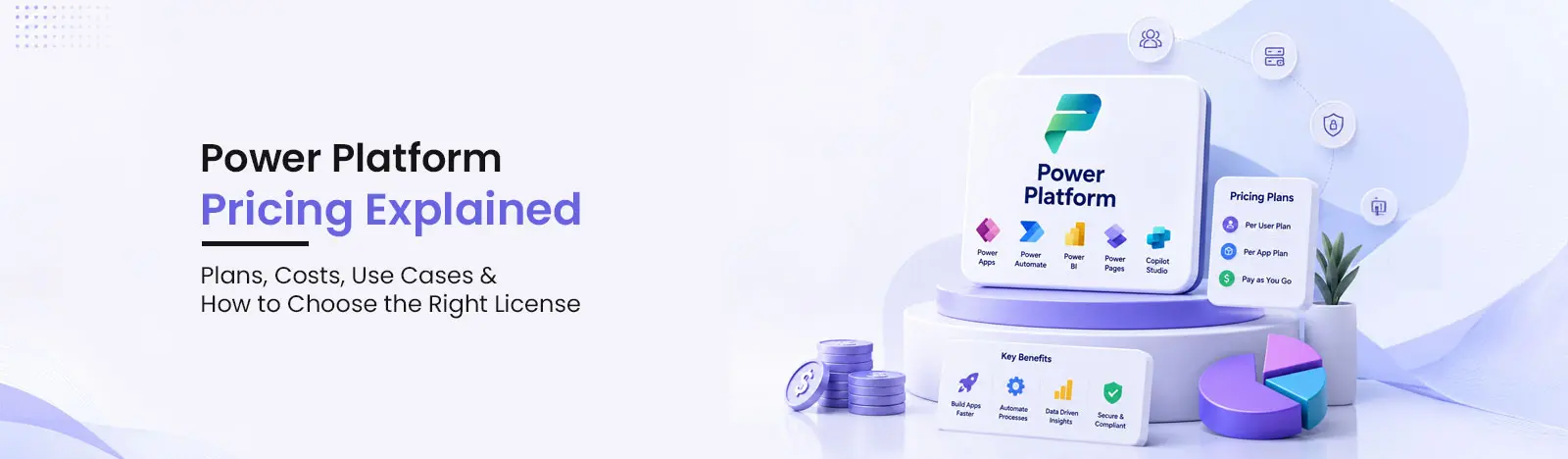
Power Platform Pricing at a Glance
Product
Best For
Pricing Model
Starting Price / Common Plan
Consultant Note
Power Apps
Custom business apps
Per user / pay-as-you-go
Power Apps Premium (~$20/user/month)
Best when users need multiple apps or premium connectors
Power Automate
Workflow automation and RPA
Per user / bot / flow runs
Premium (~$15/user/month), Process, Hosted Process
Cost depends heavily on run volume and RPA needs
Power BI
Reporting and analytics
Per user / capacity
Pro (~$14/mo), Premium Per User (~$24/mo), Fabric capacity
Choose based on sharing, refresh, model size, governance
Power Pages
External websites and portals
Authenticated / anonymous capacity
Authenticated and anonymous user packs
Ideal for customer, vendor, partner, citizen portals
Copilot Studio
AI agents and copilots
Credit capacity / pay-as-you-go
Copilot Credit capacity packs
Costs depend on usage and agent complexity
Dataverse
Business data storage
Included capacity + add-ons
Database, file, and log capacity
Often overlooked in pricing estimates
Need help choosing the right Power Platform license?
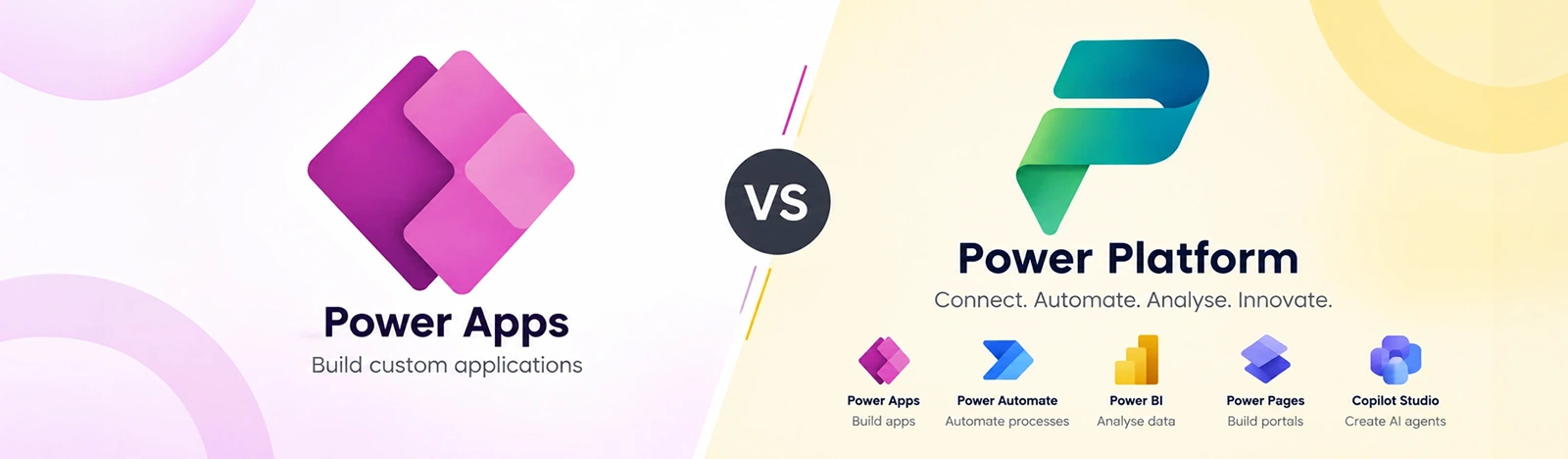
Before the dollars, it’s worth grounding on what’s inside Power Platform. Power Apps is the low-code toolset for building business apps. Power Automate handles workflow automation and robotic process automation (RPA). Power BI covers dashboards and reporting. Power Pages builds external-facing websites and portals. Copilot Studio is the platform for building AI agents. And Dataverse is the secure data platform sitting behind much of it, whether people realize they’re using it or not.
How to Verify a Power Platform Partner’s Credentials
Before trusting any pricing recommendation, it helps to know how to check who’s giving it. In October 2022, Microsoft retired the old gold and silver partner programme. The relevant credential for Power Platform work is the Business Applications Solutions Partner designation, which requires a Partner Capability Score of at least 70 out of 100, based on net new customers, certified staff, and customer usage outcomes. Above that, a partner can hold the Low-Code Application Development specialization, which requires passing a Microsoft audit and submitting real customer references.
Check any partner’s designations directly at appsource.microsoft.com a badge on a website isn’t enough, and older “Gold Partner” branding signals the firm hasn’t updated its credentials in years. On the individual level, ask which role-based certifications their team holds:
Each is verifiable through a Microsoft Learn transcript link, ask for it.
How Microsoft Power Platform Licensing Works
Once you understand the five products, the next layer is how Microsoft actually charges for them. Five core models are at play, and most solutions touch more than one:
Per-user licensing: the default when named individuals need ongoing access; predictable and easy to budget.
Capacity-based licensing: covers bots, external websites, AI credits, and workloads not tied to a named person; Power Pages and Copilot Studio lean on this model.
Pay-as-you-go billing: suits variable or unpredictable usage but needs close monitoring through Azure billing.
Included Microsoft 365 use rights: limited Power Apps and Power Automate capabilities tied to standard connectors and Microsoft 365 data sources like SharePoint and Outlook.
Premium licensing: required once a solution touches premium connectors, Dataverse, custom connectors, on-premises gateways, or enterprise-grade automation.
Power Apps Pricing Explained
Power Apps has settled into two production paths: a Premium license per user, or pay-as-you-go. A free Developer Plan exists too, but it’s strictly for non-production building and testing.
Power Apps Premium gives unlimited custom apps, premium connectors, Dataverse access, and on-premises gateway support under one license. Pay-as-you-go charges per unique user who opens an app monthly, attractive for pilots or external vendors, but it can create billing surprises if usage climbs without governance. Dataverse capacity is bundled into Premium, though heavy storage can need add-ons over time.
Common builds: employee onboarding, field inspection, procurement requests, asset management, approval tracking, and SharePoint list modernization apps. See our Power Apps consulting services page for real-world implementation examples.
Power Automate Pricing Explained
Power Automate pricing splits along one line: attended automation versus unattended RPA. Premium unlocks unlimited cloud flows and attended desktop flows plus premium connectors. Process adds unattended RPA bots running without a human present. Hosted Process runs those bots on a Microsoft-managed VM, removing the need for your own infrastructure.
Cloud flows (in the cloud, against connectors) differ from desktop flows (automating a Windows machine), just as attended RPA (person-supervised) differs from unattended RPA (fully scheduled). For unpredictable needs, pay-as-you-go flow run pricing beats a flat license, but it still needs active monitoring.
Typical deployments: invoice approvals, HR onboarding, email-to-ticket automation, SharePoint document approval, CRM data updates, and legacy desktop RPA. Explore our Power Automate consulting services for deployment examples.
Power BI Pricing Explained
Power BI has four practical tiers. Free (via Desktop) suits individual report creation but can’t be shared. Pro enables publishing and sharing, every viewer also needs a license, so cost scales with viewer count, not just authors. Premium Per User adds a larger data model, more daily refreshes, paginated reports, and deployment pipelines. Fabric capacity drops per-user pricing for a dedicated compute tier, cheaper than many Pro licenses once viewer count is high enough.
A detail that trips up budgets: many organizations already have Pro included through Microsoft 365 E5 and don’t realize it, while others assume capacity licensing is only for huge enterprises when it can be cheaper well before that point.
Common uses: sales dashboards, finance reporting, operations KPIs, executive reporting, manufacturing analytics, and embedded reporting for customer-facing apps. See Power BI consulting & implementation →
Power Pages Pricing Explained
Power Pages pricing runs on a different axis, built for people outside your organization. It distinguishes authenticated users (who log in) from anonymous users (who don’t), priced through capacity packs for each, plus pay-as-you-go for unpredictable traffic. Most sites store data in Dataverse, so storage growth is part of the cost picture from day one. Licensing, authentication, and access control should be planned together, not bolted on after launch.
Common deployments: customer self-service, vendor, partner, grant application, member, citizen service, and event registration portals.
Consultant insight: Power Pages pricing depends on monthly active users, authentication type, number of websites, Dataverse usage, and security requirements. External portals should always be planned with licensing, privacy, and access control together.
Copilot Studio Pricing Explained
Copilot Studio is priced around Copilot Credit capacity packs, with pay-as-you-go for testing before committing to a tier. Credits are consumed by conversation volume, action complexity, and connected data sources or channels. Cost gaps appear between an internal agent (an HR assistant) and an external agent (a customer-facing bot), since external usage is far less predictable.
Copilot Studio beats a simple chatbot once you need natural conversation, multi-step reasoning, or several backend integrations; for five fixed questions, it’s overkill.
Common uses: HR policy assistants, IT helpdesk agents, customer support copilots, sales knowledge assistants, procurement assistants, and internal knowledge agents.
Consultant insight: AI agent pricing should be estimated using expected interactions, channels, data sources, actions, and governance. A poorly scoped agent can create unpredictable usage and support costs.
Common Hidden Costs in Power Platform Pricing
This is the section we wish more organizations read before signing a purchase order. The license is rarely the full cost. Here’s what tends to get missed:
Premium connectors: required for SQL Server, Salesforce, and most non-Microsoft systems.
Dataverse storage: grows quietly as apps and flows accumulate data.
Power Platform requests: API call limits that can throttle heavy workloads.
External users: anyone outside your tenant changes the licensing math.
RPA bot capacity: priced per bot, easy to underestimate.
Service accounts and unattended automation: often need separate licensing.
Environment governance: without it, environments multiply, and so does spend.
Security and DLP policies: necessary but take planning time and tooling.
ALM and deployment pipelines: needed to move solutions safely to production.
Support, maintenance, and change requests: ongoing costs after go-live.
Training and adoption: a license nobody knows how to use isn’t generating value.
Licensing mistakes from multiplexing or indirect access: Microsoft’s licensing terms still apply when data passes through an app to unlicensed users.
Sample scenario: 50 internal app users, 5 makers, 3 approval workflows, 1 Power BI dashboard, data in SharePoint and Dataverse. Compare Microsoft 365 included rights against Power Apps Premium and pay-as-you-go before committing, the right answer depends on how those 50 users behave, not just how many there are.
Power Platform Pricing Mistakes to Avoid
After enough licensing reviews, the same mistakes keep showing up:
Assuming Power Platform is fully included with every Microsoft 365 plan
Buying licenses before mapping use cases
Ignoring premium connector requirements
Underestimating Dataverse storage
Not planning external user access
Treating RPA as a normal cloud flow
Not monitoring pay-as-you-go usage
Allowing citizen development without governance
Building apps without ALM, environment strategy, or security policies
Not reviewing licensing after usage grows
Why Work With a Power Platform Consultant?
Licensing is only the first decision point, a consultant’s value usually shows up well before and well after that purchase. A good Power Platform consultant helps with licensing assessment, use-case discovery, solution architecture, app and workflow development, Power BI reporting, Dataverse design, security and governance, environment strategy, DLP policies, ALM and deployment, user adoption and training, and ongoing support and optimization.
The cheapest license on paper isn’t always the cheapest solution once rework, governance gaps, or a stalled rollout enter the picture.
A consultant should also talk specifics on governance, not just licensing. Microsoft’s own framework is the Power Platform Center of Excellence (CoE) Starter Kit an open-source Dataverse toolkit that inventories every app, flow, and maker across a tenant. Microsoft has also been folding core capabilities into the Power Platform admin center’s Inventory, Usage, Monitor, and Actions views, so ask whether a partner governs through the admin center, the CoE kit, or both, “we’ll figure out governance later” means licensing is being decided without usage data.
Real-World Case Study
FMCG manufacturer improves process efficiency with Power Apps automation
A leading FMCG company relied on manual processes to manage raw material intake, invoice verification, and food production tracking. As the solution evolved, the organization required premium Power Platform capabilities such as AI-powered OCR, ERP integrations, and mobile-first shop floor application, features that typically require Power Apps Premium licensing.
By implementing a Power Apps solution integrated with AI-based OCR and QR-code tracking, the company automated invoice scanning, enabled end-to-end production traceability, and provided real-time visibility across the food processing lifecycle. The result was significantly lower manual effort, fewer data-entry errors, stronger compliance, and improved operational efficiency across production teams.
This example highlights why choosing the right Power Platform license matters. Organizations using advanced capabilities like Dataverse, AI Builder, premium connectors, or ERP integrations often realize substantial business value from Premium licensing, while users with simpler SharePoint- or Microsoft 365-based scenarios may not need the additional cost.
Why Beyond Intranet Is the Right Power Platform Consultant
Beyond Intranet is the Microsoft 365 and Power Platform division of Beyond Key, founded in 2005, with a team of over 350 professionals serving clients across the US, Canada, and Australia. We hold an active Solutions Partner designation and work across Power Apps, Power Automate, Power BI, and Power Pages as one connected practice rather than separate teams handing a project back and forth.
We’re not in the business of pushing the biggest license; we’re in the business of making sure the license you buy matches what your teams actually need to do. That shows up as:
Red Flags When Evaluating Power Platform Pricing Advice
A few signs a quote or recommendation deserves a second look:
It quotes a single per-user number with no mention of Dataverse, connectors, or automation volume. Power Platform pricing without a usage conversation is a guess, not a quote.
The partner can’t point to their AppSource listing. If a Business Applications designation or Low-Code Application Development specialization isn’t on appsource.microsoft.com, it doesn’t carry the weight it’s being sold as.
Every recommendation defaults to the most expensive tier. Premium licensing is correct often, but a partner who never finds a use case for included Microsoft 365 rights or pay-as-you-go isn’t optimizing for you.
There’s no usage data behind the proposal. A real recommendation references actual or estimated flow runs, premium connector usage, or Dataverse storage, not just headcount.
It depends on which products you use. Power Apps and Power Automate Premium each run roughly $15–$20 per user per month; Power BI ranges from free to around $24 per user per month, and Power Pages and Copilot Studio use capacity-based pricing. Total cost depends heavily on connectors, automation volume, and Dataverse storage.
Partially. Microsoft 365 includes limited Power Apps and Power Automate use rights tied to standard connectors and sources like SharePoint. Premium connectors, Dataverse, RPA, external portals, and AI agents typically need standalone licensing.
Power Apps centers on building and running custom apps; Power Automate centers on workflow runs and automation type. Power Automate adds separate, higher-cost tiers for unattended RPA bots, which Power Apps has no equivalent for.
You need it once your app connects to Dataverse, SQL, Salesforce, SAP, custom APIs, or any premium connector. If the app only touches SharePoint or other standard Microsoft 365 data, included rights may already cover it.
Pay-as-you-go fits pilots, seasonal usage, or unpredictable demand where a flat per-user license doesn't make sense yet. It requires active monitoring through Azure billing, since usage-based costs can rise quickly without warning.
Power BI Pro is priced per user and covers report sharing and collaboration. Premium Per User adds enterprise features like larger models and more refreshes, also per user. Fabric capacity is priced by compute tier instead of by user, which can be cheaper at scale.
Power Pages uses capacity packs split between authenticated users (who log in) and anonymous users (who don't), plus a pay-as-you-go option. Pricing also factors in the number of websites and how much Dataverse storage the portal consumes.
Copilot Studio uses Copilot Credit capacity, consumed based on conversation volume, action complexity, and connected data sources or channels. A pay-as-you-go option exists for testing before committing to a fixed capacity tier.
Premium connectors link Power Platform to systems beyond standard Microsoft 365 sources, such as SQL Server, Salesforce, SAP, or custom APIs. Using even one premium connector in an app or flow generally requires every user of that app or flow to hold premium licensing.
A consultant maps actual use cases and user behavior before recommending licenses, which prevents both overbuying and the kind of mid-project licensing surprises that come from missed premium connector or Dataverse requirements.
About Author
Bhupendra Singh
Bhupendra is a Digital Transformation Expert and Microsoft 365 Consultant who helps organizations modernize the way they work using the Microsoft 365 suite of services. As a Microsoft Certified Teams Administrator Associate, with credentials in Microsoft 365 Fundamentals and the Microsoft Service Adoption Specialist assessment, he combines technical expertise with adoption strategies to drive meaningful business change.