
SharePoint Employee Directory Software
 SPFx Version Built on Modern SharePoint
 Available on Microsoft Teams
 Quick Page Loads & Employee App
 Fresh, Clean, and User-Friendly UI
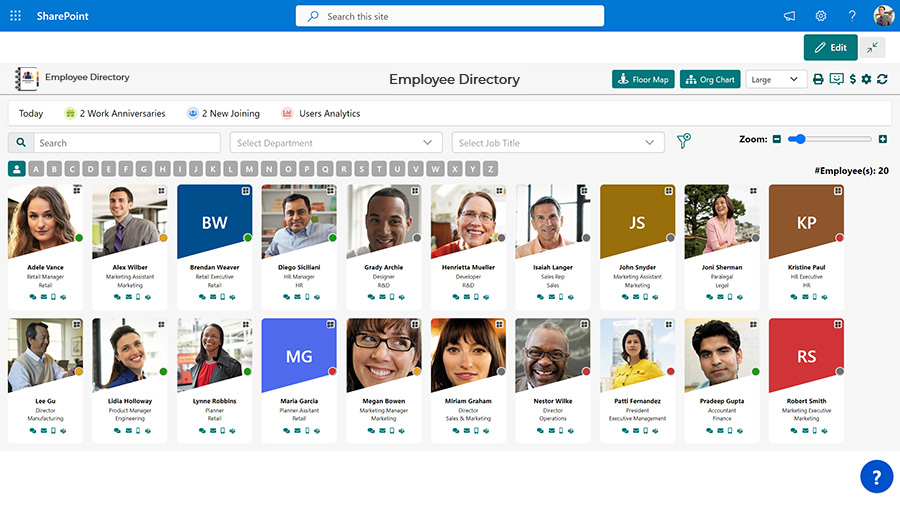
Our SharePoint employee directory software makes your workday smoother as a reliable employee app and company directory software.
Book a Free Demo
Enterprise-Grade Security & Compliance, Built-In




Our Ratings
 4.7 on G2
 4.7 on Microsoft Marketplace
 5.0 on Capterra
Why Choose
Employee Directory?
As organizations grow, managing employee information becomes more complex. Employee Directory is a modern employee directory software designed for Microsoft 365 that helps teams quickly find people, view profiles, and understand organizational structure. Built as a centralized SharePoint employee directory, it improves visibility and collaboration across your organization.

Enterprise-Grade Security
Built on Zero Trust architecture and leverages Microsoft 365 security features to keep employee data protected.
GCC & GCC High Ready
Designed for government and regulated environments and works seamlessly with GCC tenants.
SOC 2 Type II Certified
Meets SOC 2 Type II standards ensuring strong data security, privacy, and compliance.
Available on Microsoft Marketplace
Trusted deployment and easy integration within your Microsoft 365 environment.
Trusted by 2000+ Global Enterprises Who Replaced Confusion with
Clarity Zero chaos. No Spreadsheets








PRICING
Straightforward Pricing, No Surprises Later
We keep employee directory pricing simple — and it stays that way for as long as you're a customer.
-
Renewal Pricing That Doesn't Creep Up
What you pay when you sign on is what you keep paying at renewal — no year-over-year increases.
-
Nothing Hidden
No add-on fees, no surprise costs at renewal time. The quote you get is the quote you pay.
-
Pay for Users, Not Feature Tiers
Every user gets every feature. Your cost depends on team size, not on which functionality you've unlocked.
Experience the Speed of SPFx with Our Modern SharePoint Employee Directory App
SharePoint SPFx powers our SharePoint Employee Directory Software. Enjoy lightning-fast load times, regardless of your employee database size.
- Experience quicker page loads with our SharePoint directory.
- Enjoy our SharePoint employee directory app fresh, clean, and user-friendly UI.
- Save big on development and upkeep costs, reducing your overall employee directory 365 cost.
- Choose from a variety of layouts in our SharePoint employee directory. Single, double, or triple column.
- Our best employee directory software helps you stay connected on all devices, serving as an effective SharePoint Online employee directory.

Understand Your Team with Our Org Chart in SharePoint Directory
This SharePoint SPFx Webpart helps view the organization's structure with roles, responsibilities, departments, and reporting from top management to bottom employees in a flowchart. You will get a clear idea of the hierarchy within the organization.
- Easy to connect employees' information from SharePoint user profile.
- One-click data export option in SVG or PDF format with our employee profile app.
- Better viewing experience with 4 views and zoom in zoom out options.
- The SharePoint people directory is compatible with O365 as well.
- Option to show/hide org chart in the employee directory app configuration page.
Celebrate Every Birthday and Anniversary with Our SharePoint Employee Directory Software
Keep the work atmosphere fun with our SharePoint Employee Directory Software. Stay in the know with the current and upcoming birthdays or anniversaries of your teammates with the employee directory in SharePoint.
- Set up automated reminders/notifications prior to anniversary or birthday dates in the SharePoint staff directory.
- SharePoint directory assists in finding birthdays by month or coworkers' names.
- Post congratulatory messages on employee profiles on their anniversary with our company directory software.
- Get notifications for birthdays and anniversaries right on your screen of employee directory software.

Explore the Pricing!
Get pricing tailored to your organization’s needs. Please fill in the details below: We want to know a little more so that we can share a quote based on your organization’s custom requirements.
The Key Features You Need

Find Anyone Instantly (Search & Filters)
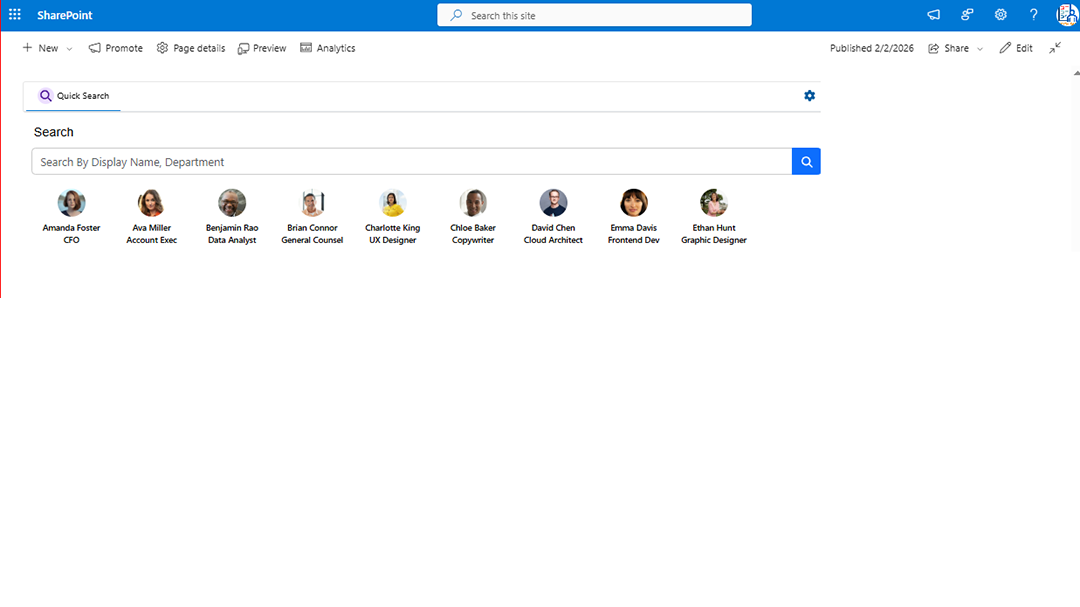
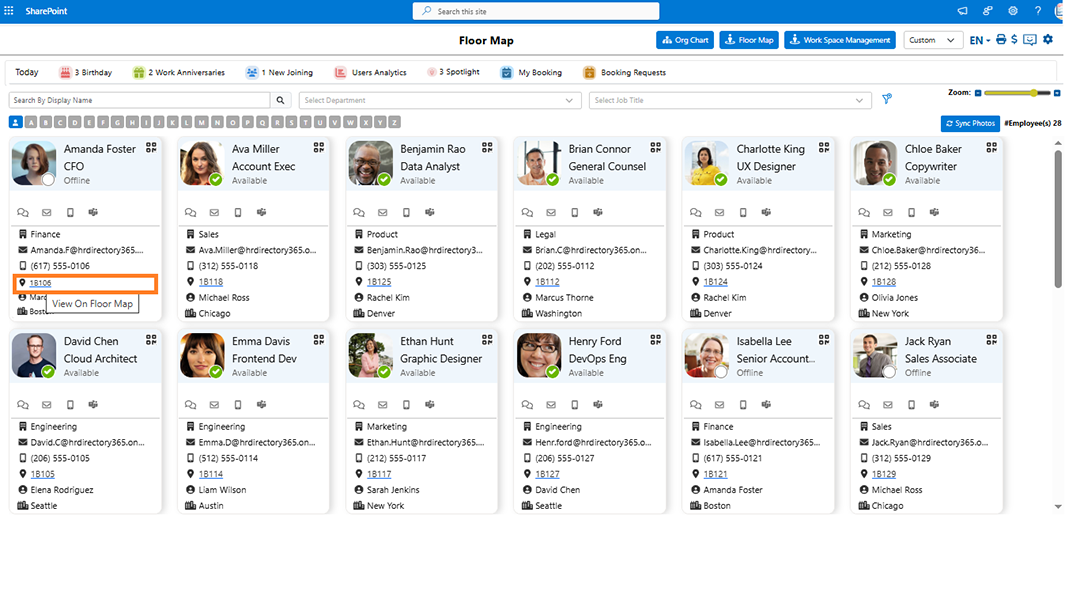
Advanced search and filters let you find colleagues by name, skill, or location in seconds using our employee directory sharepoint.

Know Who's In (Online Presence)
See real-time presence information to facilitate efficient communication and collaboration.

Personalized Profiles (Enriched Profiles)
Enriched profiles let colleagues showcase their skills and expertise, fostering better connections with people directory software.

Multilingual Support (Multilingual Directory)
Connect with a global workforce with a directory that supports multiple languages.

Celebrate Milestones (Anniversary & Updates)
Never miss a birthday, work anniversary, or new joiner announcement again.

Mobile-Friendly Access (All-in-one Platform)
Access the directory and key features from any device for on-the-go convenience, making it a true sharepoint online employee directory.

Customizable & Secure (Advanced Options)
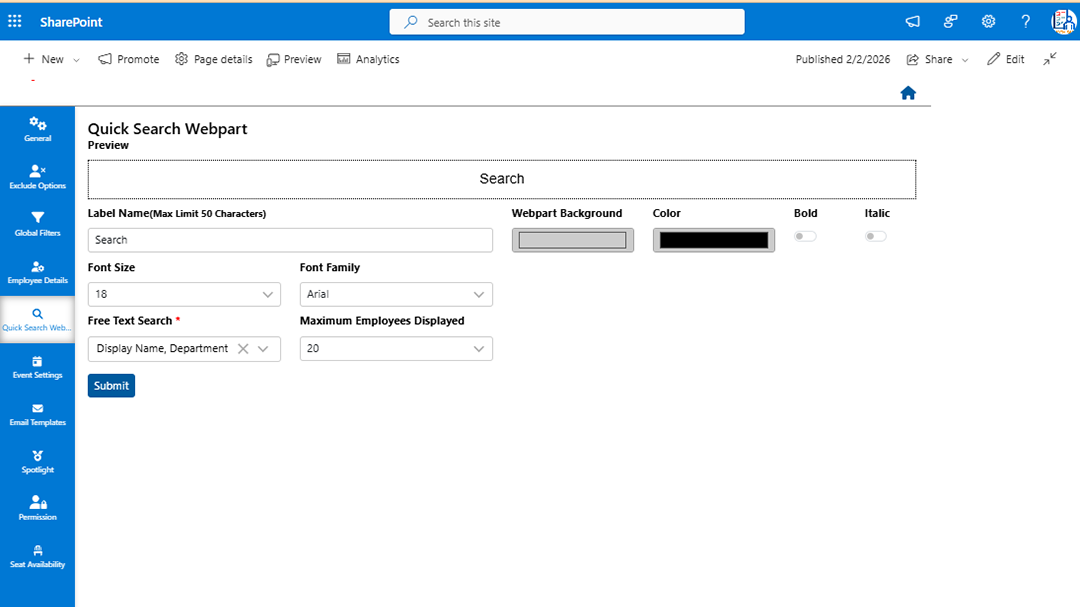
Control directory access with advanced exclude options and ensure data security with company directory software.

Powerful Insights (Employee Data Analytics)
Gain valuable insights into your workforce with employee data analytics in your employee app.
Reachout For Free Trial
Digitize Your Workplace with Modern SPFx Employee Directory.
Try free 7 days trial. No credit card required
Built for Easy Integration
Bring employee details, communication, insights, and documents together. Integration with Microsoft platforms helps everyone find information easily, connect with coworkers, and understand team structure—all in one place, directly within your employee directory.
Request a Demo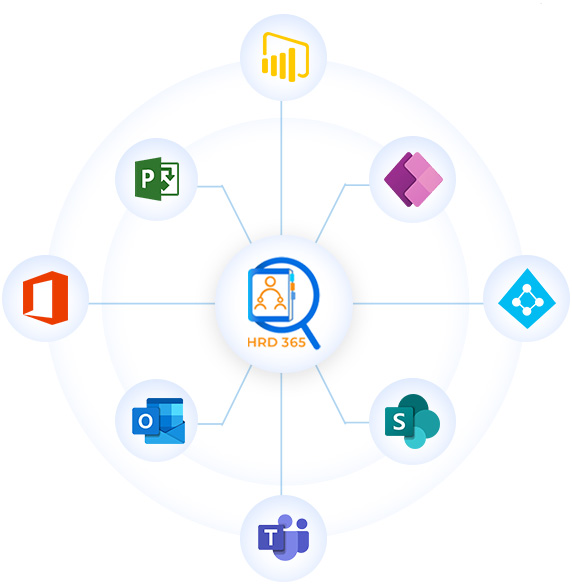
Why Beyond Intranets Employee Directory?

Save Time
With the best corporate directory software, quickly access all your contact details in one centralized location, eliminating the time spent searching or sorting through records.
Automatic Sync
Employee Directory 365 refreshes information on its own, removing the need for manual updates. It connects directly with Office 365 or Microsoft 365 for seamless data synchronization.

Organizational Transparency
Gain clear insight into the company’s hierarchy, making it easier for employees to recognize their responsibilities and connections within the business.

Remote Work Support
Support for remote and hybrid teams ensures effortless connectivity, no matter the team’s physical location.

Global Accessibility
Reach the directory from anywhere, at any time, and on any device, so you can easily interact with colleagues in real time.

Customer Support
Our support professionals blend technical expertise with genuine care, building strong relationships and trust beyond typical service interactions.

Modern UI/UX
Our best employee directory software is designed with the latest Fluent UI for a smooth, intuitive experience across all platforms
Swift Deployment
Select your preferred deployment—whether Teams, Outlook, or SharePoint—for ultimate flexibility.

Free Updates
Subscribers benefit from continuous improvements, new features, and full support at no additional cost.
Customer Testimonials


Suzanne Aardema
System Administrator
A Central, Seamlessly Integrated Directory with Excellent Support.
HR Directory 365 lets us find colleague contact information in one central location, seamlessly integrated with Azure and the dynamic Organizational Chart is amazing. We didn't face any real challenges implementing it, thanks to excellent customer support from Beyond Key. Microsoft's native SharePoint tool requires manual upkeep and isn't nearly as informative. Having a link to the directory on my phone has been an invaluable tool for reaching colleagues quickly while on the go. The support team has also been consistently responsive and quick to resolve any issues we've encountered.


Michael Moosdorf
Teamlead Corporate Communication
HR 365 aligns perfectly with our specific needs.
The app is so versatile and customizable that we were able to use the directory exactly according to what we had in mind. Anything the app didn't provide out of the box was added by the fantastic team who programmed the app.
Support was always available, communication was great and polite, our questions were answered right away and special requests were realized quickly.


Frank Foreman
SharePoint Administrator
HR Directory 365 is an excellent SharePoint app!!!
The Org Chart and Employee Directory web parts are very easy form employees to navigate, filter, organize, arrange, etc. Lots of very useful and easy to use features! The Beyond Intranet Support Team and, specifically, Sonal and Vijay, have provided excellent customer service and technical support. Shubham – was a great help as well! Finally, it has become clear to me that Beyond Intranet’s product management and development team are constantly approving that app, fixing issues and adding great new features on a regular, frequent basis.


Greg Colegrove
Chief Information Officer (CIO)
Employee Directory is a super intuitive product
The Beyond Intranet's Employee Directory (HR Directory 365 ) Is a super intuitive product to use. Sharing employee contact information, online availability, and reporting structures couldn't be any easier. The ability to flip between the directory and organization chart views with a single click is a powerful feature. Vendor support has been fantastic; they're quick to respond to support requests and have provided assistance in configuring the product that has eliminated hours of manual administration.


Angela Kendrick
Director of HR & Compliance
Positive Experience with the HR Directory 365 Rollout
I am writing to express my sincere appreciation for the recent implementation of the HR 365 Directory. The entire process, from the initial rollout to its current use, has been a very positive experience. I greatly appreciate Shubham’s assistance. Overall, the HR Directory 365 has been a valuable addition to our company's resources. I believe it will foster a more connected workplace and improve employee relationships.


FAQs
Follow these steps:
- Go to your SharePoint tenant home page.
- Click the gear icon in the top-right corner and select Add an app.
- On the left-hand side, click Find more apps in the SharePoint Store.
- Search for Employee Directory – HRD 365.
- Select the app and click Add to App site.
- Make sure the option Enable this app and add it to all sites is checked so the web part is available across the organization.
You can also watch our YouTube video: How to Install Beyond Intranet's Employee Directory Software from App Source.
The web part needs secure access to Microsoft Graph to retrieve employee data. You can approve the required permissions by navigating to SharePoint Admin Center > Advanced > API Access. The permissions include:
- User.Read.All: Displays basic employee information.
- Presence.Read.All: Shows real-time Microsoft Teams presence (Online/Away).
- OrgContact.Read.All: Creates the visual organizational hierarchy.
- Mail.Send (Optional): Enables automated birthday and anniversary emails if configured.
- User.ReadWrite (Optional): Allows users to update their own profiles within SharePoint.
SharePoint employee directory can be accessed by all employees, HR teams, managers, and administrators. Visibility settings allow you to hide unlicensed users, external contacts, or specific users as needed.
You can enable the Exclude Deactivated User option in the web part settings to hide or remove disabled accounts. When enabled, only active employees appear across all related web parts on the same site, including Birthday/Anniversary and Organizational Chart sections.
The hierarchy is automatically generated using the Manager field in Microsoft Entra ID. You can further refine the chart by filtering based on Department, Domain, or Location to reflect your organizational structure.
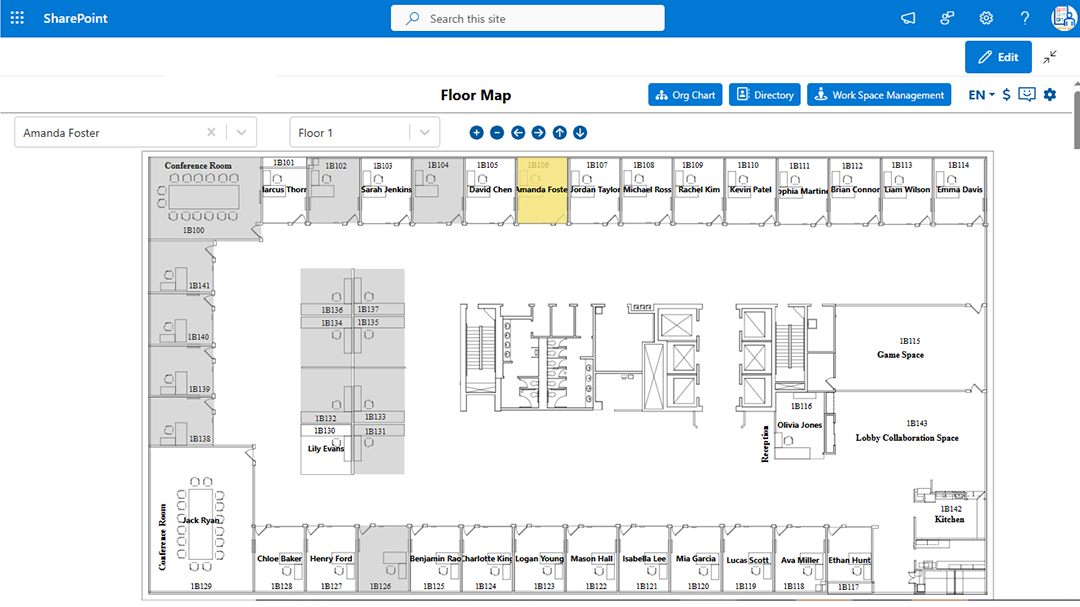
Yes. When enabled for your tenant, HR Directory 365 supports interactive Floor Maps that visually represent your office layout. To activate this feature, please contact us directly.
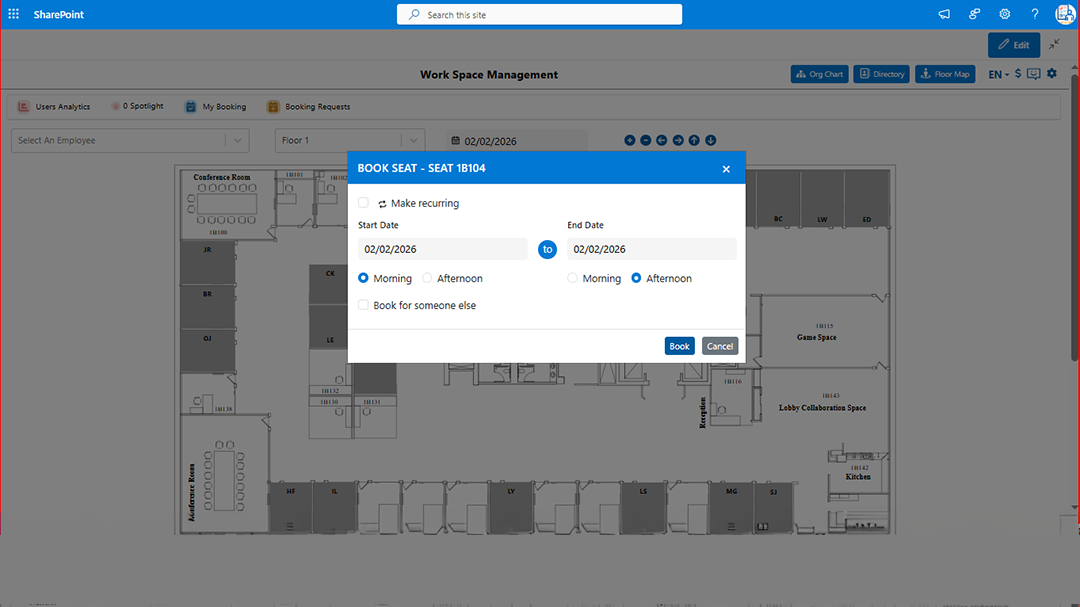
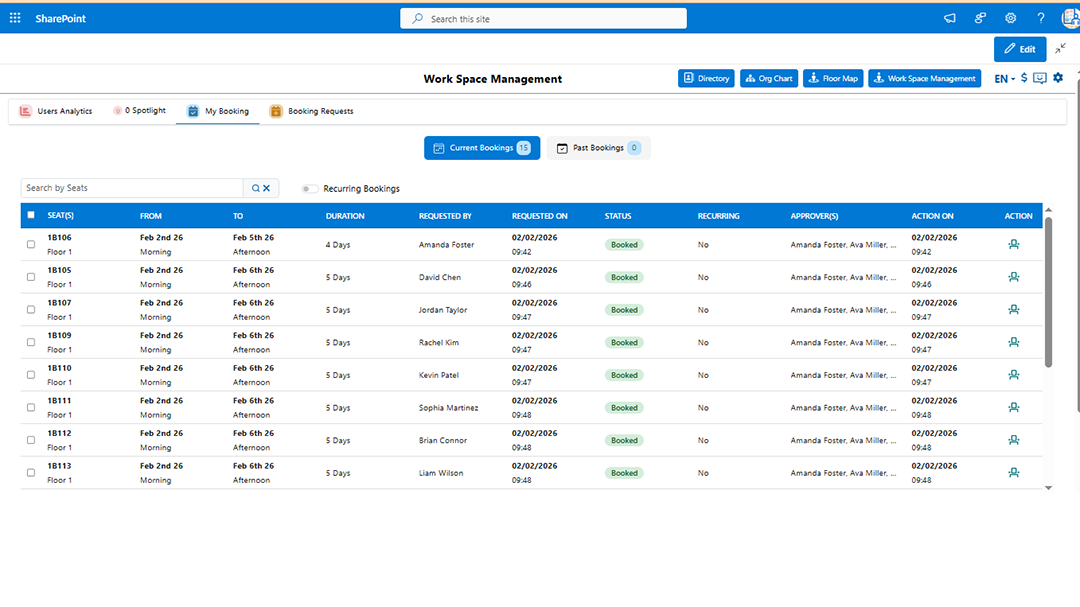
Yes. The application includes a Desk Booking module that allows employees to reserve desks directly within SharePoint. If you would like to add this module to your current plan, please contact us to discuss setup and pricing.
