A practical, vendor-neutral guide for CIOs, IT directors, and digital workplace leaders evaluating SharePoint consulting partners in Australia — including a comparison...
Because of exploding data volumes and fragmentation, traditional data systems are delivering ineffective reporting and analysis. Look at MuleSoft’s Connectivity Benchmark Report the average company is buried under 897 disconnected apps, and 71% of them sit totally siloed. That is a massive wall when you try running machine learning, which is exactly why IT leaders we talk to say that bad data quality and isolated systems are actively stalling their current AI roadmap. If your infrastructure is this broken, your AI models will just spit out hallucinations while developers burn hours patching old connections.
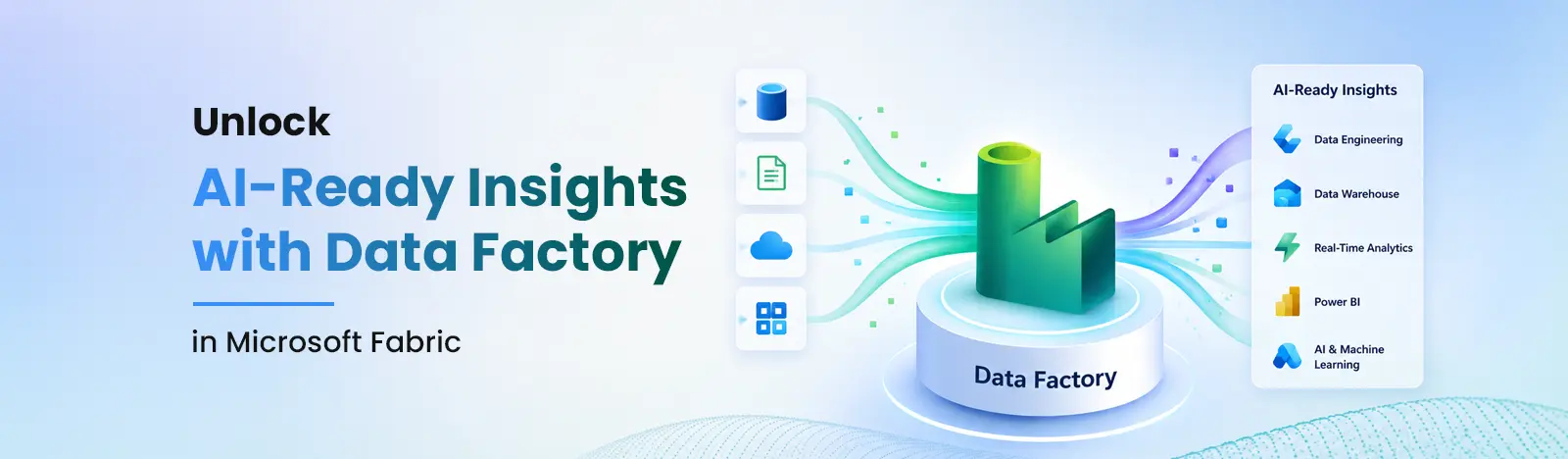
The easiest fix? Move the heavy lifting over to Data Factory in Microsoft Fabric. It pulls ingestion, cleansing, and validation into one managed SaaS setup. Take a global shipping firm: they can instantly loop old mainframe logs and real-time tracking feeds directly into an AI-ready vector store, giving their generative apps a factual backbone they can actually trust.
Key Takeaways
Discover how consolidating multi-cloud and on-premises pipelines eliminates organizational siloes.
Learn how to make data reliable enough for trusted reporting by fixing bad data at the point of ingestion.
Learn why shifting from disconnected point tools to a low-code canvas saves valuable engineering resources.
See how near real-time operational integration builds a reliable foundation for enterprise AI scaling.
What is Microsoft Fabric?
If you are trying to cut through the noise of modern data architecture, Microsoft Fabric Consulting Solutions offers a complete analytics and data platform for companies that want a unified, integrated solution.
Instead of forcing your IT team to play mechanic manually stitching together separate storage accounts, compute clusters, and analytics engines Fabric packages everything into a true SaaS model. Event real-time routing, data transit, processing, transformation, ingestion, and report generation are all included. Its full range of native workloads covers Data Engineering, Data Factory, Data Warehouse, Real-Time Analytics, Data Science, and Databases, all running seamlessly on top of a single multi-cloud data lake called OneLake.
Introducing Data Factory in Microsoft Fabric
Think of Fabric data factory as the central engine room driving this entire ecosystem. Built to handle heavy-duty ETL (Extract, Transform, Load) and data orchestration, it merges the familiar, plug-and-play visual transforming power of Power Query with the massive scale of enterprise data pipelines. It means data engineers and everyday business analysts can connect to hundreds of cloud, on-prem, or SaaS sources, instantly shaping raw streams into pristine data products without having to spin up or manage a single piece of backend infrastructure.
Data Factory in Fabric vs. Azure Data Factory: When to Choose Each
It is incredibly common to mix these two up since they share some technical DNA, but the debate of azure data factory vs microsoft fabric comes down to PaaS vs. SaaS. Azure Data Factory (ADF) is a traditional Platform-as-a-Service tool. To use it, cloud architects have to manually configure, secure, and scale separate linked services, integration runtimes, and storage targets. It is a highly capable tool, but it requires constant infrastructure management and uses a granular, consumption-based billing model that makes monthly costs tough to predict.
Data Factory in Microsoft Fabric flips the script by delivering a true serverless SaaS environment. There is no infrastructure to manage, no gateways to provision, and no complex storage endpoints to link up manually. It lives inside your active Fabric workspace and automatically drops its outputs straight into OneLake using open-delta parquet formats.
Feature/Factor
Azure Data Factory (ADF)
Data Factory in Microsoft Fabric
Basic Setup
PaaS model; requires manual configuration of underlying components.
SaaS framework; turnkey workspaces that are ready out of the box.
Where Data Lands
Needs explicit pipelines routed to external lakes or databases.
Plugs directly into OneLake by default with zero extra setup.
Data Transformation
Uses Mapping Data Flows running on separate Spark clusters.
Runs on Dataflows Gen2, backed by an upgraded Power Query engine.
Security & Links
Relies on manual Linked Services and complex integration runtimes.
Uses shared Workspace Connections and single-sign-on security.
The Bill
Granular billing calculated by pipeline runs, read/write units, and active nodes.
Uses a flat, shared compute pool (Fabric SKUs) across all workloads.
AI Assistants
Basic execution monitoring; no built-in generative code help.
Deeply integrated Copilot for building pipelines with text prompts.
Fabric Data Factory excels for unified analytics, but organizations heavily invested in SSIS or requiring strict network isolation may find Azure Data Factory a better fit
When to Choose Azure Data Factory vs. Fabric Data Factory
To get the most out of your software budget, use this simple, straightforward guide to pick the right tool for the job:
Go with Azure Data Factory (ADF) if:
You have a massive library of legacy SQL Server Integration Services (SSIS) packages that you want to lift-and-shift directly to the cloud without rewriting them.
Your enterprise operates under rigid networking rules that require explicit control over individual self-hosted integration runtimes and highly isolated firewalls.
You are handling standalone data moving jobs that don’t need to connect with broader, company-wide business intelligence dashboards or machine learning tools.
Go with Fabric Data Factory if:
You want a unified analytics setup that seamlessly links data engineering, data science, and Power BI dashboards in one shared workspace.
Your development team wants to get to market faster by using clean, low-code visual tools backed by smart generative AI assistants.
Your primary goal is to build clean, fully compliant data products designed specifically to fuel company AI agents and automated RAG frameworks.
Streamlining Critical Integration Challenges
By sweeping away the rigid structural limits of older data platforms, Microsoft fabric data factory completely changes how data moves across a business. It relies on a high-speed, drag-and-drop orchestration layer that handles unexpected schema shifts, automates pipeline dependencies, and auto-scales compute power up or down based on how heavy the workload is.
A recent use case: From factory chaos to real-time control
Beyond Intranet, recently helped a heavy machinery manufacturer based in US streamline and unify fragmented data across plants scattered across the country. They were drowning in operational messes before updating their data setup.
Where Things Were Broken
The company couldn’t get their systems to talk to each other. Sensor logs from the actual assembly lines were stuck on individual factory floor servers. Meanwhile, inventory metrics were locked inside an ancient ERP system, and purchasing records sat scattered across completely different cloud databases.
The real breaking point was their old batch pipeline. It took 14 brutal hours to run. Because of that massive lag, regional business reports were always late, supply chain managers constantly ran out of raw materials, and the engineering team wasted half their week just patching broken data connections.
How Fabric Data Factory Fixed It
To clear the bottleneck, they brought in Microsoft fabric data factory to handle the heavy lifting.
First, engineers built simple, low-code pipelines that hooked into their cloud databases and local factory floors simultaneously using secure workspace shortcuts.
Next, they used Dataflows Gen2 to scrub messy data types and filter out bad entries right at the front door, before any corrupt files could ruin the main lake.
The Actual Results
The change was instant. Processing times dropped from half a day down to just a few minutes. Because the data moves so fast now, their automated tracking systems catch factory floor issues and parts shortages in real-time stopping expensive assembly line shutdowns before they ever happen.
The Catalyst for AI-Powered Development
If you want a reliable AI strategy, you need a clean, steady diet of high-quality data. Fabric data factory acts as the core data superhighway fueling your machine learning models, making sure your systems are working with contextually rich, up-to-date business facts.
Feeds Vector Store Frameworks: Automates the steady flow of unstructured text directly into your AI-ready data layers, making it easy to generate vectors.
Speeds Up Feature Engineering: Data scientists can visually filter, shape, and join data features on a clean canvas instead of writing thousands of lines of custom Python scripts.
AI-Guided Pipeline Design: Engineers can use everyday language with the built-in Copilot to generate, test, and optimize data flows, cutting development cycles in half.
Keeps RAG Apps Grounded: Streams real-time operational events constantly, making sure your retrieval-augmented generation tools access live facts instead of making things up.
In-Line Compliance and Safety: Automatically enforces enterprise data classifications and sensitivity labels during ingestion to protect consumer privacy prior to data being presented to an AI model.
Primary Cross-Industry Use Cases for Fabric Data Factory
Independent studies, like Forrester’s Total Economic Impact™ study, prove that moving to a consolidated platform like Microsoft Fabric drives massive efficiency gains. On average, companies land a 25% bump in data engineering productivity and a 30% reduction in overall data management costs simply by automating their data pipelines within Fabric data factory.
Financial Services & Banking
Consider a consumer banking group that was practically paralyzed by batch processing delays. They were trying to run fraud detection models, but their transaction data was fractured across old branch mainframes, modern mobile apps, and third-party credit bureaus. By the time they stitched the data together, the trail was cold.
To fix it, they built Fabric data pipelines to pull streams from both the on-prem mainframes and cloud webhooks simultaneously. Instead of waiting for overnight batches, clean records started dropping into OneLake every few minutes. This cut latency entirely, allowing their automated fraud algorithms to catch and block sketchy transfers in near real-time while saving their IT support desk from constant emergency firefighting.
Retail & Omnichannel E-Commerce
A global retailer ran into a completely different wall: their customer loyalty files, warehouse logs, and website clickstreams were scattered across completely separate cloud providers. This disconnect caused constant warehouse inventory mismatches and broken customer profiles.
Rather than writing thousands of lines of custom code, their engineers deployed Dataflows Gen2 to clean up and standardize those disjointed schemas visually right as the data entered the system. This trick unlocked a true 360-degree customer view, chopped data preparation times by a smooth 20%, and gave their marketing teams the solid data foundation they needed to launch predictive, AI-driven ad campaigns.
Healthcare & Life Sciences
Over in the healthcare sector, a regional medical network was balancing high compliance risks with fragmented clinical workflows. Patient records and real-time medical device telemetry were handled by entirely separate tools, making it impossible for analysts to get a clear picture of operational safety.
They solved this by running automated Fabric pipelines to securely ingest and align clinical datasets into a single-source layer. The immediate payoff? Medical analysts now build and run predictive patient care models with total peace of mind, while built-in automated governance rules secure sensitive health data the exact second it hits the ecosystem to stay ahead of strict regulatory audits.
Why You Need a Fabric Featured Partner like Beyond Intranet?
Even though Microsoft Fabric makes data integration a lot less technical, building an enterprise-grade pipeline strategy still requires deep structural planning. Without a clear plan for workspace boundaries and compute allocation, it is incredibly easy to turn an organized data repository into a chaotic data swamp. That is why companies look to specialized, vetted platform consultants to guide their architecture.
At Beyond Intranet, we are a verified Microsoft Solutions Partner and an officially designated Microsoft Fabric Featured Partner. That puts our consulting team in an elite group of fewer than 150 verified platform experts worldwide. Our engineering teams know exactly how to architect and launch Data Factory in Microsoft Fabric around your specific business goals. We help your internal teams set up clean workspace layouts, configure reusable data pipelines, automate data cleansing, and manage shared Fabric SKUs to avoid cost overruns. Hands-on experience means your data integration engine is optimized from day one, giving you the analytical insight you need without the operational headache.
Conclusion: The Future of Enterprise AI
Data Factory in Microsoft Fabric is a clean break from the old way of managing fragmented data pipelines. By putting ingestion, data cleansing, and orchestration under one user-friendly SaaS roof, it solves the classic headaches of data silos and broken data quality. For modern businesses looking to capture a true competitive advantage, this isn’t just another tech tool—it is the foundational springboard for your entire AI roadmap. Unifying your core data streams inside Fabric gives you a fast, responsive data layer that turns raw operational numbers into immediate fuel for an AI-driven future.
Frequently Asked Questions (FAQs)
Is Microsoft Fabric Data Factory replacing Azure Data Factory?
No, Microsoft isn’t sunsetting Azure Data Factory. ADF is still a fantastic PaaS option for engineering teams that need deep, granular control over infrastructure and isolated on-prem environments. That said, Microsoft is pouring its main SaaS updates and generative AI innovations straight into Fabric, making it the clear choice for teams looking to modernize their tech stack.
How do Fabric Data Factory and ADF differ in pricing?
Azure Data Factory uses a highly detailed, consumption-based billing model where you pay for individual pipeline activities, data movement volumes, and cluster runtimes separately. Fabric Data Factory runs on a shared capacity model (Fabric SKUs). Your company pays for a flat pool of compute power that can be shared dynamically across ingestion, data science, or Power BI reporting without worrying about unpredictable bill spikes.
Can I migrate my existing ADF pipelines to Microsoft Fabric?
Yes. The underlying JSON setups are a bit different between the two systems, but Microsoft and featured partners have dedicated migration toolkits and frameworks. These utilities can handle up to 75% of the heavy refactoring work, making it relatively simple to move your existing orchestrations over to Fabric pipelines.
Which service is better for Power BI users?
For Power BI-native teams, Fabric Data Factory offers faster integration with Direct Lake mode, whereas ADF requires external storage setup. Since both tools live natively inside the exact same SaaS environment, data brought in via Fabric pipelines lands instantly inside OneLake. This allows your BI analysts to build real-time reports using Direct Lake mode, completely eliminating the need to schedule or wait for slow, heavy dataset refreshes.