
Top Power BI Consulting Companies in the USA (2026)
By Shivani Shelke / August 20, 2026
TL;DRThe strongest Power BI consulting firms for US enterprises in 2026 combine three things most vendors only have one or...
Read More
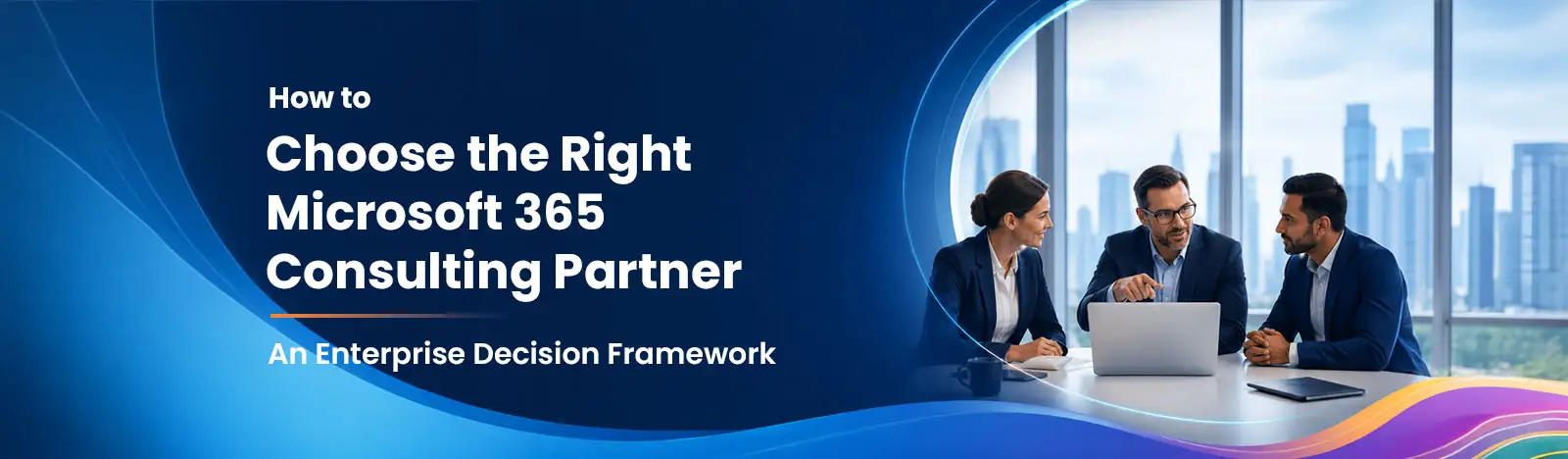

Choosing the right Microsoft 365 consulting partner is about more than technical expertise. This guide explains how to evaluate partners using a practical 10-point framework, verify Microsoft Solutions Partner designations and specializations, assess experience in SharePoint, Teams, Copilot, Power Platform, security, and migrations, identify common red flags, and ask the right questions before making a long-term investment
Consider this: a company completes a Microsoft 365 migration after a merger. Six months later, compliance finds that SharePoint permissions were never set up properly. HR files from the acquired company are visible to everyone. A Copilot rollout is on hold because nobody cleaned up the data. The technical work was done but the partner had no proper process.
Choosing the right Microsoft 365 consulting partner is not just about finding someone who knows Microsoft tools. It is about finding a partner who takes care of your environment before, during, and after the project.
According to Gartner’s 2025 data and analytics trends, AI readiness and information governance are among the top priorities for enterprises. The partner you choose will either help you get there or slow you down.
The phrase “Microsoft partner” means different things to different companies. Before you start comparing firms, it helps to know what kind of partner you actually need:
| Partner Type | What They Do | How They Charge | How Long They Work With You |
|---|---|---|---|
| License Solution Provider (LSP) | Sells Microsoft licenses in bulk | Per-license fee | Annual contract |
| Cloud Solution Provider (CSP) | Handles licensing and basic support | Per-license + small uplift | Annual or monthly |
| Consulting Partner | Advises, designs, and deploys your Microsoft 365 setup | Fixed fee or hourly | Project by project |
| Managed Services Partner | Looks after your environment on an ongoing basis | Monthly retainer | Long-term (2+ years) |
| Systems Integrator | Handles large, multi-platform programmes | Outcome-based | 12–36 months |
A CSP gives you licenses. A consulting partner sets up your environment the right way. These are very different jobs and many organizations need both.
Our Microsoft 365 consulting services and managed services work together so you have one consistent team before and after go-live.
In October 2022, Microsoft replaced the old gold and silver partner programme with something new, the Microsoft AI Cloud Partner Program.
If you see a partner showing a “Microsoft Gold Partner” badge today, that credential is outdated. It was retired more than two years ago. That alone tells you something about how their current knowledge is.
Under the new programme, partners earn designations by proving they have the right skills and a track record of successful projects. There are six designations in total.
| Designation | Why It Matters for Microsoft 365 |
|---|---|
| Modern Work | Shows the partner can deploy Microsoft 365, SharePoint, Teams, and Viva properly |
| Security | Shows they understand identity, compliance, and data protection tools like Entra ID, Purview, and Defender |
| Business Applications | Relevant if your project includes Power Platform or Dynamics 365 |
| Data & AI (Azure) | Useful for Copilot and analytics work |
| Infrastructure (Azure) | Relevant for hybrid or cloud-hosted setups |
| Digital & App Innovation (Azure) | Relevant for custom development on top of Microsoft 365 |
To earn a designation, a partner must score at least 70 out of 100 on the Partner Capability Score, based on new customer growth, certified staff numbers, and how well existing customers are using the platform. It takes real, sustained effort to earn and keep.
You can check any partner’s designations on AppSource. Do not just trust the badge on their website, always verify on AppSource.
On top of designations, partners can earn Specializations. To earn one, a partner must pass audits, submit real customer references, and prove they have delivered specific types of projects. Not many firms have them.
For Microsoft 365 projects, the most useful Specializations are:
Under Modern Work: Adoption and Change Management · Calling for Microsoft Teams · Meetings and Meeting Rooms · Teamwork Deployment · SharePoint
Under Security: Identity and Access Management · Information Protection and Governance · Threat Protection · Cloud Security
For example, a partner with the Information Protection and Governance Specialization has proven they can handle Microsoft Purview, including sensitivity labels, data loss prevention, and eDiscovery. That is a much stronger signal than just having the Modern Work designation.
| # | What to Look At | Key Question to Ask |
|---|---|---|
| 1 | Active Partner Designations | Do they hold Modern Work and Security designations? Can they send you the AppSource link? |
| 2 | Specialisations | Which Specializations have they earned and what did the audit require? |
| 3 | SharePoint and Teams Architecture | Can they design a proper governance and information architecture not just set up sites? |
| 4 | Security and Compliance | Do they know Entra ID, Purview, Defender, and Intune as a connected system? |
| 5 | Migration Experience | Which platforms have they migrated from? Do they have a documented migration plan? |
| 6 | Copilot Readiness | Do they have a named, step-by-step methodology for getting your environment ready for Copilot? |
| 7 | Power Platform | Can they govern Power Platform and deploy a Centre of Excellence? |
| 8 | Support After Go-Live | What does their ongoing support look like? Do they offer SLAs? |
| 9 | Pricing Clarity | Do they offer more than one pricing model? Can they explain which one fits your project? |
| 10 | Industry Experience | Have they worked in your industry before? Can they share references? |
Your partner should hold at least the Modern Work designation. For any project involving data protection or compliance, which most enterprise projects do, the Security designation is also required. Ask for a direct AppSource link to verify.
Designations confirm a minimum standard. Specializations confirm depth. Ask which ones the firm holds, when they were renewed, and what they had to prove to earn them.
Setting up SharePoint is easy. Designing a SharePoint architecture that still works well three years later is hard. A good partner designs your information structure, sets up governance rules, and manages site lifecycles, not just provisions sites.
See how our SharePoint consulting practice puts architecture first.
A partner with real security experience can explain how Microsoft Entra ID, Defender for Office 365, Purview, Intune, and Sentinel all work together. Ask them about Zero Trust architecture and which compliance frameworks they have hands-on experience with.
Migrations are where things go wrong if a partner is unprepared. Ask which systems they have migrated from, which tools they use, and whether they have a written migration plan. Our Microsoft 365 migration services always start with a thorough assessment before any data moves.
Getting your organization ready for Copilot is not just about buying licenses. It takes real preparation work. Ask the partner to name their methodology and walk you through it. It should cover five areas: data clean-up, identity checks, sensitivity labels, SharePoint permission fixes, and oversharing. Our Microsoft 365 Copilot consulting practice delivers a structured readiness assessment with clear deliverables at each stage.
Most Microsoft 365 projects end up needing Power Platform within the first year. Ask whether the partner can govern it properly and set up a Centre of Excellence. Our Power Platform consulting team handles everything from simple automations to full enterprise governance frameworks.
Ask what ongoing support looks like: tiered support levels, response time commitments, and what they actively monitor on your tenant after go-live.
Different projects suit different pricing models. Ask what options are available and which one they recommend for your situation and why.
General Microsoft experience is not enough in a regulated industry. Ask for references specifically from your sector, not a generic case study.
A firm’s designation tells you about the company. But the actual work is done by individual consultants. Here is what to look for:
| Type of Work | Main Certification | Supporting Certification |
|---|---|---|
| Microsoft 365 Administration | MS-102 | MS-900 |
| Microsoft Teams | MS-700 | — |
| Exchange / Email Migration | MS-203 | — |
| Information Protection (Purview) | SC-400 | SC-100 |
| Identity Management (Entra ID) | SC-300 | — |
| Security Operations | SC-200 | SC-100 |
Ask for the CVs and Microsoft Learn verification links of the consultants assigned to your project. Certifications expire and must be renewed; an outdated cert means outdated knowledge.
There is a big difference between setting up SharePoint and properly designing it. An architect thinks about how information flows across your whole organization and makes decisions that keep things manageable for years. Here is what that looks like:
For Teams, genuine expertise looks like this:
We run our SharePoint Services and Solutions practice across Sydney and SharePoint Consulting Melbourne as well as Dallas and Chicago, always with architecture designed to last, not just to launch.
Security should be built into a Microsoft 365 project from the start, not added later. A good partner is comfortable working across the full Microsoft security toolkit:
If you work in a regulated industry, also ask whether the partner has hands-on experience with the rules that apply to you:
Our Microsoft Purview consulting and Microsoft security consulting practices are built around compliance-first deployment, not security as an afterthought.
Choosing a partner is one thing. Choosing one with a proven track record in Microsoft 365 is another.
Beyond Intranet is a Microsoft Solutions Partner with over 20 years of experience delivering Microsoft technology solutions. With a team of over 350+ professionals, Beyond Intranet serves clients across the US, Canada, Europe, and beyond.
Founded in 2005, Beyond Key incubated Beyond Intranet as its strategic Microsoft division, focused on helping organizations get the most out of SharePoint, Teams, Dynamics 365, and Power Platform.
We do not just deploy Microsoft 365. We design environments that are secure, governed, and built to support your organization for the long term.
Talk to our team
Migrations are the riskiest part of any Microsoft 365 project. Ask about the systems they have migrated from:
Tenant-to-tenant migrations (when two companies merge their environments) are the most complex type. Ask for a specific example. The tools a good migration partner should know:
| Tool | What It Is Good For |
|---|---|
| ShareGate | Migrating SharePoint and Teams content; scanning for governance issues |
| BitTitan MigrationWiz | Email, Google Workspace, and file share migrations |
| Quest On Demand Migration | Large-scale tenant-to-tenant migrations; Active Directory consolidation |
| Microsoft Migration Manager | Built-in Microsoft tool; good for smaller file share migrations |
A good partner uses several tools together and writes custom scripts to check everything is correct after the migration. View our Microsoft 365 migration services to see how we approach this, including our full pre-migration assessment process.
Buying Copilot licenses does not mean you are ready to use Copilot. Copilot searches across your Microsoft 365 environment to answer questions. If permissions are too broad or sensitive files are accessible to the wrong people, Copilot will surface that information. A qualified partner takes you through five preparation steps before any licenses go live:
| Step | What It Means in Plain Language |
|---|---|
| 1. Data Hygiene | Remove old files, close down unused sites, and set up rules for how long content is kept |
| 2. Identity Check | Make sure multi-factor authentication is on and access policies are current |
| 3. Sensitivity Labels | Tag your documents so the system knows which ones confidential and what protections are to apply |
| 4. Permission Scoping | Make sure only the right people have access to each site and folder |
| 5. Oversharing Fix | Find and fix files that have been shared too broadly, especially with ‘Everyone in the organization’ |
A good partner also helps your team actually use Copilot, with role-specific guides and adoption tracking.
Our Microsoft 365 Copilot consulting practice runs a structured 4–6 week readiness assessment. We produce a clear report and fix plan before recommending any license purchases.
Power Platform comes up in almost every Microsoft 365 project within the first year, even when it was not in the original plan. Ask about:
Watch for partners who always use SharePoint lists for Power Apps. For complex applications, Dataverse is the better choice. Defaulting to SharePoint lists every time is a sign of limited data experience.
Ask whether they deploy the Power Platform Centre of Excellence (CoE) Toolkit, Microsoft’s own governance framework for managing Power Platform at scale. Our Power Platform consulting team includes CoE deployment as a standard part of enterprise engagements.
The go-live date is the starting point, not the finish line. A partner who deploys and disappears leaves your team managing an environment they did not build. Good ongoing support looks like:
Most vendors avoid talking about pricing. We think transparency here builds trust. There are four main ways Microsoft 365 consulting work gets priced:
| Pricing Model | Best Used For | Watch Out For |
|---|---|---|
| Time and Materials (hourly) | Discovery work, assessments, projects where the scope is not fully clear yet | Costs can add up if the project is not well managed |
| Fixed Fee | Migrations and projects with a clear, agreed scope | Scope changes can lead to extra charges |
| Hours Bank / Retainer | Ongoing support and advice after go-live | You may not use all the hours you pay for each month |
| Outcome-Based | Long-term partnerships where results can be measured | These contracts are complex to set up correctly |
As a rough guide, here is the estimated cost of engagements in the US market (2025–2026):
These are rough ranges; always get a scoped proposal. A partner who only offers one pricing model is optimizing their own convenience, not yours.
Compliance rules directly affect how Microsoft 365 is configured in regulated industries. A partner who has done it before makes far fewer mistakes:
GCC and GCC High environments have different features, licensing, and compliance requirements to the standard commercial cloud. Many partners simply do not have experience with them.
Most case studies are written for marketing. Here is how to tell the useful ones apart. A good case study includes:
Red flags to watch out for:
Always ask to speak to a reference client directly. A written case study is a marketing asset; a reference call is evidence.
Browse our Microsoft 365 case study library each one includes the specific tools used, the compliance context, and the measurable outcome.
If you spot any of these, dig deeper before signing anything.
Use these in every evaluation conversation. The quality of the answers matters more than any sales presentation.
The ten criteria above can feel abstract. These three scenarios show what they mean in practice.
A financial services firm acquired a smaller company and needed to merge both Microsoft 365 environments within 90 days. The acquired firm was still running Exchange on-premises. Both organizations had different naming conventions, permission structures, and compliance requirements, including APRA CPS 234 and SOX archiving.
The right partner for this project needed: Modern Work and Security designations, a documented tenant-to-tenant migration playbook (using a tool like Quest On Demand Migration), hands-on experience with APRA CPS 234 and SOX configuration in Microsoft 365, and a plan for improving the combined environment’s Secure Score after the merger.
A manufacturer wanted to roll out Microsoft 365 Copilot to all 12,000 of its employees worldwide. The problem: SharePoint held years’ worth of sensitive engineering documentation and IP, much of it accessible to the whole organization.
Turning on Copilot without fixing this would have meant any employee could ask Copilot to summarize confidential design files they were never meant to see.
The right partner for this project needed: the Information Protection and Governance Specialization, deep experience with SharePoint Advanced Management and Data Access Governance reports, a sensitivity label structure that matched the company’s IP classification, and a 6-week readiness assessment with documented fixes before any licenses were activated.
A professional services firm needed to move away from a heavily customized SharePoint 2016 on-premises setup, migrate to SharePoint Online, and replace their existing phone system with Microsoft Teams Phone.
They also needed help getting 600 employees, many of whom were not confident with new technology, to actually use the new tools.
The right partner for this project needed: the Adoption and Change Management Specialization, the Calling for Microsoft Teams Specialization, a practical SharePoint Online information architecture designed for a mid-sized firm, and a commercial model suited to a 600-person organization, not a large enterprise minimum engagement.
Choosing a Microsoft 365 partner is the start of a relationship that will shape how your organization uses technology for years. The right partner helps you build an environment that is secure, well-governed, and ready for what comes next.
The wrong partner costs you twice, once for the original project, and again when someone else fixes what was left behind.
Use the 10-criterion framework and the 15-question checklist in this guide to run a structured evaluation. When you find a partner who answers your questions specifically, can verify their credentials, and is honest about what they will not take on, that is the one worth talking to.
Need Help on How to Choose the Right M365 Partner
Book a 30-Minute Partner-Fit ConsultationNo commitment. We look at your environment and your goals, and tell you honestly whether we are the right fit for your project.
 Bhupendra Singh