
What Is a Dutch Auction? Definition, Types & How It Works in Procurement
By beyondintranet / April 6, 2026
Summary What is dutch auction? It is a falling price setup where sellers start high and drop prices until a...
Read More


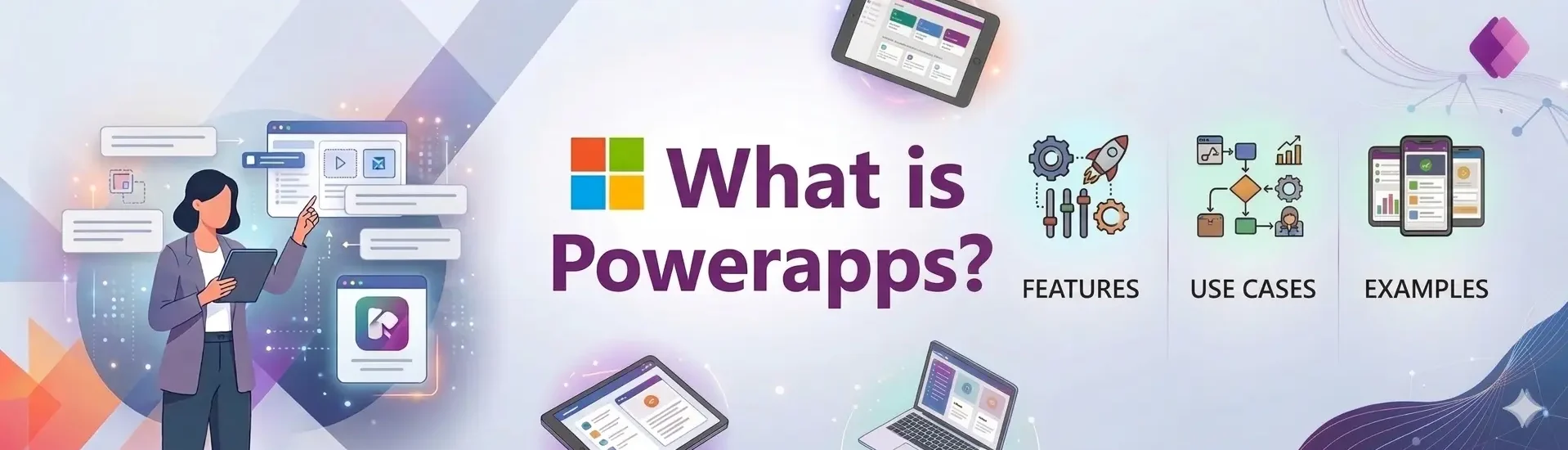
Organizations today are under constant pressure to automate processes, reduce manual work, and build internal tools faster without increasing IT complexity. Traditional software development can be expensive, time-consuming, and difficult to scale for smaller operational workflows.
Microsoft Power Apps addresses this challenge by enabling organizations to build custom business applications using a low-code development platform.
Instead of relying on spreadsheets, emails, or paper-based workflows, teams can create secure applications that automate approvals, manage business data, and integrate seamlessly with Microsoft 365.
From employee onboarding and inventory tracking to expense approvals and field inspections, Power Apps helps organizations streamline operations while reducing development time.
This guide explains what Microsoft Power Apps is, how it works, key features, benefits, and real-world use cases to help organizations understand how the platform supports digital transformation
Microsoft Power Apps is a low-code application development platform that allows organizations to build custom business applications without extensive coding.
It is part of the Microsoft Power Platform, which also includes Power Automate, Power BI, and Power Virtual Agents.
Power Apps enables teams to create applications that:
The platform integrates directly with Microsoft services such as SharePoint, Microsoft Teams, Dataverse, and Power Automate, allowing organizations to build applications that operate within their existing Microsoft ecosystem.
Because Power Apps uses a low-code interface, both developers and business users can create applications faster compared to traditional software development.
Many organizations still rely on disconnected tools such as spreadsheets, emails, and manual approvals to manage operational workflows. These processes often lead to delays, data errors, and limited visibility.
Microsoft Power Apps helps organizations address these challenges by enabling them to build applications tailored to their business needs.
Common reasons organizations adopt Power Apps includes
Automating Manual Workflows
Organizations replace paper forms and email approvals with automated digital processes.
Connecting Business Data
Power Apps integrates with data sources like SharePoint, SQL Server, and Dataverse, allowing applications to centralize business information.
Rapid Application Development
Low-code tools enable organizations to build applications in weeks instead of months.
Mobile Accessibility
Applications created with Power Apps work across smartphones, tablets, and desktops, allowing employees to access tools from anywhere.
These capabilities make Power Apps a popular platform for organizations implementing digital transformation and process automation initiatives.
Microsoft Power Apps provides a range of features that help organizations build and deploy applications quickly.
Low-Code Development
Power Apps allows users to create applications using drag-and-drop components and formulas similar to Excel. This approach reduces the need for extensive programming knowledge.
Integration with Microsoft 365
The platform integrates with Microsoft services such as:
This integration allows applications to connect directly with business workflows and collaboration tools.
Data Connectivity
Power Apps supports hundreds of connectors that allow applications to access external systems such as:
Mobile-Ready Applications
Applications built with Power Apps automatically adapt to mobile devices, enabling employees to capture data and complete workflows on the go.
AI Capabilities
Using AI Builder, organizations can add intelligent features to applications such as:
These features help automate complex tasks and improve decision-making.
Microsoft Power Apps includes different application types designed for specific business scenarios.
Canvas Apps
Canvas apps allow users to design application interfaces using drag-and-drop tools.
These apps are best suited for:
Canvas apps provide flexibility in designing custom user experiences.
Model-Driven Apps
Model-driven apps focus on managing structured business data stored in Dataverse.
These applications are commonly used for:
Model-driven apps automatically generate user interfaces based on data models.
Power Pages (Portals)
Power Pages allow organizations to create external websites connected to business data.
Common use cases include:
These portals allow external users to interact with business systems securely.
Power Apps works by connecting three primary components:
Data Sources
Applications connect to business data stored in platforms such as SharePoint, Dataverse, SQL Server, or cloud services.
Application Interface
Developers design application screens using drag-and-drop components and formulas.
Workflow Automation
Power Apps integrates with Power Automate to automate approvals, notifications, and data synchronization.
This architecture allows organizations to build applications that automate business processes while maintaining centralized data management.
Organizations across industries use Power Apps to build custom applications that streamline operations.
Some common Power Apps use cases include:
1) Employee Onboarding Applications
HR teams use Power Apps to automate onboarding processes such as document collection, training assignments, and employee information management.
2) Inventory Management Systems
Organizations track inventory levels, manage purchase orders, and monitor supply chains using custom inventory apps.
3) Expense Approval Workflows
Finance departments automate expense submission and approval processes using digital forms and automated workflows.
4) Field Inspection Applications
Field teams capture inspection reports, upload images, and submit maintenance data directly from mobile devices.
5) Project Management Tools
Teams track project tasks, approvals, and progress using custom dashboards and workflow automation.
You can explore additional real-world Power Apps use cases to understand how organizations implement these solutions across departments.
Power Apps enables organizations to build applications tailored to specific operational needs.
1) Patient Management Applications
Healthcare organizations use Power Apps to manage patient records, appointments, and treatment workflows.
2) Attendance Tracking Applications
Nonprofit organizations use Power Apps to track program participation and manage attendance across multiple locations.
3) Food Processing Automation Apps
Manufacturing companies use Power Apps to manage supplier invoices, track production processes, and monitor inventory.
4) Staff Onboarding Applications
HR departments use Power Apps to automate employee onboarding processes and training workflows.
5) Construction Inspection Apps
Construction teams use mobile inspection apps to capture site information, safety data, and project updates.
These power apps use cases and examples demonstrate how organizations can build custom applications without traditional development cycles.
Organizations adopt Power Apps because it offers several advantages compared to traditional software development.
1) Faster Application Development
Low-code tools allow organizations to build applications much faster than traditional development methods.
2) Reduced Development Costs
Organizations can create internal tools without investing in expensive custom development projects.
3) Improved Data Accuracy
Digital forms and automated workflows reduce manual data entry errors.
4) Seamless Integration
Power Apps connects with Microsoft 365 services, allowing organizations to automate workflows across their existing technology stack.
5) Scalability
Applications can evolve as business needs grow, supporting additional features and integrations.
Feature | Power Apps | Traditional Development |
Development Time | weeks | months |
Coding Requirement | low-code | full programming |
Cost | lower | higher |
Integration | built-in Microsoft ecosystem | custom integration required |
Power Apps allows organizations to build applications quickly while maintaining enterprise-level security and governance.
Power Apps and Power Automate are often used together but serve different purposes.
Power Apps focuses on building applications and user interfaces, while Power Automate focuses on automating workflows and processes.
For example:
Together they create a complete automation solution.
Organizations can begin building applications with Power Apps using a simple process.
Many organizations start with smaller internal tools before expanding to larger operational applications.
 Sachin Jain