A practical, vendor-neutral guide for CIOs, IT directors, and digital workplace leaders evaluating SharePoint consulting partners in Australia — including a comparison...
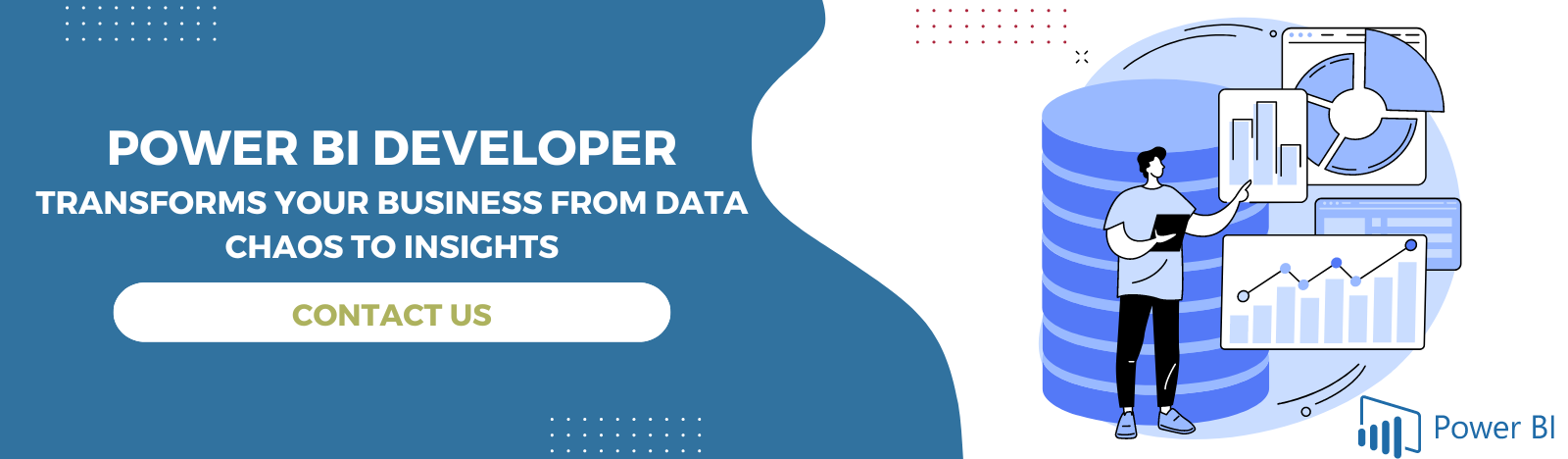
This guide covers what the role of Power BI developer actually involves, what sets a them apart from a consultant or an analyst, which certifications carry weight in 2026, what the work costs under different hiring models, and how to run a hiring process that doesn’t drag on for months. If you’re trying to decide whether to hire one at all, or you already know you need one and just want the practical details, you’ll find both here.
Introduction: The Cost of Choosing a Wrong Power BI Developer
Selecting a Power BI developer is not just about designing reports and dashboards but about creating a platform for scalable analytics. Choosing the wrong partner can lead to weak data governance, modeling, and inaccurate reporting. Inefficient semantic models may lead to slower dashboard performance.
On the other hand, a reliable Power BI developer has hands-on experience working across multiple industries. They understand business objectives and design a governed analytics solution that aligns with your business requirements. Red flags that cannot be ignored include no Microsoft Fabric experience, no project portfolio, no governance, no post-deployment support, etc.
Make sure that the developer you choose has advanced certifications and skills aligned with various industry verticals. They should know how to integrate advanced Generative AI, predictive modeling, and automated data science directly into your analytics framework.
What is a Power BI Developer?
A Power BI developer is a business intelligence expert who connects data sources and creates the reports and visually appealing dashboards for specific industries. This helps in better business decision making. Costs range from roughly $30/hour-$35/hourfor a junior in-house hire to $40-45+ for a senior architect.
Most organizations don’t struggle to buy Power BI. They struggle to find someone who can make it work the way the demos promised. A dashboard that looks polished in a sales pitch and a semantic model that survives three years of schema changes, new data sources, and finance’s quarterly definition disputes are two different things. That gap is exactly what a Power BI developer is hired to close.
Whether you’re a marketer, analyst, or CEO, a Power BI developer fills in the missing puzzle pieces to help you finally:
The day-to-day work breaks into five recurring areas. A single project rarely needs all five in equal measure, but a developer worth hiring should be competent across every one of them.
Data Connectivity & Integration
Before a single visual gets built, someone has to connect Power BI to the data. That means SQL Server, Azure Synapse, Dataverse, SharePoint lists, Excel files scattered across departments, REST APIs, and increasingly, Microsoft Fabric’s OneLake.
A developer decides between Import, DirectQuery, and Dual storage modes based on data volume and refresh requirements and sets up gateways for on-premises sources. Get this stage wrong, and every report built on top of it inherits the problem.
Data Modeling
This is the part clients rarely see and almost always underpay for. A developer designs star schemas, defines relationships between fact and dimension tables, and decides what belongs in the model versus what should stay in the source system. A clean model with five well-designed tables outperforms a messy one with fifty, both in query speed and in how easily a business user can trust the numbers.
DAX, Power Query & Semantic Models
DAX (Data Analysis Expressions) is the calculation language behind every measure, KPI, and time-intelligence calculation in a Power BI report: year-over-year growth, running totals, dynamic ranking. Power Query (M language) handles the transformation layer before data ever reaches the model: cleaning, reshaping, merging tables. Together they define the semantic model, which is increasingly treated as a reusable asset across an organization’s entire Fabric estate, not just a single report.
Reports, Dashboards & Custom Visuals
This is the visible layer: interactive reports, executive dashboards, drill-through pages, and, when out-of-the-box visuals don’t fit, custom visuals are built with the Power BI Visuals SDK. A developer here must balance what looks good against what a specific business audience will use. For example, a finance controller and a warehouse floor manager need very different report designs from the same underlying data.
Automation, Embedding & Microsoft Fabric Integration
Senior work extends past the report itself. That includes scheduling and automating data refreshes, embedding reports into custom applications or portals with Power BI Embedded. In 2026, integrating with Microsoft Fabric for lakehouse architecture, Real-Time Intelligence, and Copilot-assisted report authoring is increasingly required by businesses.
Power BI Developer vs. Power BI Consultant vs. Data Analyst
These three titles get used interchangeably in job postings, which causes real hiring mismatches. Here’s the practical distinction.
In practice, a small project might require one person to do all three jobs. A larger transformation typically pairs a consultant who defines the approach with one or more developers who build it, while data analysts consume the finished output. If a job posting asks for “Power BI developer” but the actual need is someone to define a company-wide analytics strategy, that’s a consultant-shaped problem wearing a developer-shaped title and it’s a common reason BI hires don’t work out.
Industry
Primary Focus
Typical Deliverable
Power BI Developer
Builds and maintains reports, dashboards, and data models
Working dashboards, DAX measures, semantic models
Power BI Consultant
Advice on BI strategy, governance, and adoption
Roadmaps, architecture decisions, training
Data Analyst
Explores data and reports for their own team
Ad hoc analysis, team-level reports
Certifications That Matter (PL-300, DP-600)
One correction worth making up front, because it affects how you should read most competing content on this topic: DP-500 (Azure Enterprise Data Analyst Associate) is a retired certification. Microsoft sunset it on April 30, 2024 and positioned DP-600 as its replacement as the “enterprise data analyst” role evolved into what Microsoft now calls an analytics engineer.
DP-600: Fabric Analytics Engineer Associate. This is the modern successor to DP-500, built for Microsoft Fabric’s unified data platform: preparing data across lakehouses and warehouses, maintaining analytics solutions, and implementing and managing semantic models at scale. Microsoft positions PL-300-level skills as the expected baseline before attempting DP-600.
How Much Does a Power BI Developer Cost?
This is the question most hiring pages avoid, and it’s genuinely one of the most-searched modifiers around this role. Costs vary by hiring model, seniority, and region, but here’s a realistic range to work from.
Hiring Model
Junior
Mid-Level
Senior / Architect
Freelance (hourly)
$20–$40
$40–$70
$70–$120+
Staff Augmentation (monthly)
$3,000–$5,000
$5,000–$8,000
$8,000–$13,000
Full-Time Employee (annual, US-based)
$65,000–$85,000
$85,000–$115,000
$115,000–$150,000+
A single, well-scoped dashboard build usually lands at the lower end of these ranges. Enterprise engagements involving governed semantic models, RLS/OLS security design, and multi-source integration cost more — the complexity, not the chart count, is what drives price.
Hiring Models: In-House vs. Freelance vs. Agency vs. Dedicated Team
Evaluation Criteria
In-House Developer
Freelance Developer
Agency
Dedicated Power BI Team
Upfront & Ongoing Cost
Highest investment due to salaries, benefits, recruitment, training, and infrastructure. Best ROI only for long-term needs.
Lowest initial cost with hourly or project-based pricing. Costs may increase if revisions or additional work are required.
Moderate to high project costs, typically bundled with project management and QA.
Predictable monthly pricing with no recruitment or employee overhead. Cost-effective for continuous development.
Time to Productivity
Weeks to months for hiring and onboarding before delivering value.
Can start within days for well-defined tasks.
Faster onboarding with established delivery processes.
Rapid onboarding with experienced developers ready to integrate into existing workflows.
Data Modernization & Digital Transformation
Requires building internal expertise across Power BI, Azure, Microsoft Fabric, ETL, governance, and analytics. Progress may be slower.
Usually focused on individual dashboard development rather than enterprise modernization initiatives.
Can support modernization projects through multidisciplinary expertise, though often project-limited.
Ideal for ongoing modernization initiatives, cloud migration, self-service BI, governance, and enterprise analytics evolution.
Domain Knowledge
Develops deep understanding of business processes, KPIs, stakeholders, and company culture over time.
Limited business context unless engaged for long durations.
Gains domain knowledge during project execution but may rotate resources.
Dedicated resources continuously build institutional knowledge while bringing industry best practices.
Collaboration & Communication
Excellent collaboration with internal teams and stakeholders through daily interaction.
Communication depends on availability, time zones, and workload.
Structured communication via project managers and scheduled meetings.
Direct collaboration with dedicated developers supported by delivery managers and agile ceremonies.
Control & Visibility
Maximum control over priorities, roadmap, security, and development processes.
High control over assigned work but limited influence on freelancer availability or long-term commitment.
Moderate visibility through project reports and milestones.
High visibility with sprint planning, regular demos, shared documentation, and dedicated reporting.
Quality & Consistency
Quality depends largely on the skills of individual hires and internal review processes.
Can vary significantly between freelancers. QA often remains the client’s responsibility.
Established QA processes, coding standards, and testing frameworks improve consistency.
Built-in peer reviews, testing, documentation, and standardized development practices ensure consistent quality.
Scalability
Hiring additional developers requires recruitment and onboarding, making scaling slow.
Difficult to scale beyond one or two specialists.
Agencies can allocate more resources as projects expand.
Easily scale developers, BI architects, data engineers, or QA specialists based on changing business needs.
Business Continuity
Strong continuity if employee retention is high, but resignations can disrupt projects.
Higher risk due to availability changes or project completion.
Lower risk because agencies can replace resources internally.
High continuity with knowledge transfer, backup resources, and long-term engagement models.
Innovation & Best Practices
Innovation depends on employee experience and learning initiatives.
Varies greatly by individual expertise.
Exposure to multiple industries enables broader implementation of best practices.
Continuous exposure to emerging Microsoft technologies, analytics trends, governance frameworks, and automation practices.
Long-Term Maintenance
Fully managed internally but requires ongoing staffing investment.
Maintenance contracts are optional and not always guaranteed.
Available through support agreements.
Continuous optimization, dashboard enhancements, performance tuning, and support are included in long-term engagements.
Best Use Case
Organizations with permanent BI teams and ongoing internal analytics needs.
Small projects, quick fixes, report customization, or proof of concepts.
End-to-end BI implementations with defined scope and timeline.
Organizations seeking strategic BI partnerships, scalable analytics teams, and continuous business intelligence improvement.
Our honest take, after staffing this role across dozens of engagements: if the project has a defined start and end, say, standing up executive dashboards for one department, staff augmentation or a dedicated project team usually beats hiring full-time. If BI is becoming core to how the company runs, at some point, a full-time hire (often supported by an initial agency build-out) makes more sense than perpetual outsourcing.
Power BI Dashboard, App & Solution Development Services
“Power BI development” isn’t one service. It splits into a few distinct lines of work, and it’s worth knowing which one you need.
Dashboard developmentcovers building the report pages and visuals end users interact with daily: sales dashboards, finance close trackers, operations scorecards.
App development refers to packaging multiple related reports, dashboards, and datasets into a single Power BI App that gets distributed to a defined audience with consistent navigation.
Solution development is the broader category: architecting the full pipeline from source system to semantic model to governed reporting layer, which is what larger, multi-department rollouts require.
Most engagements start with one dashboard, prove the value, then expand into a fuller solution once stakeholders see what’s possible.
Power BI Use Cases
Financial reporting and FP&A: consolidated P&L, budget-vs-actual, and forecasting dashboards refreshed automatically instead of rebuilt in Excel every month.
Sales and revenue operations: pipeline visibility, quota attainment, and territory performance tied directly to CRM data.
Manufacturing and supply chain operations: inventory levels, on-time delivery, and demand forecasting across warehouses or plants.
HR and workforce analytics: headcount, attrition, and diversity reporting pulled from HRIS systems.
Customer-facing embedded analytics: SaaS products and portals that expose Power BI reports directly to end customers under their own branding.
Regulatory and compliance reporting: auditable, governed reporting for industries like healthcare, finance, and manufacturing.
You can read Power BI use cases in detail in this blog.
What are the Benefits of Power BI?
Power BI’s greatest advantage is that it combines data integration, visualization, advanced analytics, collaboration, governance, and scalability in a single platform, making it suitable for organizations ranging from startups to large enterprises.
Data Integration: Connects multiple data sources into a single, unified view for accurate reporting and analysis.
Interactive Dashboards: Delivers real-time, visual insights that help teams monitor KPIs and make faster decisions.
Self-Service Analytics: Enables business users to create reports and explore data without heavy reliance on IT.
Data Modernization: Supports cloud-based analytics, centralized data management, and digital transformation initiatives.
How to Hire a Power BI Developer: 5-Step Process
Discovery call. Scope the business problem, not just the technical ask; what decision is this dashboard supposed to support?
Data source audit. Map every source system involved and flag integration complexity before quoting anything.
Developer matching. Based on scope, the developer or team is assigned considering the right seniority and domain experience; not just whoever’s available next.
Build & iterate. Development happens in short cycles with regular check-ins, not a black-box delivery three months later.
Deploy, train & support. Hand off with documentation and training, and stay available for the inevitable “can we also add…” follow-ups.
Creating a Power BI Strategy for Your Business
To use BI to its full strategic potential, you need the right foundations and processes in place. A Power BI developer starts by assessing your business objectives, data resources, and team readiness.
They determine key areas of opportunity, such as:
Data sources to integrate
Metrics and KPIs to track
Departments to involve
Additional tools or teams needed
Then they design a BI strategy tailored for your organization and goals. This gives you a multi-year plan to become truly data driven.
The Power BI Implementation Roadmap
With a solid strategy in hand, it’s time to roll up sleeves and execute that plan. An experienced Power BI developer maps out all the steps needed – both technical and organizational – to make your BI vision a reality.
The phased implementation roadmap will cover:
Initial Proofs of Concept – Pilot projects with high business impact to demonstrate BI value.
Centralizing Data – Combining data sources into a single model for connectivity.
DAX and Data Flows – Implementing replicable DAX measures and transformations.
Governance – Data security, access controls, and naming conventions.
Training – Developing internal BI skills through training sessions.
Maintenance Planning – Automating refreshes, monitoring, and ongoing enhancements.
With each milestone met, your teams get closer to independently leveraging data. The developer transfers knowledge until they have full ownership.
10 Questions to Ask Before You Hire a Power BI Developer
Before embarking on the Power BI Developer hiring journey, make sure that you get the appropriate answers to such questions:
Can you please tell what the Power BI projects you worked on are? A suitable answer includes projects similar to your industry. Let them share their dashboards, reports and self service analytics projects.
What elements do you use while designing data model in Power BI that you follow? Answer to this question should be around knowing about star schema, performance optimization, dimension tables and more.
Do you have proficiency in DAX? A good answer includes their experience in time intelligence, running totals, calculated measures and more.
Have you integrated data sources with Power BI? If yes, please mention. Power BI developers should know how to connect these data sources with Power BI: Excel, SQL Server, SharePoint, Microsoft Fabric, Salesforce, SAP, Azure and more.
Do you know how to manage data accuracy? The right answer should include the way they handle data accuracy with testing, validation checks, error monitoring, User Acceptance Testing and more.
Can you tell how do you ensure documentation of data? A good answer should include version control, report documentation, DAX documentation, naming conventions and more.
Can you explain about a few challenges you must have overcome in previous Power BI projects? A good answer states about real-life challenges and issues and how did the developers solve it.
Do you stay updated with Power BI updates? A good answer should include developers following community blogs, Power BI updates, Microsoft Learn, user groups, and conferences.
Do you have experience working with large datasets? A suitable answer will highlight their experience working with thousands of records and the tools they use to improve and maintain performance.
Can you tell whether you have worked with Power BI Service? A good answer will include experiences about data gateways, apps, deployment pipelines, Workspaces, and scheduled refresh.
Why Partner with Beyond Intranet?
Beyond Intranet is a Microsoft solutions partner and a Power Platform consulting service provider, with more than 20 years of experience in serving global clients with Microsoft services. Our developers work across industries, including manufacturing, financial services, and professional services, building everything from single-department dashboards to enterprise-wide Fabric-based reporting layers.
Certifications our developers hold: Microsoft Certified: Power BI Data Analyst Associate (PL-300), Microsoft Certified: Fabric Analytics Engineer Associate (DP-600), Azure AI Fundamentals and more. Apart from Microsoft Power BI and Fabric consulting, we also offer Databricks, Snowflake and Tableau consulting services.
Beyond Intranet is trusted across industries and different geographies. Our clientele: Breg, Taymor, GROW and more.
Real-world case study:
Breg, a leading health device manufacturer company in the US was struggling to manage and store data. They had scattered data stored in multiple locations and platforms. This created a hurdle in gaining information about their financial performance. We helped them with development of Power BI finance dashboards that included line charts, stacked bar charts and interactive visualization for better data analysis. Read the full case study.
Want to know more about our Power BI projects? Click here.
Key Takeaways
A Power BI developer builds and maintains dashboards, data models, and DAX-driven reports — distinct from a BI consultant, who advises on strategy.
The core credential to look for is Microsoft PL-300; DP-500 signals broader Azure data experience.
Hiring models range from freelance and hourly to full-time, staff augmentation, and agency-led engagements — the right fit depends on project duration and complexity.
A single dashboard build typically takes one to three weeks; enterprise BI rollouts run six to twelve or more weeks.
Microsoft Fabric and Copilot are reshaping the role — modern developers increasingly work across the full Fabric/OneLake stack, not Power BI in isolation.
Security should run through row-level security (RLS), object-level security (OLS), and Entra ID-governed access from day one, not as an afterthought.
Ready to turn your data into decisions? Book a free 30-minute
A Power BI developer designs, builds, and maintains interactive reports and dashboards in Microsoft Power BI, handling data connections, modeling, DAX calculations, and visualization design.
An analyst typically explores data and builds reports for their own team. A developer builds scalable, governed solutions used across the organization, often with more advanced DAX, security, and integration work.
Cost depends on the hiring model — freelance hourly rates, staff augmentation, or a fixed-scope agency engagement. Enterprise engagements involving data modeling and governance cost more than a single dashboard build.
If you need someone to build and maintain specific reports, a developer is the right fit. If you need to define BI strategy, architecture, and adoption across the company, a consultant — or a developer with consulting scope — is better suited.
Yes. Power BI connects to most common sources, including SQL Server, Azure, Excel, SharePoint, Dynamics 365, Salesforce, and REST APIs.
About Author
Shivani Shelke
Shivani Shelke is a Senior Content Writer at Beyond Key with 8+ years of experience creating thought leadership content on Microsoft technologies, cloud, AI, ERP, cybersecurity, BI & data visualization. A gold medalist in Mass Communication and Journalism, she specializes in blogs, whitepapers, eBooks, and web content that simplify complex technology topics for business and technical audiences.